How to configure a proxy in Galaxy Modeler
In this article you will learn how to set up a proxy and activate Galaxy Modeler.
Where and how to set up a proxy?
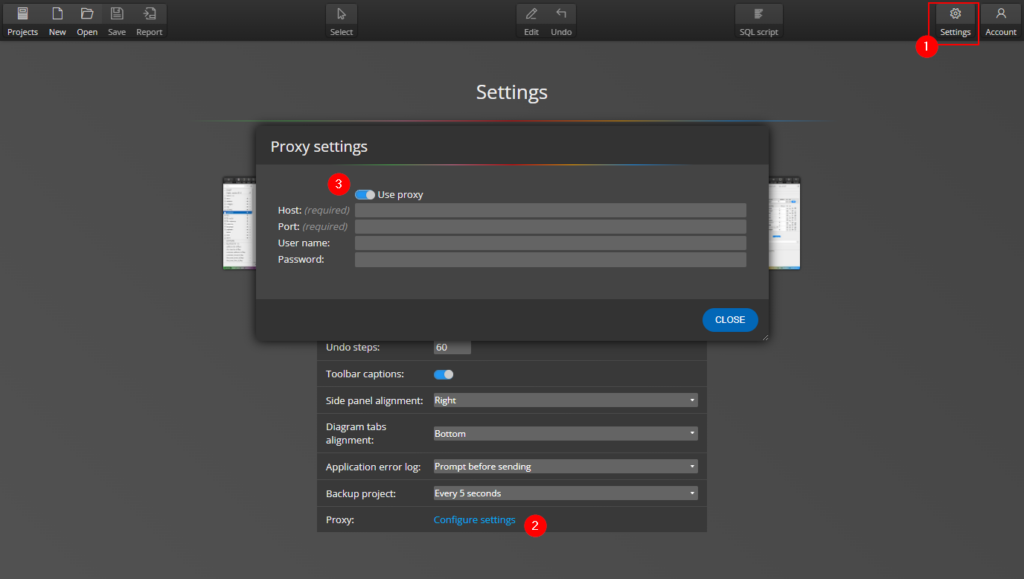
If you need to set up a proxy server, go to Settings and click the Proxy: Configure Settings link. Then enable the Use proxy switch and enter the necessary proxy values.
How to activate Galaxy Modeler
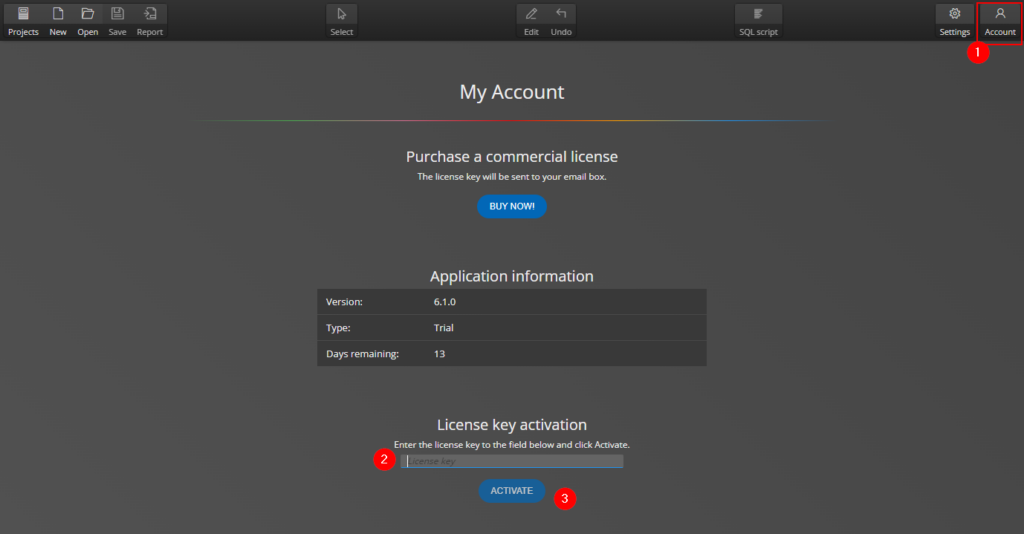
After you have configured the proxy go to the Account page, enter the license key and click Activate.
#
Posted in: Support