What's new in
Luna Modeler version 15
This page was updated on November 11th
Connect to Any Database via ODBC or JDBC
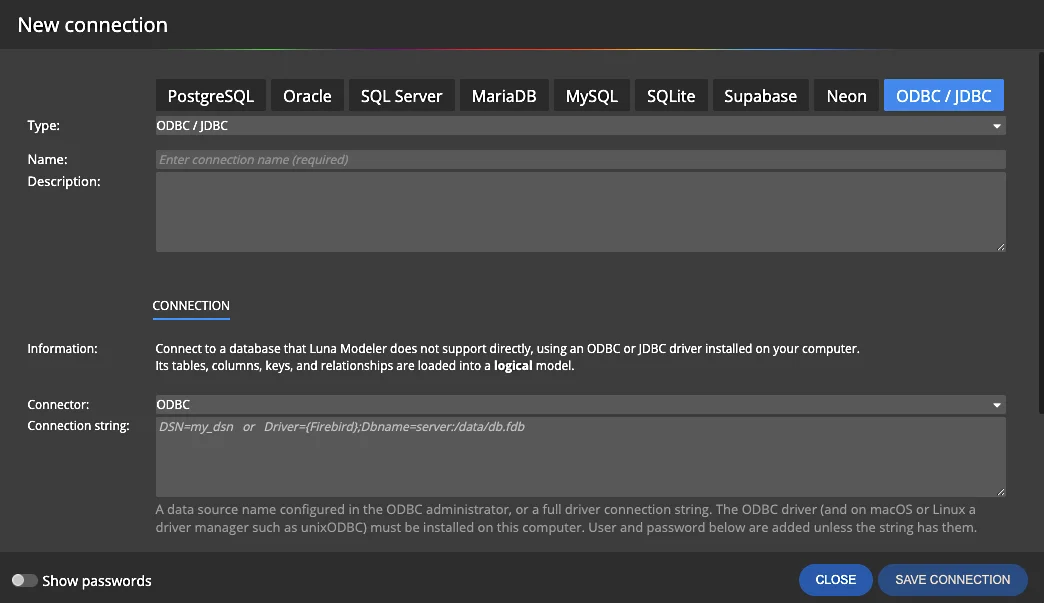
Your database is not on the list of directly supported platforms? Firebird, a legacy system or a niche engine: if there is an ODBC or JDBC driver for it, Luna Modeler can now read its structure.
- New connection type.
Choose ODBC / JDBC in the connection form and pick the connector. - ODBC.
Enter a data source name configured in the ODBC administrator, or a full driver connection string. - Tables, columns, keys and relationships.
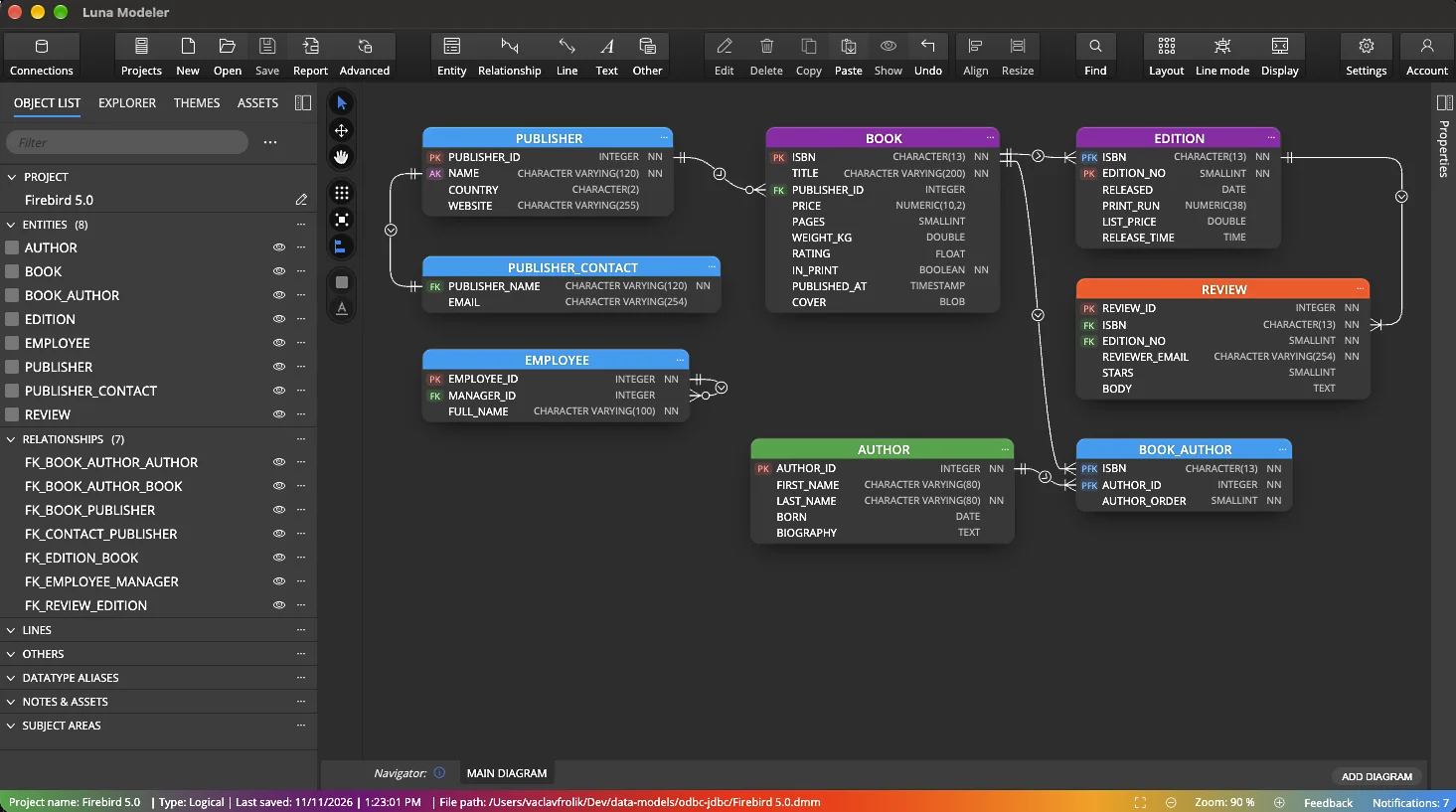
Everything is loaded into a logical data model.
JDBC: Driver, Java and Schemas
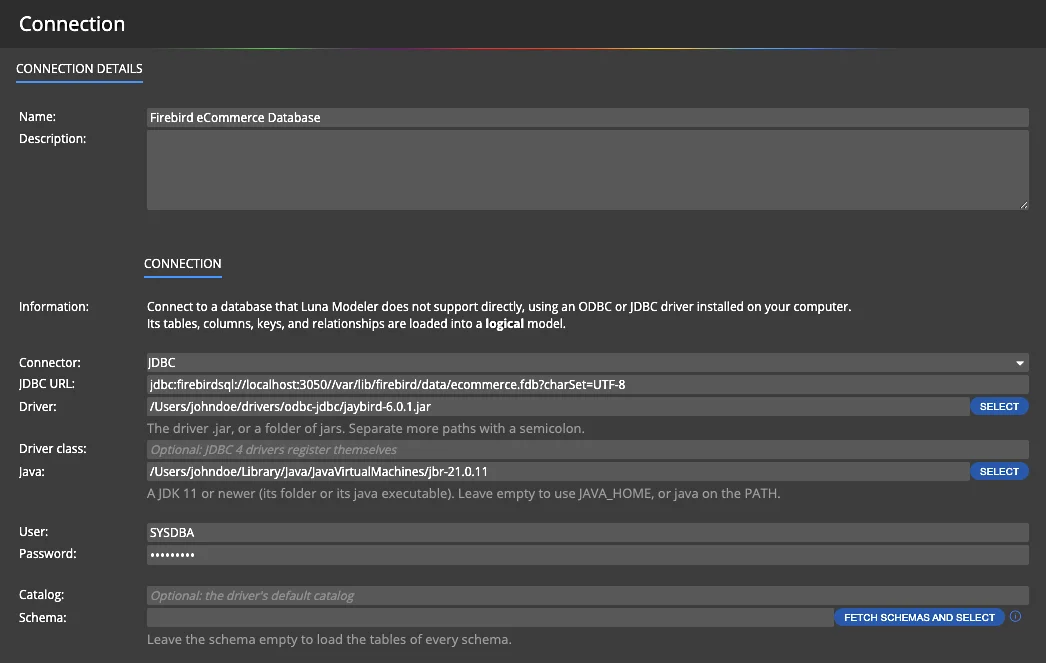
For a JDBC connection, enter the JDBC URL and select the driver .jar file or a folder with jars. Luna Modeler uses a JDK 11 or newer, from the path you select, from JAVA_HOME or from the PATH.
- The driver class is optional, JDBC 4 drivers register themselves.
- Fetch the schemas and select the ones you need.
- Leave the schema empty to load the tables of every schema.
The Result: a Logical Data Model
The loaded structure becomes a logical data model with an ER diagram. Entities, attributes, primary and foreign keys, data types and relationships are all there.
- Documentation.
Generate HTML reports for a database that had no documentation before. - Communication.
Share a clear diagram with developers, analysts and other team members.
Update from Database Works Too
The database changes and so should the model. Update from database is also available for logical models created via ODBC or JDBC.
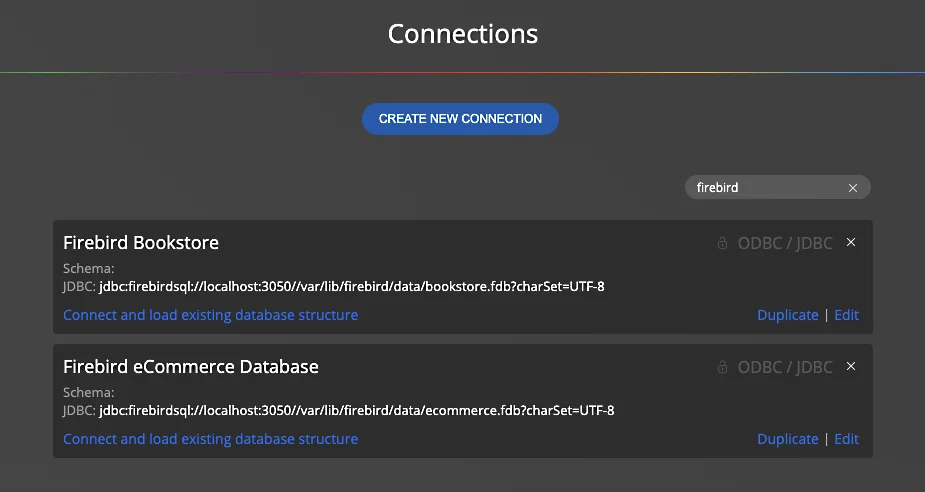
Save the connection once and reuse it to load the structure again or to bring new changes into your model.
Hide Relationships and Lines on a Diagram
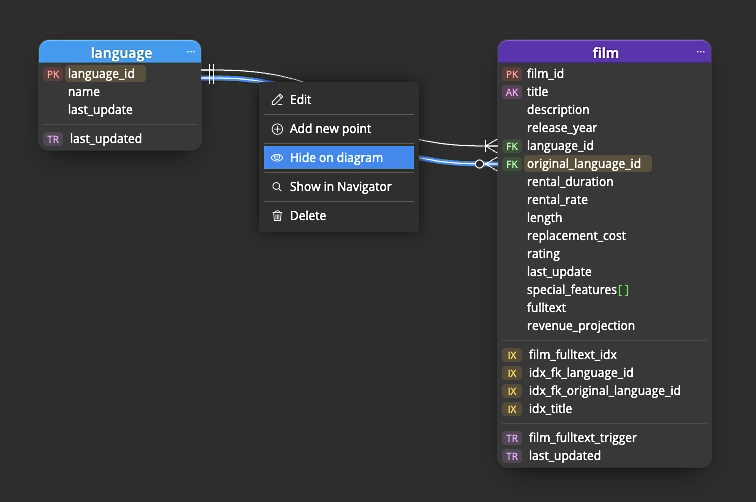
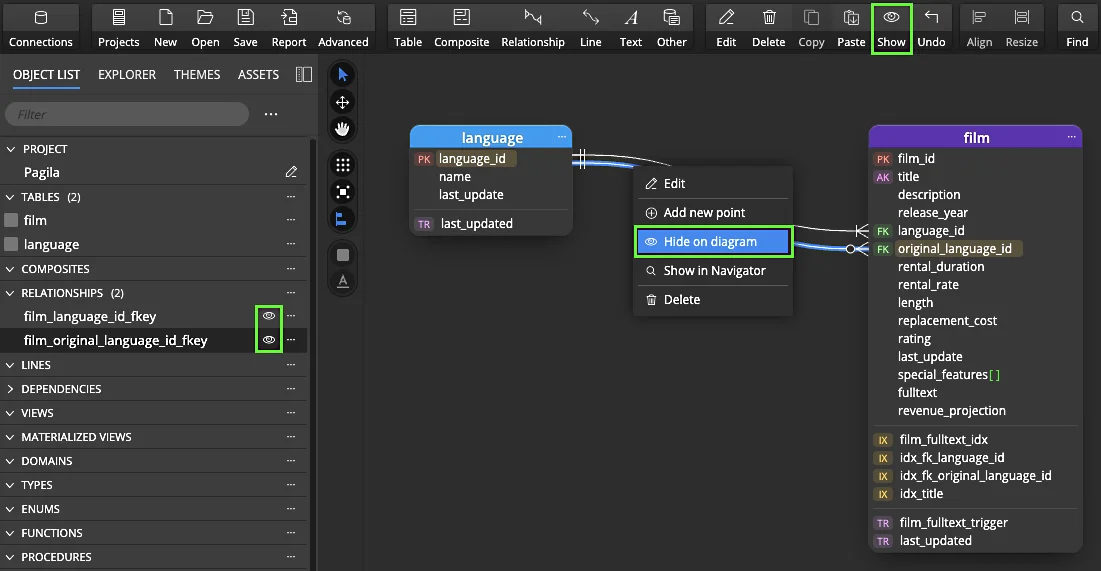
Two tables are often connected by more than one relationship, for example film.language_id and film.original_language_id both point to language. On the diagram, one line can be enough.
Right-click a relationship or a line and choose Hide on diagram. The relationship stays in the model, only its line is not drawn. The diagram gets easier to read.
Show Hidden Items Again
Nothing gets lost. Use the eye icon next to a relationship or a line in the object list, or the Show button in the toolbar, to display hidden items on the diagram again.
Custom File Name for Reports
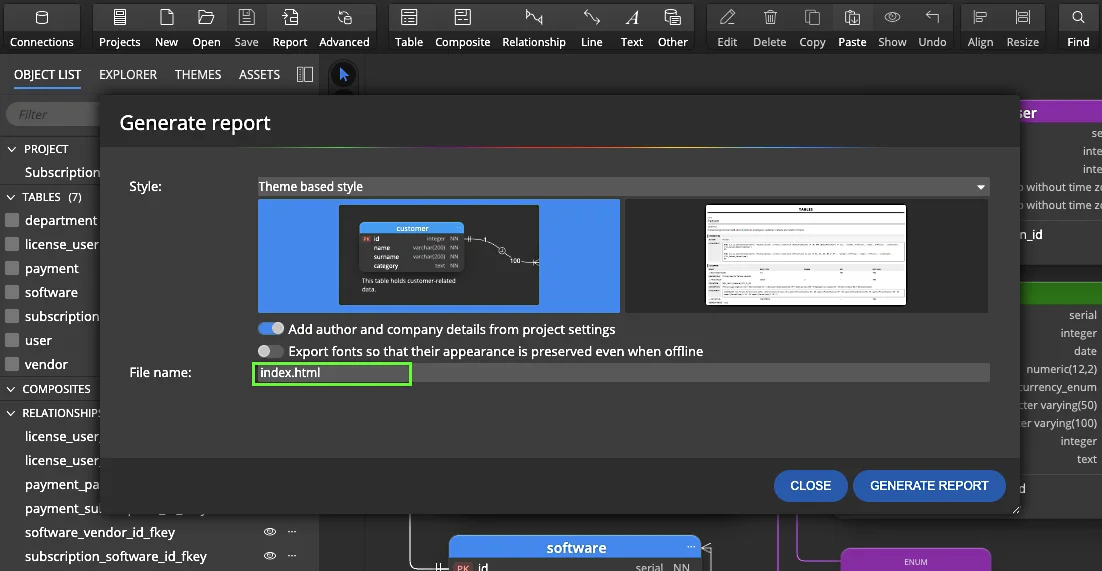
Set the file name of a generated HTML report directly in the Generate report dialog.
Generate reports for the main diagram and for each sub-diagram into the same folder, each with its own name. Structuring your documentation gets easier.
Custom Report Names in the CLI
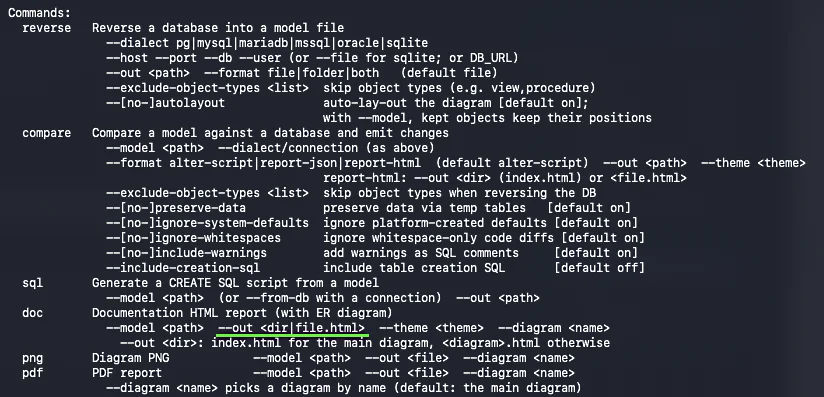
The command line interface supports custom names as well. The --out option of the doc command accepts a folder or a file name.
--out <dir>createsindex.htmlfor the main diagram and<diagram>.htmlfor others.--out <file.html>uses the name you choose.
Clearer Reverse Engineering Form
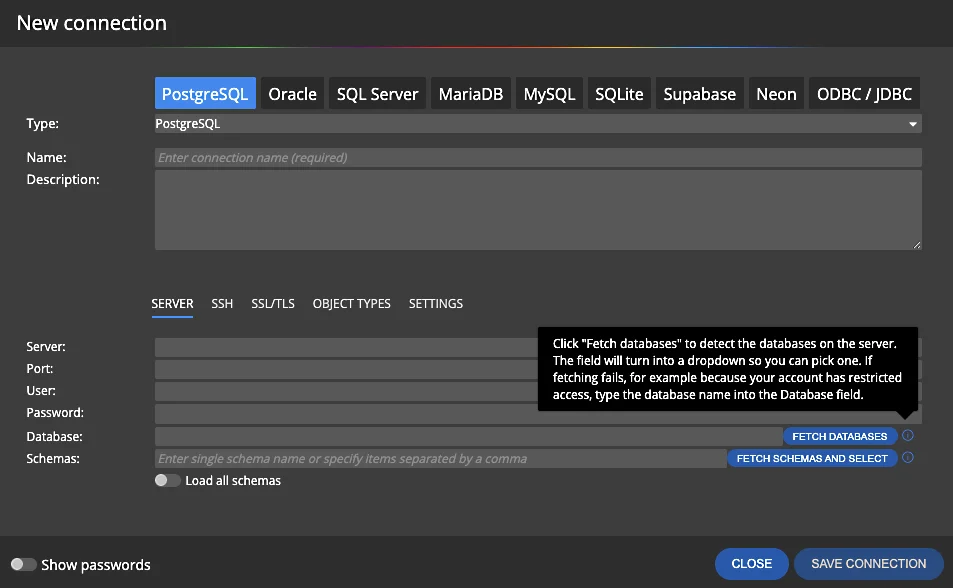
The connection form used for reverse engineering now explains what each button does.
- Fetch databases.
Detects the databases on the server and turns the field into a dropdown, so you can pick one. If your account has restricted access, type the database name instead. - Fetch schemas and select.
Loads the schemas so you can choose which ones to reverse engineer.
Easy to Read Differences in Descriptions and Scripts
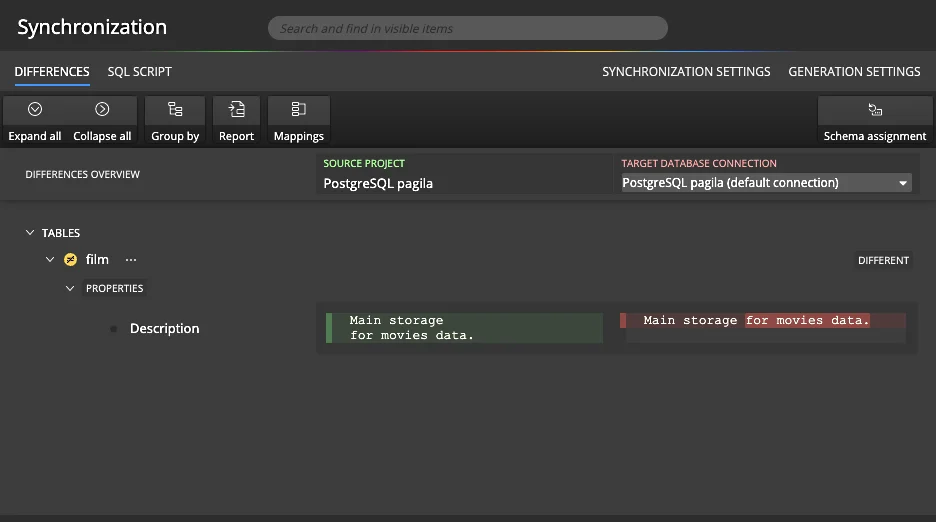
Comparison now shows differences in descriptions and in before and after scripts more clearly. The project and the database values are displayed next to each other, with the changed text highlighted.
You see right away what was added or removed.
Tables Sorted Alphabetically in HTML Reports
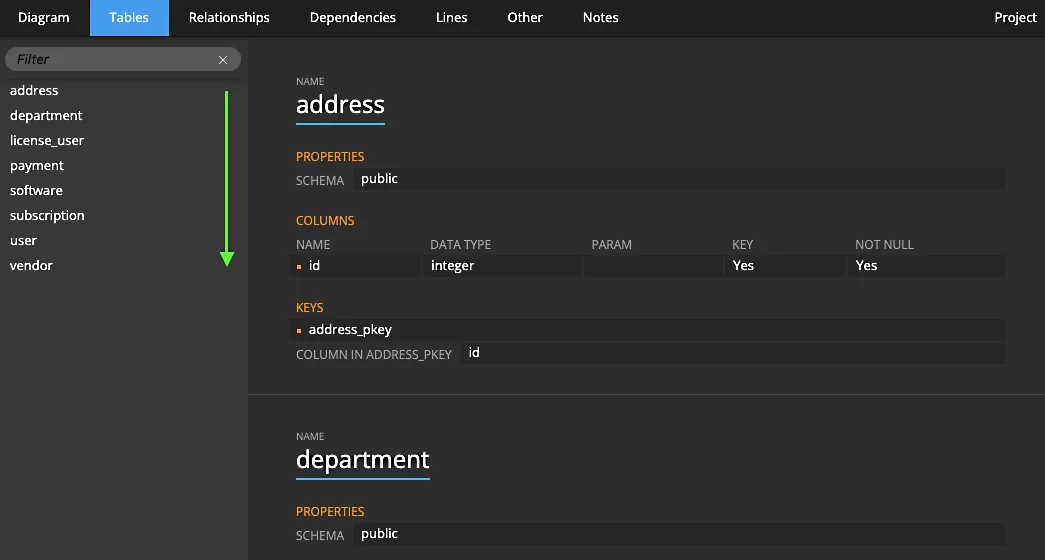
Table names in HTML reports are now sorted alphabetically. You find a table in a large report quickly, and the filter above the list narrows it down even more.

- Free 14 days trial
- No credit card required
Other improvements
Version 15
- Improved MariaDB and MySQL keys and unique indexes management and comparison.
- SQL Server data model synchronization: removed duplicities in generation of descriptions to objects.
- Fix in SQL Server column order detection.
- Fix related to corrupted restored data model files.
- Reset name for FK attributes now respects the Use parent table settings.
- Improved storing of Application settings.
- Fix in HTML reports when Move mode was activated in Luna Modeler.
Version 14.7
- Read What's new in Luna Modeler version 14.7 (with screenshots)
- Synchronization: schema assignment information is available in the synchronization features.
- New themes for dark and light mode.
- Gradient backgrounds for diagrams.
- Background patterns for diagrams.
- New themes: dark pastel and light pastel.
- Hints in the UI explain selected settings and fields.
- Fixed known issues for CLI on Windows OS.
Version 14.6
- Read What's new in Luna Modeler version 14.5 & 14.6 (with screenshots)
- Import from text - quickly add tables, assets or other objects.
Right click the diagram area and choose Import from text. A modal form opens.
Specify object type, object names (one per line) and click Import. - Drag and move a line segment in both the Orthogonal line modes.
- Better alignment of lines and custom points in both the Curved line modes.
- Fix: project update keeps the model file path
- Fix: Drag and move a column on a diagram preserve FK settings.
- Fix: Line mode for a single selected line or relationship can be set to Orthogonal.
- Fix: Corrected styles for the conceptual data model visualizations.
Version 14.5
- Supabase: new connection type for cloud and local Supabase databases
- Neon: new connection type for Neon serverless Postgres
- Views: columns can be displayed on diagrams
- Other objects: In, Out and InOut parameters can be displayed on diagrams
- PostgreSQL: values of Other objects of the Enum type can be displayed on diagrams
- Tables: triggers can be displayed in table graphics
- Columns can be moved from one table to another using drag and drop
- Synchronization: new option Ignore whitespaces for generation of synchronization SQL scripts
- Project update: new option Ignore whitespaces
- New project and Convert project: Supabase and Neon added as target platforms