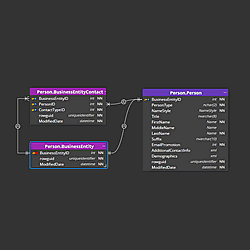
ODBC/JDBC connections
Luna Modeler connects directly to PostgreSQL, Oracle, SQL Server, MariaDB, MySQL, SQLite, Supabase and Neon. For any other relational database, use the ODBC / JDBC connection type. If an ODBC or JDBC driver exists for the database, Luna Modeler can load its tables, columns, keys and relationships into a logical data model.
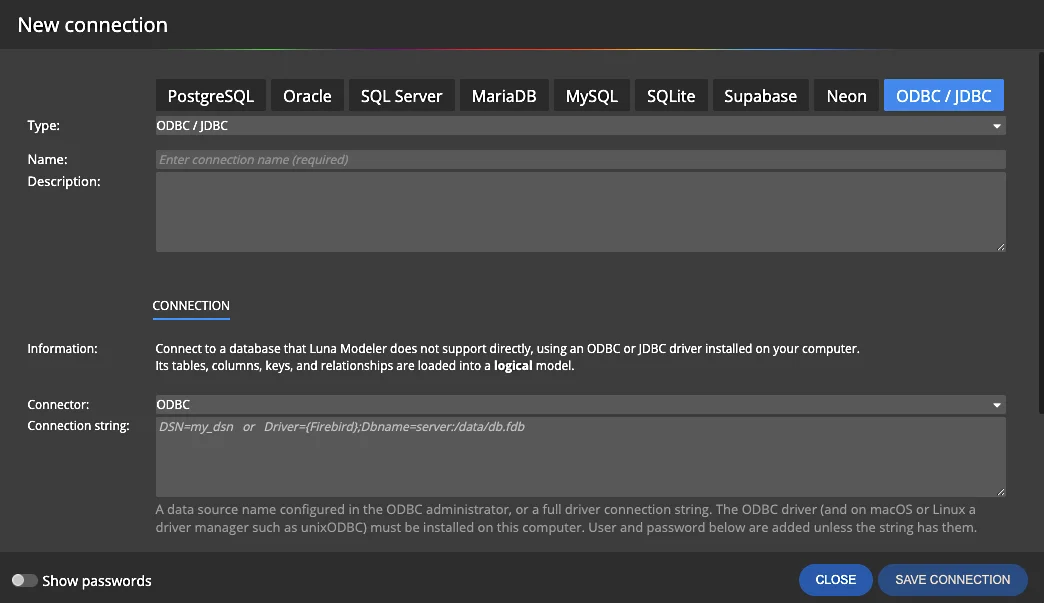
The ODBC / JDBC connection type is available in all editions of Luna Modeler, starting with version 15.
Requirements
- ODBC: the ODBC driver for your database must be installed on your computer. On macOS and Linux, a driver manager such as unixODBC is also needed.
- JDBC: the driver
.jarfile (or a folder with jars) and a JDK 11 or newer. - A database user with permission to read the database metadata.
Create an ODBC connection
- Click Connections on the main toolbar and then Create new connection.
- Select the ODBC / JDBC tab and enter the connection name.
- Set Connector to ODBC.
- In Connection string, enter a data source name configured in the ODBC administrator, for example
DSN=my_dsn, or a full driver connection string, for exampleDriver={Firebird};Dbname=server:/data/db.fdb. - Enter the user and password. They are added to the connection string, unless the string already contains them.
- Click Save connection.
Create a JDBC connection
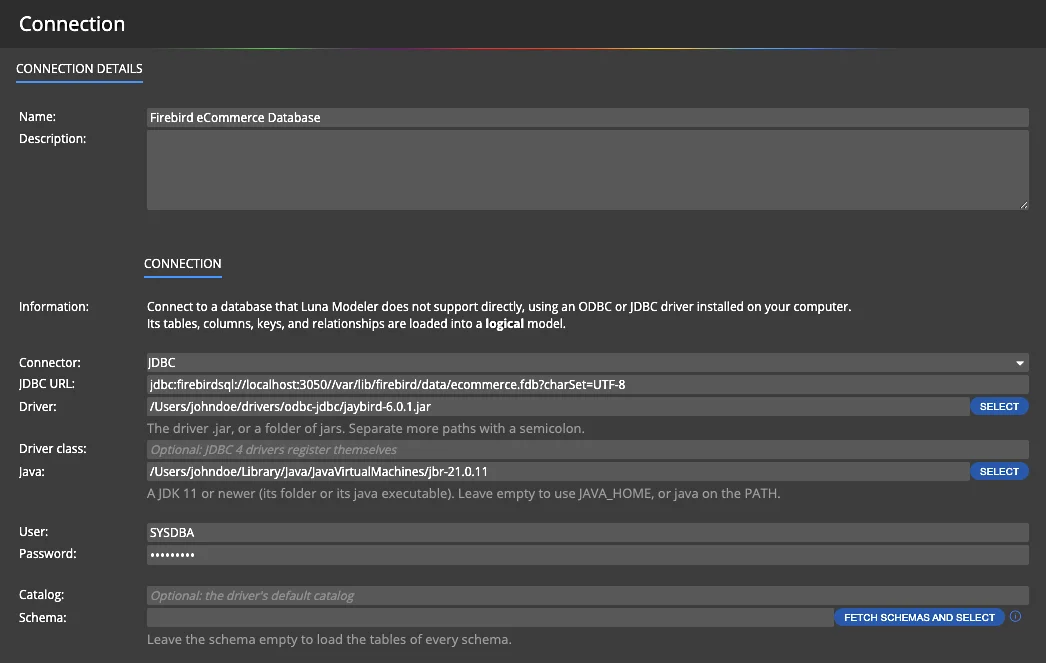
Select the ODBC / JDBC tab, set Connector to JDBC and fill in the fields:
| Field | Description |
|---|---|
| JDBC URL | The JDBC URL of the database, for example jdbc:firebirdsql://localhost:3050//var/lib/firebird/data/ecommerce.fdb?charSet=UTF-8. |
| Driver | The driver .jar file or a folder of jars. Separate more paths with a semicolon. |
| Driver class | Optional JDBC 4 drivers register themselves. |
| Java | A JDK 11 or newer: its folder or its java executable. Leave it empty to use JAVA_HOME, or java on the PATH. |
| User, Password | The database credentials. |
| Catalog | Optional When empty, the driver's default catalog is used. |
| Schema | Click Fetch schemas and select to pick the schemas to load. Leave the schema empty to load the tables of every schema. |
Load the database structure
Saved ODBC and JDBC connections appear in the connection list, together with the JDBC URL or the connection string. Click Connect and load existing database structure to start the reverse engineering.
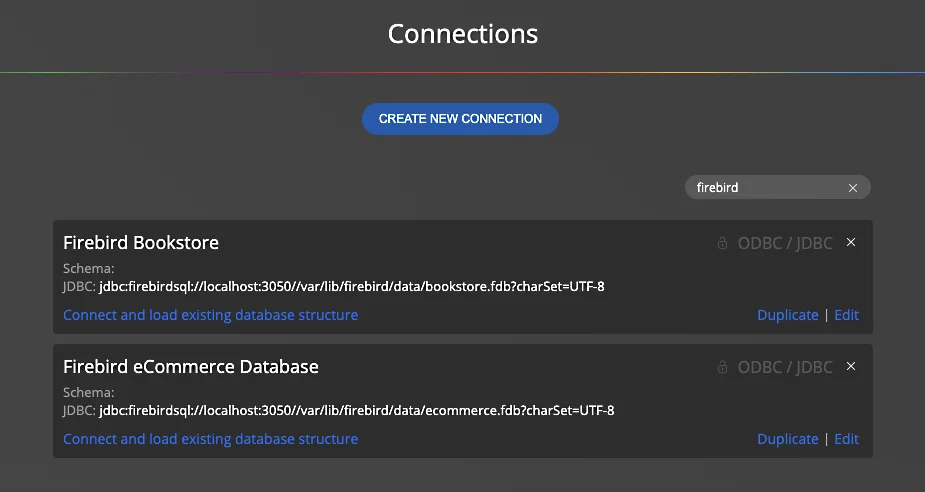
Use Duplicate to create a connection to another database on the same server and Edit to change the connection details.
The result: a logical data model
Luna Modeler creates a new project of the Logical type:
- Tables become entities, columns become attributes.
- Data types are taken from the database, for example
CHARACTER VARYING(120)orNUMERIC(10,2). - Primary keys, alternate keys, foreign keys and the not null setting are loaded.
- Foreign keys become relationships between the entities.
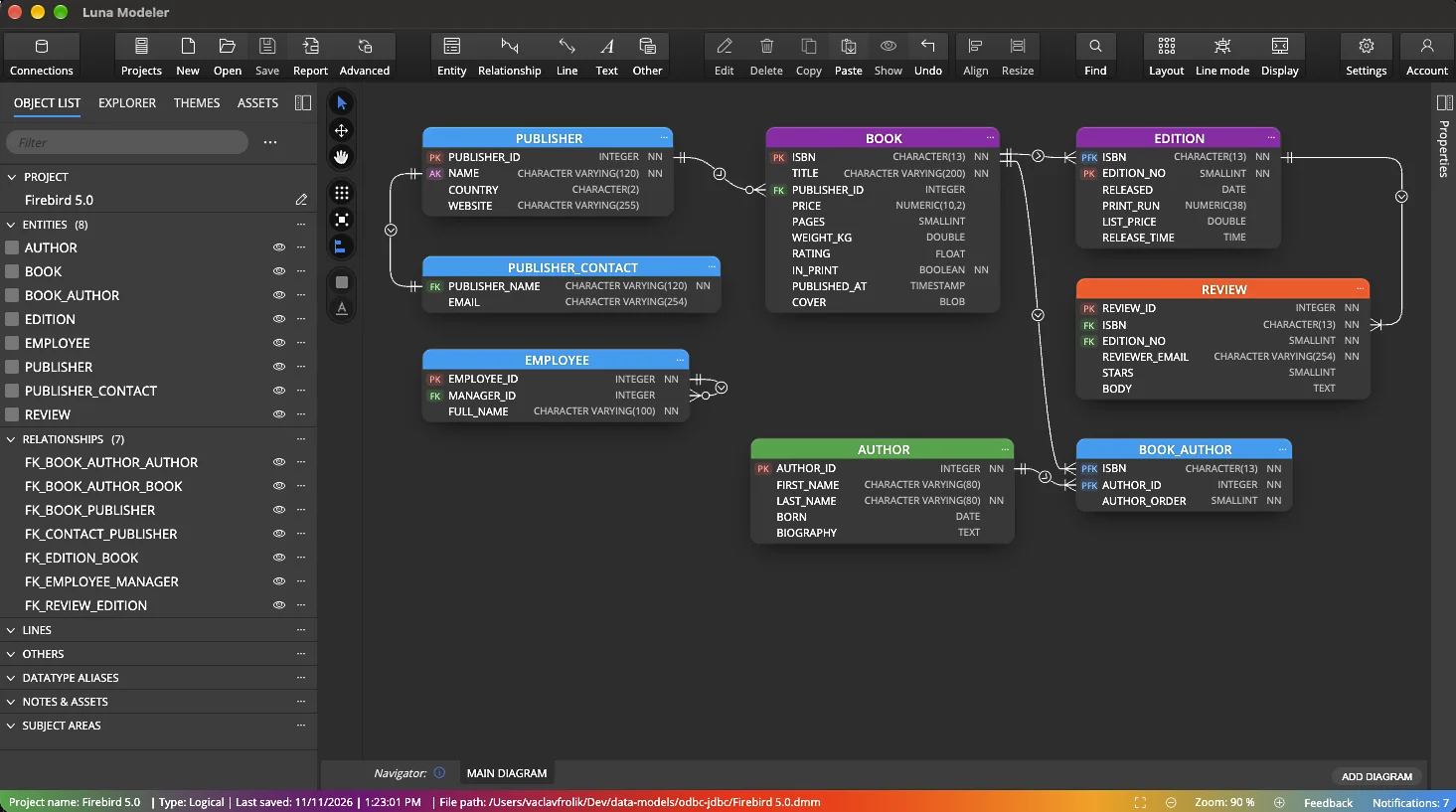
Work with the model like with any other logical model: arrange the ER diagram, add descriptions and notes, group entities into subject areas and generate HTML reports (Professional edition).
Update from database
When the database changes, open the project and run update from database with the saved ODBC or JDBC connection. Review the differences and bring the changes into your model. Update from database for ODBC/JDBC models is available in the Professional edition.
Why model unsupported databases
Troubleshooting
- ODBC driver not found: check the driver name in the connection string or the DSN in the ODBC administrator. On macOS and Linux, make sure the driver manager (for example unixODBC) is installed.
- Java not found: select the JDK folder in the Java field, or set
JAVA_HOME. A JDK 11 or newer is required. - Driver class not found: check the path to the driver jar. Older drivers that are not JDBC 4 compliant need the Driver class field.
- No tables loaded: check the catalog and schema, and make sure the user can read the metadata of the tables.