What's new in
Luna Modeler version 14.7
This page was updated on October 16th
Side-by-Side Comparison of Your Model and Database
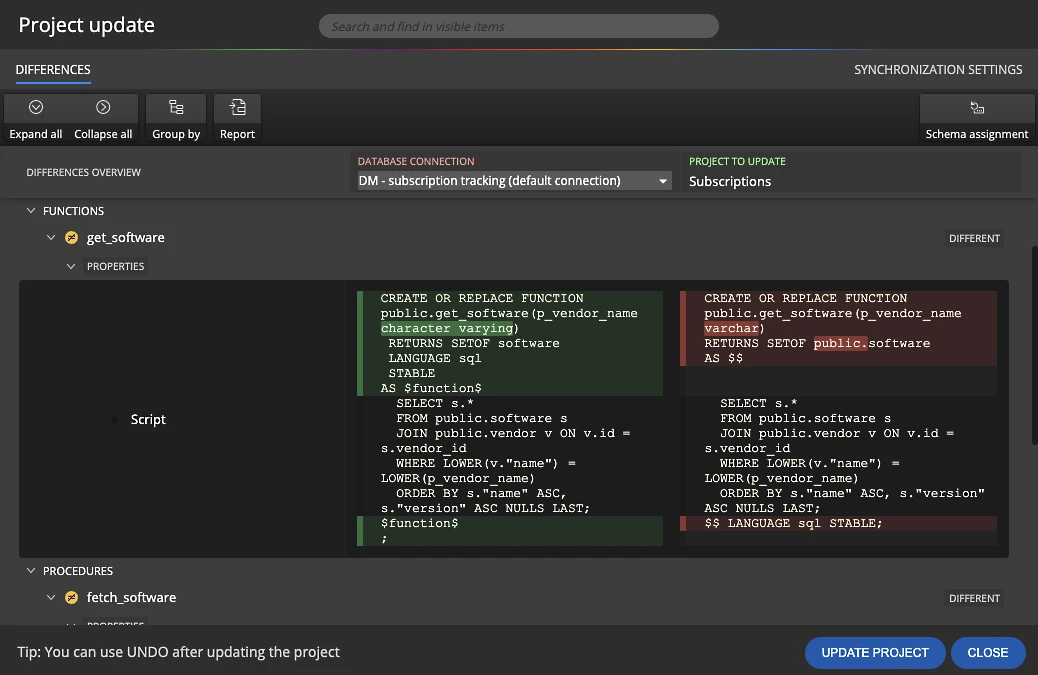
Changed scripts, for example of functions and procedures, are now shown next to each other, with the changed lines and words highlighted. You see right away what is different, instead of reading two long scripts line by line.
- Spot the exact change.
A data type changed fromvarchartocharacter varying? A schema prefix is missing? The highlight shows it. - Schema assignment included.
Information about schema assignment is available directly in the synchronization features. - Update with confidence.
Review the differences, then update the project or generate the synchronization SQL script. Undo is available after the project update.
Combine Data Models into One
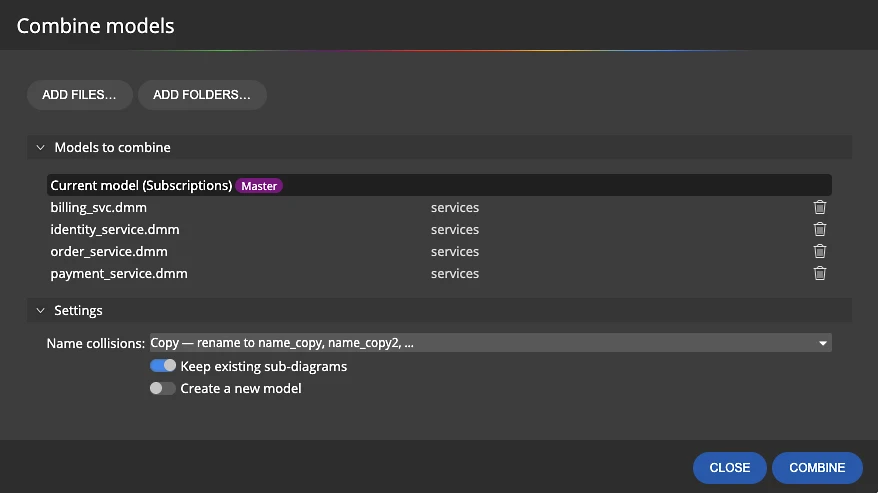
Working on microservices, or keeping each part of the system in its own model? Merge several models into one and get the full picture in a single data model with an ER diagram.
- Add individual model files or whole folders.
- Merge into the current model or create a new one. Nothing is deleted.
- Keep the existing sub-diagrams of every combined model.
- Decide what happens with objects that have the same name.
Combine Data Models from the Command Line
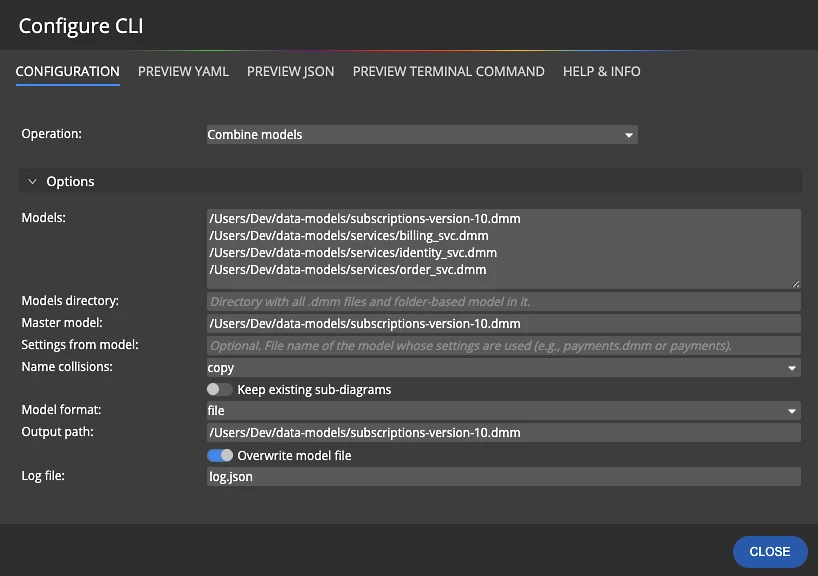
The same operation is available in the command line interface. Run it in a script or a CI pipeline and keep an up-to-date overview model of all your services without opening the app.
Not sure about the parameters? Pick Combine models in the CLI configuration wizard, fill in the model files or a directory, the master model, how to handle name collisions and the output path. Then copy the generated YAML, JSON or terminal command.
Indexes for Foreign Keys in One Click
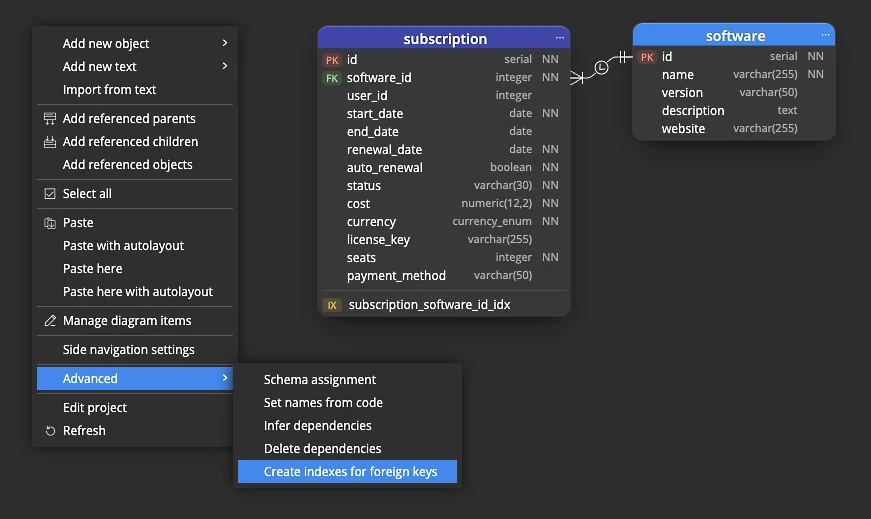
Foreign key columns without an index slow down joins and deletes, and some databases, PostgreSQL for example, do not create these indexes automatically.
Right-click the diagram and choose Advanced > Create indexes for foreign keys. Luna Modeler adds the missing indexes for the whole model or only for the selected objects.
Init Script for Seed Data
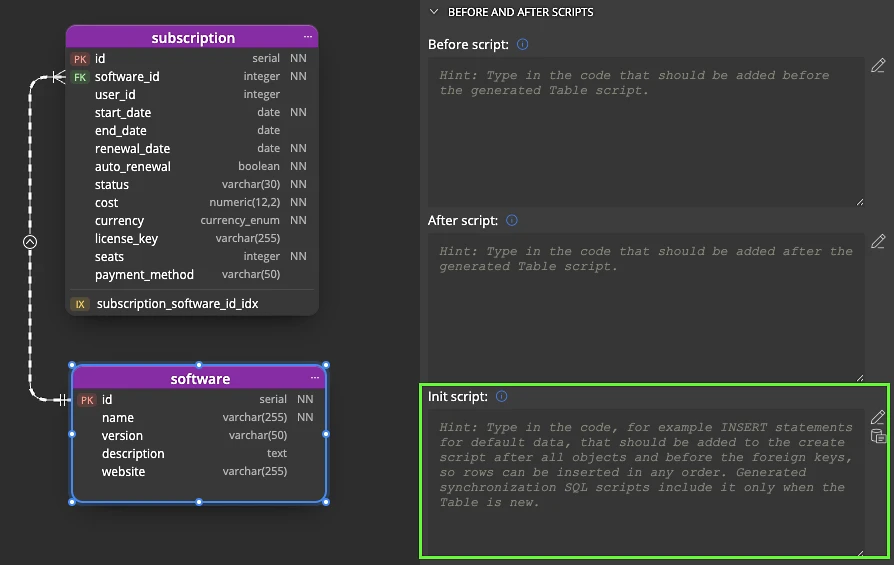
Lookup values, default settings, initial users: add the INSERT statements to the new Init script section and they become part of the generated create script.
- The init script is placed after all objects and before the foreign keys, so rows can be inserted in any order.
- Synchronization SQL scripts include it only when the table is new, so existing data is not touched.
- Define it for the whole model or for a single object.
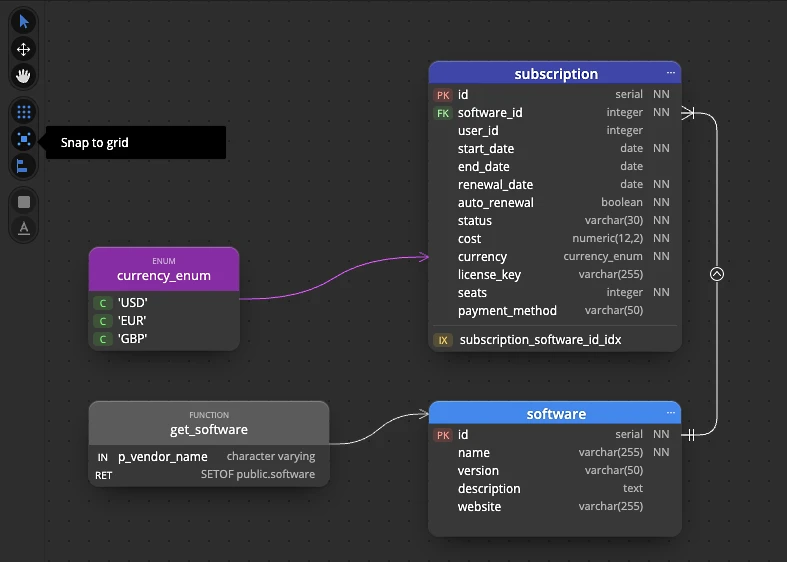
Grid, Snap to Grid and Snap to Objects
Show a grid on your diagrams and turn snapping on or off right from the diagram toolbar. Tables, enums, functions and other objects snap to the grid or to each other, so the diagram stays neatly aligned without manual pixel pushing.
Clean diagrams are easier to read in reviews and in the documentation you generate.
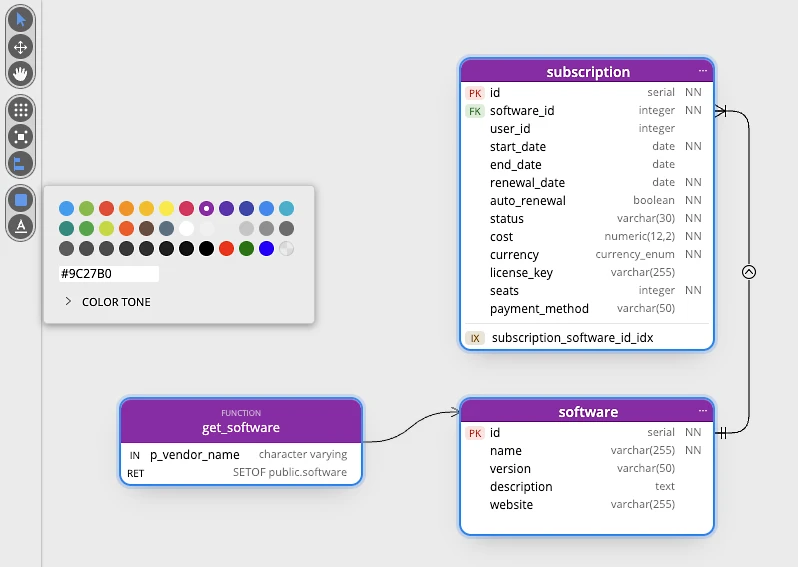
Set Colors for Multiple Objects at Once
Select several tables or other objects and give them one color in a single step. Pick from the palette, enter a hex code or adjust the color tone.
Use colors to mark parts of the system, owners or the state of the design, for example new tables that are not deployed yet.

- Free 14 days trial
- No credit card required
Other improvements
Version 14.7
- Synchronization: schema assignment information is available in the synchronization features.
- New themes for dark and light mode.
- Gradient backgrounds for diagrams.
- Background patterns for diagrams.
- New themes: dark pastel and light pastel.
- Hints in the UI explain selected settings and fields.
- Fixed known issues for CLI on Windows OS.
Version 14.6
- Read What's new in Luna Modeler version 14.5 & 14.6 (with screenshots)
- Import from text - quickly add tables, assets or other objects.
Right click the diagram area and choose Import from text. A modal form opens.
Specify object type, object names (one per line) and click Import. - Drag and move a line segment in both the Orthogonal line modes.
- Better alignment of lines and custom points in both the Curved line modes.
- Fix: project update keeps the model file path
- Fix: Drag and move a column on a diagram preserve FK settings.
- Fix: Line mode for a single selected line or relationship can be set to Orthogonal.
- Fix: Corrected styles for the conceptual data model visualizations.
Version 14.5
- Supabase: new connection type for cloud and local Supabase databases
- Neon: new connection type for Neon serverless Postgres
- Views: columns can be displayed on diagrams
- Other objects: In, Out and InOut parameters can be displayed on diagrams
- PostgreSQL: values of Other objects of the Enum type can be displayed on diagrams
- Tables: triggers can be displayed in table graphics
- Columns can be moved from one table to another using drag and drop
- Synchronization: new option Ignore whitespaces for generation of synchronization SQL scripts
- Project update: new option Ignore whitespaces
- New project and Convert project: Supabase and Neon added as target platforms
Version 14.0.1
- PostgreSQL: Improved loading of indexes
- Fixed issue with diagram items position defined after reverse engineering
- Line point restricted area adjusted
- Fixed issue related to app performance
Version 14
- Read What's new in Luna Modeler version 14 (with screenshots)
- New assets are available for drawing items on your diagram
- Lines are now better rendered between objects, especially in the curved mode
- Other minor improvements