What's new in
Luna Modeler version 14
This page was updated on August 11th
New Ultimate Edition with Context Lens for Larger Data Models, Collaboration & Automation
- Better understand larger diagrams.
The new Navigator / Context Lens lets you select any object and instantly view its related objects — database relationships, dependencies, and linked assets. - Work more effectively as a team.
Save projects in a folder-based format, making it easy to manage models in Git and track changes to tables and other objects. - Automate your workflows.
A full headless CLI lets you reverse-engineer databases, compare them to your model, and generate SQL scripts, diffs, or diagrams - right from a terminal or CI/CD pipeline.
Navigator - Context Lens
Large diagrams have a way of turning into a maze of crossing lines the moment your model grows past a handful of tables. Context Lens cuts through that: select any object and it instantly opens a focused view of everything connected to it — relationships, dependencies, and every line leading to another table, view or asset. No more scrolling across a 200-table diagram just to answer "what does this actually touch?"
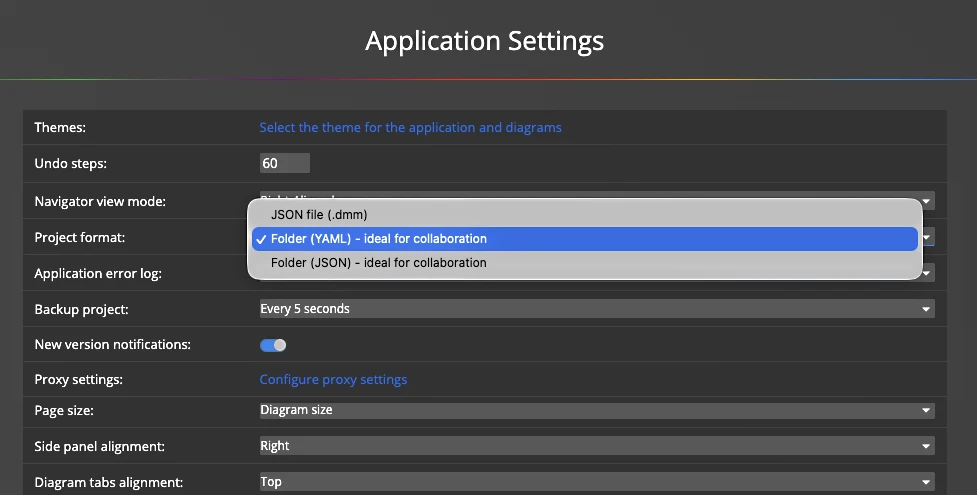
Team collaboration - Folder Based Format for Storing Data Models
Save your data model as a folder of small, human-readable YAML/JSON files instead of one all-in-one project file — one file per table, per column, per relationship, per diagram. Drop it straight into Git (or any version control system) and every commit shows a clean, reviewable diff of exactly what changed: which tables were touched, which columns were added, which relationships moved — while everything untouched stays untouched. Code reviews and pull requests finally work for data models the same way they do for code, and merge conflicts stay scoped to the one object that actually changed instead of the whole model.
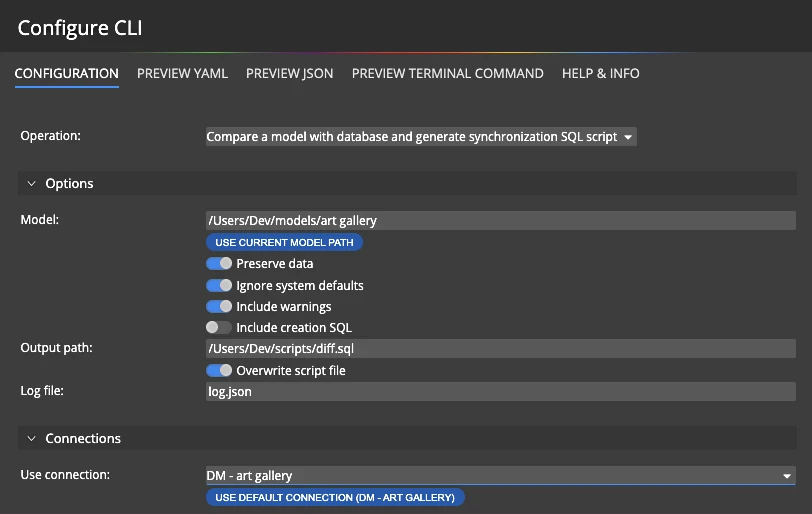
Automation - Headless CLI
Luna Modeler now ships with a full headless command-line interface. Install the luna command once, then run everything from a terminal or CI pipeline, without ever opening a window: reverse-engineer a live database into a model, compare a model against a database to detect schema drift and generate an alter script or diff report, produce a CREATE SQL script, or export documentation, PNG and PDF diagrams.
Chain a whole release pipeline in a single YAML or JSON configuration file — reverse the database, diff it against your design, generate the alter script, refresh the documentation, export the diagrams — one command runs every step in order and stops at the first failure, so problems never slip through silently. Prefer a point-and-click start? Use the built-in configuration wizard to generate that file for you, then reuse it in every release.
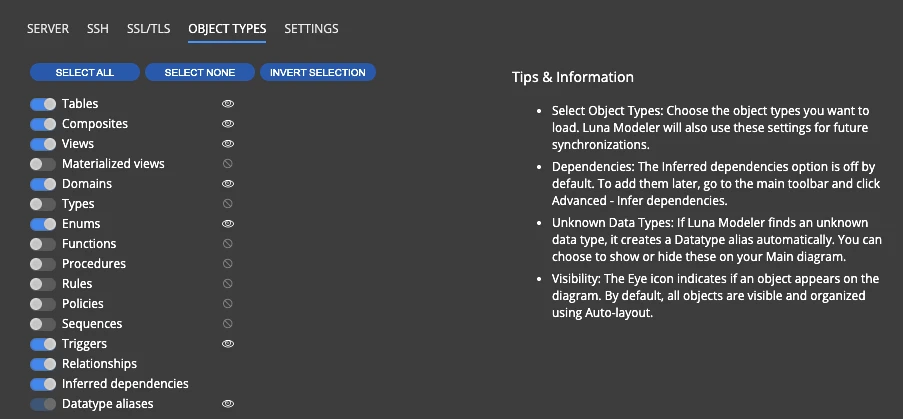
Advanced Reverse Engineering with Object Types Selection
Reverse-engineering a real-world database used to mean pulling in everything whether you needed it or not — every function, procedure, sequence and trigger tagging along with the tables you actually wanted to diagram. Now you decide what comes in. Pick exactly the object types to reverse engineer and leave the rest behind, so you get a cleaner diagram and a faster reverse-engineering pass — especially on large, legacy databases carrying years of procedural baggage.
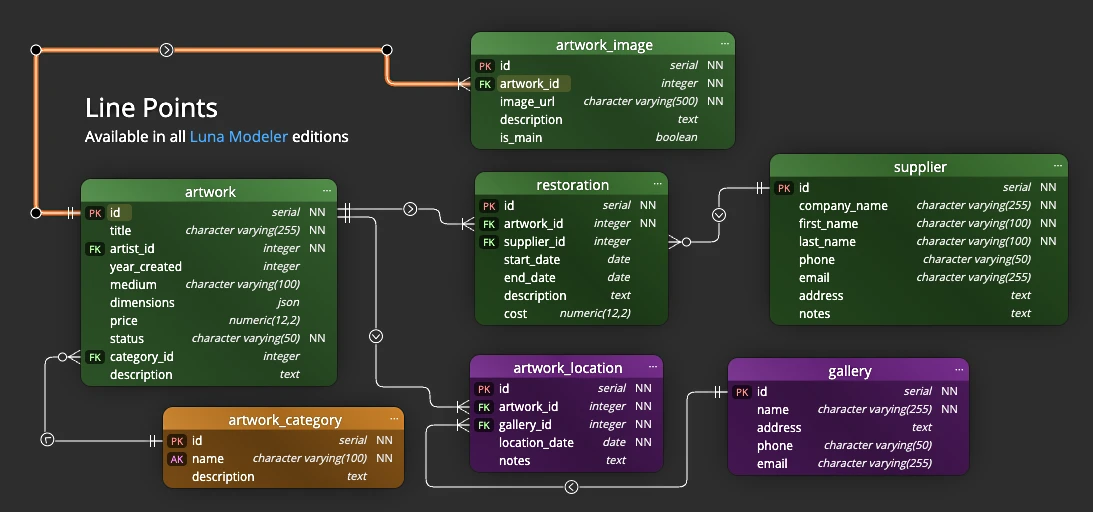
Line Points for Cleaner Diagrams
Take full control of how relationships, dependencies and plain lines route across your diagram. Ctrl+click a selected line to drop a custom waypoint and bend it exactly where you want; Ctrl+double-click a point to remove it, or use the right-click menu to add a point at the cursor or clear every point from a line in one go.
Points snap into line with a neighboring point or anchor, so straight routes stay perfectly straight, and holding Shift while dragging a point locks its movement to a single axis. Whichever line mode you use, points render exactly as expected — straight segments in basic mode, or a smooth curve running precisely through every point in curved mode.
New Orthogonal Line Mode for Better Diagram Appearance
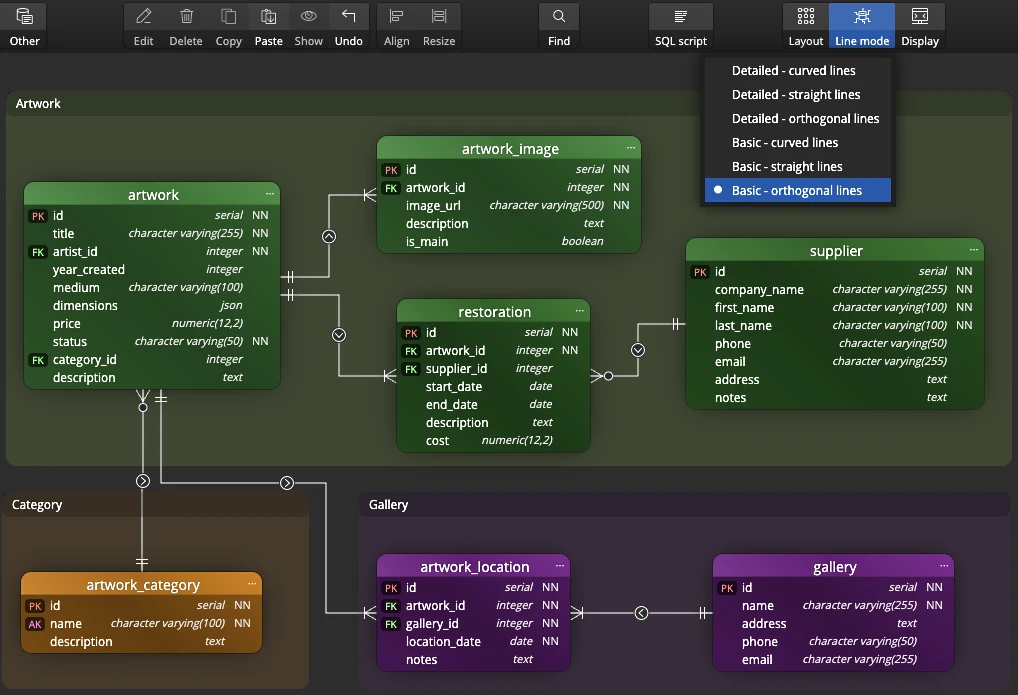
Give your diagrams a clean, technical look with two new orthogonal line modes: horizontal/vertical-only routing instead of diagonals, with your choice of detailed column-to-column line mode or basic mode with anchors pointing to any side of an object. Combine orthogonal routing with the new custom line points for fully hand-tuned, rectilinear diagrams — points on an orthogonal line always stay on the grid, so your routing never sneaks off at an angle.
Single File HTML Report for Easy Sharing
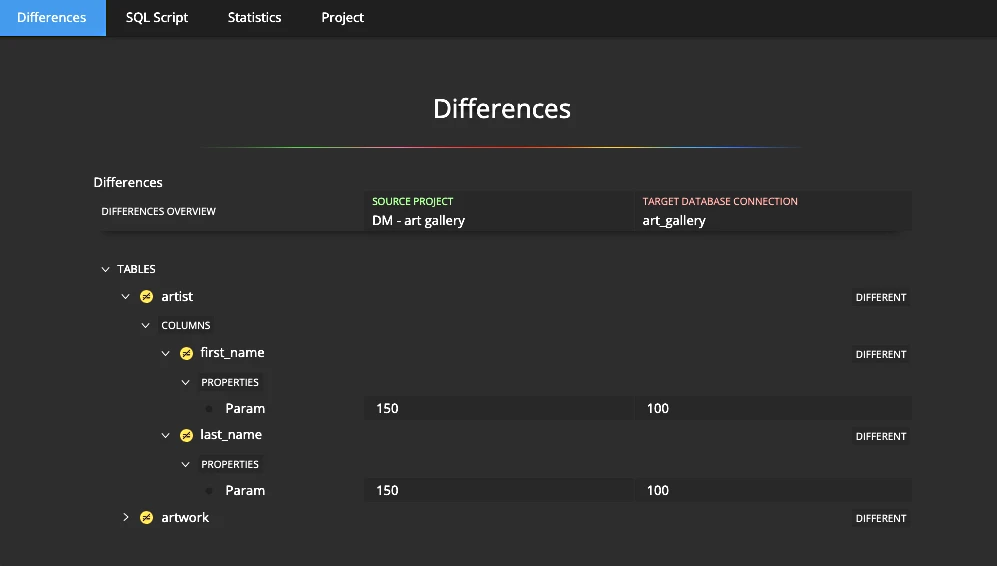
Sharing documentation used to mean a whole folder of files — HTML, stylesheets, icons, images — that could easily lose a piece along the way. Not anymore. Generate a report as a single, self-contained HTML file: no separate styles, no icons, no images to misplace. Attach it to an email, drop it in a shared drive, or publish it on an intranet — open it on any machine and it looks exactly the same, with nothing left behind.
Check Constraints and Table Keys on Diagrams
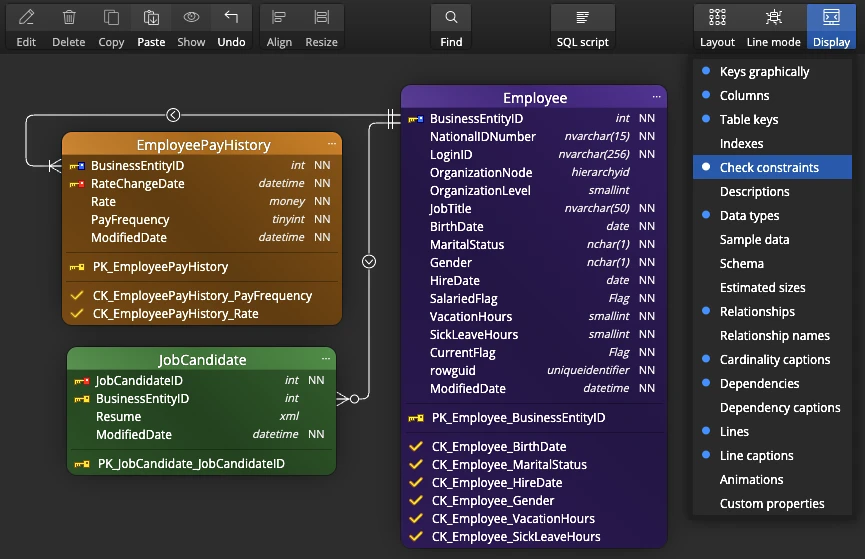
In the diagram, you can easily view indexes in the tables. In the new version, you can view keys and check constraints in a similar way. This visualisation gives you a better overview of the database structure and the individual constraints.

- Free 14 days trial
- No credit card required
Other improvements
Version 14.0.1
- PostgreSQL: Improved loading of indexes
- Fixed issue with diagram items position defined after reverse engineering
- Line point restricted area adjusted
- Fixed issue related to app performance
Version 14
- New assets are available for drawing items on your diagram
- Lines are now better rendered between objects, especially in the curved mode
- Other minor improvements
Version 13.6.3
- SQLite: Improved reverse engineering
- SQLite: Added support for check constraints in UI
- SQLite: Fix related to loading alternate keys and primary keys
- Improved model conversion and added the possibility to reset settings to default values
Version 13.6.2
- Oracle: Improved Oracle index and sequence loading
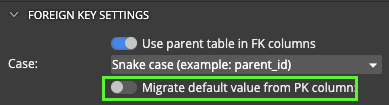
- Physical data model: Option to migrate default values from primary keys for foreign keys
-
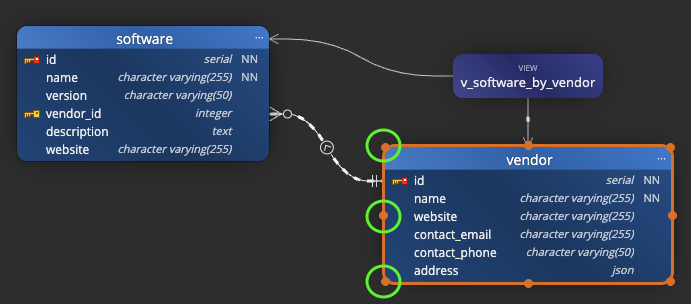
UI/UX: Resize from any corner or edge — not just the bottom right. When your diagram includes ER entities, data flow elements, swimlanes, or custom graphics, being able to pull an object in exactly the direction you need saves you from the tedious resize-then-reposition dance. Your objects stay where you want them, and your diagram stays readable.
- Cleaner diagrams: Automatic line routing picks shorter, less cluttered paths
- Visual fix: Lines no longer misrender when you drag tables or objects across the canvas
Version 13.6.1
- Oracle: Improved loading of synonyms
- Oracle: Fix for expression indexes
- MySQL and MariaDB: unique names for relationships
- Performance optimizations: Batch delete of stored procedures, functions and other database objects (from the Object List panel)
- Rendering improvements: Fixing issues with diagram rendering after changing diagram properties and after re-positioning columns in a database table
- SQL Server: Unique names of check constraints in Synchronization scripts
- SQL Server: Fix for Project Update and removal of cardinality captions
- SQL Server: Added GO statement to SET QUOTED_IDENTIFIERS and SET ANSI_NULLS code to the Before Script section
- Fixed issue with license re-validation in another instance of Luna Modeler
Version 13.6
- Performance optimizations related to loading and rendering available datatypes
- Copy/Paste operation on sub-diagrams now adds objects to the Main diagram as hidden
- Fix for Text file creation from the Explorer panel
- Cardinality captions: new method for rendering and positioning
- Fix for Move/Pan on diagram
- Comparison: different columns order is now displayed with additional information
Version 13.5
- Comparison now ignores differences in items order of given object types, e.g. indexes etc.
- Removed shadows from generated PDF output. Native macOS viewer does not support rendering of shadows the same way as other PDF viewers
- Components updated to the latest stable versions
- Fix bug related to line mode set for relationships loaded from existing databases
Version 13.0
- Read What's new in Luna Modeler version 13.0 (with screenshots)
- UI - Move selected objects using arrow keys
- MySQL and MariaDB - foreign keys are now loaded also for keys that contain just a subset of items defined in the primary key
- MySQL and MariaDB - primary key generation fix related to deleted relationship
- SQL Server - comparison of objects now displays a warning in case the name is not equal to the name defined and stored in the database script.
- PostgreSQL - fix for data type where Enum and Array settings are combined
- PostgreSQL synchronization script - quotation added to the script for object names defined with capital letters.
- PostgreSQL synchronization script - improved management of serial/bigserial data types for temporary tables.
- Conceptual model - fixed export to PNG
- Conceptual model - fix for new sub-diagram creation and line types
- Conceptual model - generation of HTML reports fully supported
- Optimized animation performance and diagram rendering
- Updated components to newer versions