Luna ModelerNavigator - Context Lens
- One click, full context Select any object and instantly see everything connected to it
- Less manual sub-diagrams Relationships, dependencies and lines resolve automatically
- Built for big models Designed for diagrams with hundreds of tables and objects
- Pay once, use forever A desktop tool with an excellent ROI
Click an object, see its whole neighborhood, understand your model in seconds.
The problem: big diagrams turn into visual noise
A handful of tables is easy to read at a glance. A real production database rarely stops there — fifty, one hundred, sometimes several hundred tables, all wired together with relationships, dependencies and free-form lines. Zoomed out, the diagram becomes a dense mesh. Zoomed in, you lose the very connections you came to check.
Answering a simple question — "what does this table actually connect to?" — turns into a hunt: zoom in, scroll, follow one line at a time, lose your place, start again.
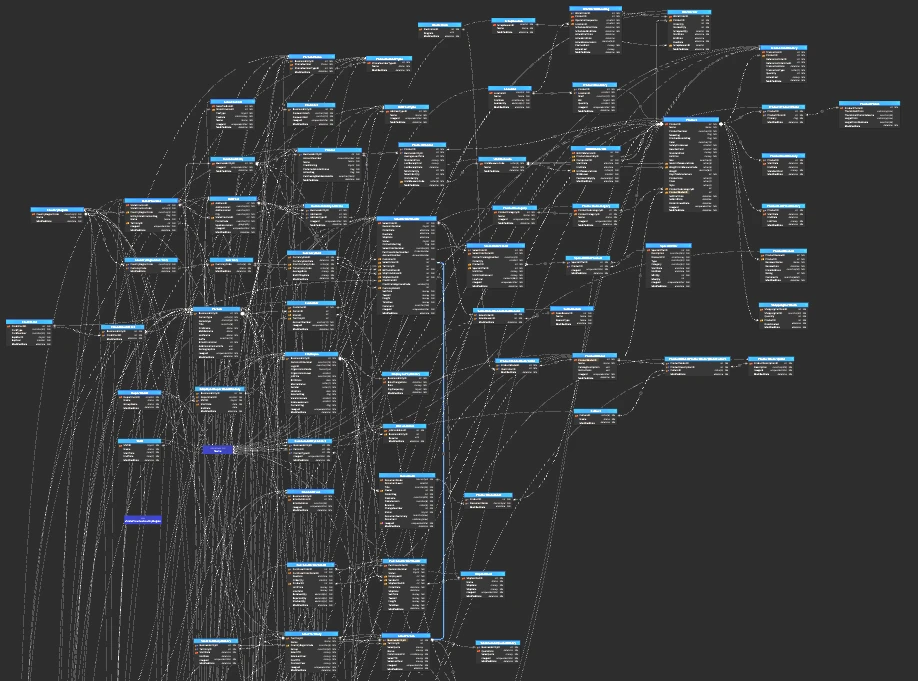
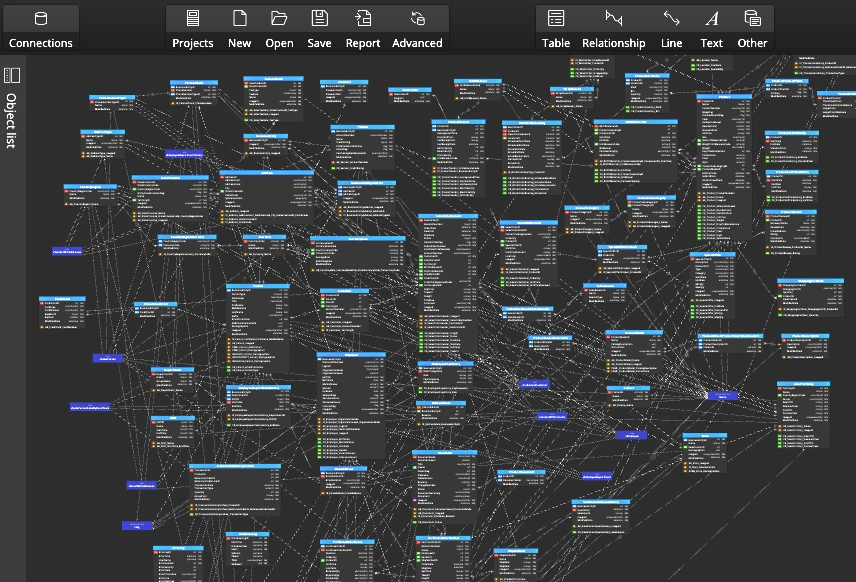
The pain point: new hires and reviewers get lost first
The people who need clarity most are the ones least equipped to find it. A new team member opens the model on day one and has no idea where to start. A reviewer approving a schema change can't confidently say what else might be touching that table. A stakeholder on a call watches you scroll around a giant diagram looking for the one relationship that matters to the conversation.
So teams either avoid the full diagram altogether — losing the value of having one — or spend real time every week just re-orienting themselves inside it. That's time spent navigating, not modeling.
How Luna Modeler solves it
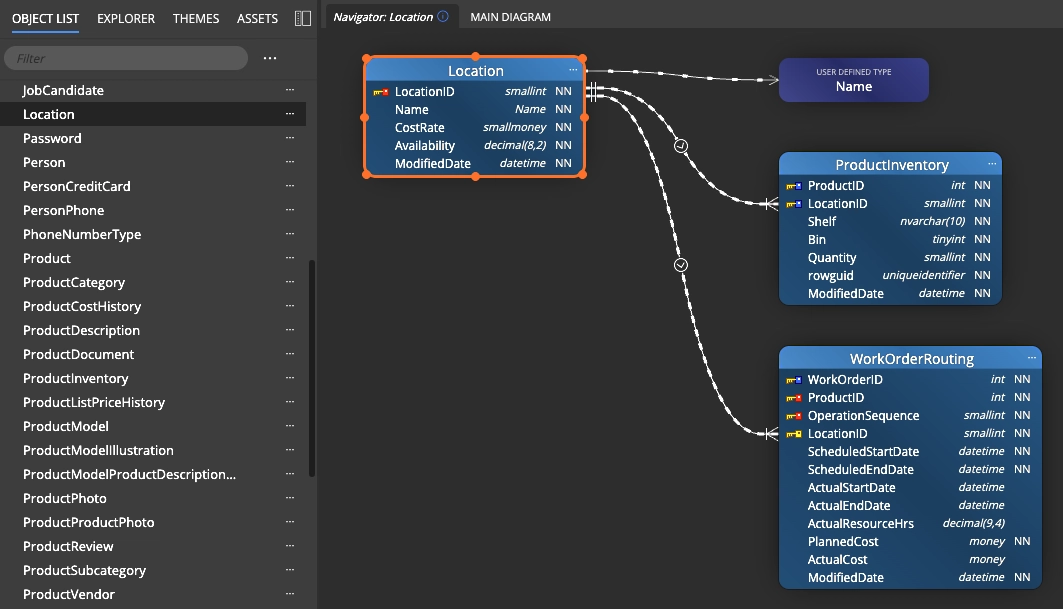
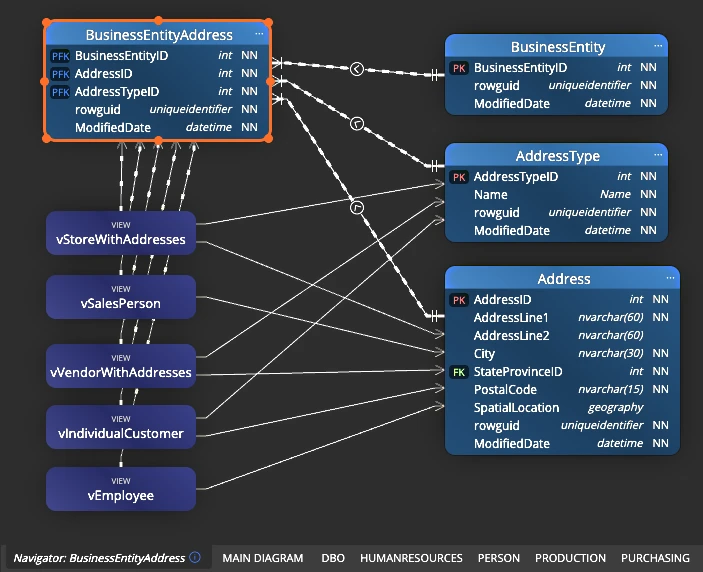
Navigator - Context Lens turns "trace the lines yourself" into "click and look." Select any table, view or object on the diagram and Luna Modeler opens a focused lens: a clean, automatically generated diagram containing just that object and everything linked to it — relationships, dependency lines, and any other line leading to a related asset.
There's nothing to build by hand. The lens is generated live from the model you already have, so it's always accurate — click a different object and the view updates immediately to that object's own neighborhood.
The fast path to impact analysis
If you've used Luna Modeler's impact analysis features, you already know you can right-click an object and add its referenced parents and children to build a focused sub-diagram by hand. That's still the right tool when you want to keep and curate a permanent analysis diagram.
Context Lens is the fast path to the same clarity: no right-clicking through menus, no building a sub-diagram first — just select the object and look. Use the Navigator Context Lens to explore and orient yourself in seconds, then fall back to manual referenced objects when you want to save a specific view for later.
The workflow, step by step
Getting your bearings in any model, however large, takes a few seconds:
- Open your data model — Context Lens works the same whether it holds ten tables or a thousand.
- Activate the Navigator / Context Lens diagram.
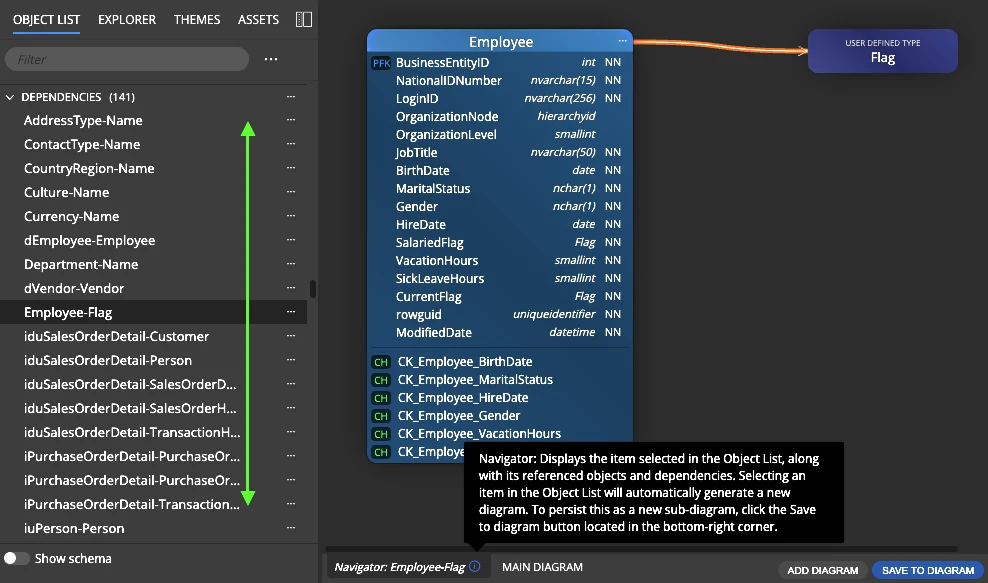
- Select any table, view or other object from the object list.
- Read the focused diagram: every relationship, dependency and line leading back to your selection, laid out cleanly with nothing else in the way.
- Click a different object in the object list at any time — the lens refreshes instantly.
- Return to the full diagram whenever you like; nothing about your saved model changes along the way.
Tip: Context Lens is generated live from the current model, not a saved snapshot — so it's never stale. Keep exploring object by object without worrying about cleaning anything up afterwards.
What you get at the end
Every object in your model becomes instantly explorable. New team members orient themselves in minutes instead of days. Reviewers can confidently answer "what does this touch?" without leaving the diagram. And when you're presenting a change to a stakeholder, you show them exactly the slice of the model that matters — not the entire, overwhelming picture.
Context Lens works alongside the rest of your data model toolkit: pair it with impact analysis before a risky change, and keep the underlying model itself honest with regular schema drift checks.
Ultimate Edition: Navigator - Context Lens is included with the Luna Modeler Ultimate Edition. Compare editions and upgrade today.
Download the free trial, open your largest data model, and try Navigator - Context Lens for yourself.
- Free 14 days trial
- No credit card required
Context Lens is a Luna Modeler feature that lets you select any object in the object list and instantly see a focused diagram of everything connected to it, including relationships, dependency lines and any other line leading to a related object.
Referenced objects (used for impact analysis) are added manually, right-click by right-click, to build a sub-diagram you keep and curate. Context Lens is generated automatically and live the moment you select an object, so it is faster for quick exploration.
Navigator - Context Lens is included in the Luna Modeler Ultimate Edition.
Yes. Context Lens is designed specifically for diagrams with hundreds of tables and objects, where tracing connections visually would otherwise be slow and error-prone.