Luna ModelerImpact Analysis
- See the blast radius Dependency lines show what touches each object
- Auto detection Infer dependencies by scanning view and procedure code
- Pull in the neighbors Add referenced parents and children to a focused diagram
- Pay once, use forever A desktop tool with an excellent ROI
Map every dependency, then plan the edit with confidence.
The problem: one change can ripple far across a database
A database is a web of connected parts. A view reads from three tables. A stored procedure calls that view. A report calls the procedure. So a small edit to one column can reach much further than it looks. The trouble is that these links are hidden inside SQL code, not drawn on any map.
Impact analysis is the work of finding everything that depends on an object before you change it. In plain terms, it answers one question: if I touch this table, what else might break? Without a clear map, that question is hard to answer with confidence.
The pain point: surprises show up after the change ships
When the links stay hidden, a change feels safe right up until it is not. You rename a column, the build passes, and then a nightly report fails because a view still points at the old name. Because nobody saw the connection, the problem surfaces late, often in production.
So the team falls back on slow, manual hunting. People grep through SQL files, ask around, and hope they found every caller. As a result, simple edits get delayed out of fear, and the real cost is the time spent guessing at what connects to what.
How Luna Modeler solves it
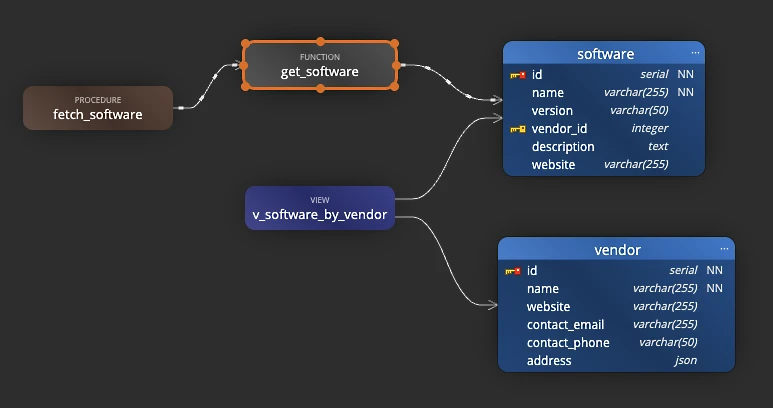
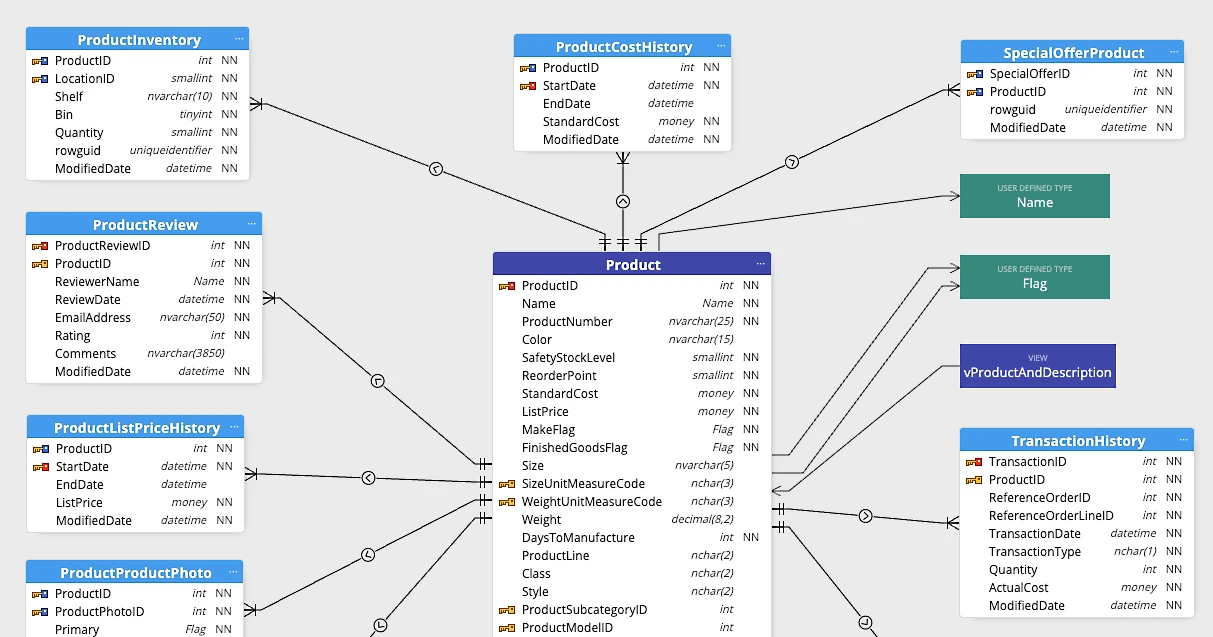
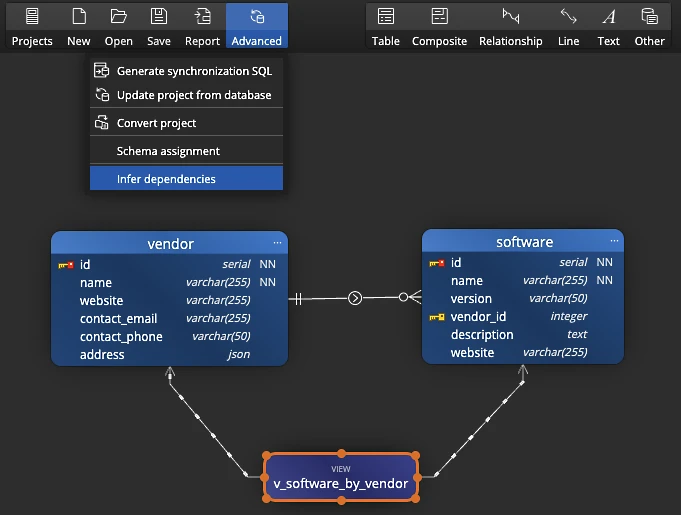
Luna Modeler draws dependencies as lines between objects, so the hidden web becomes a picture you can read. To build that picture, click Advanced on the toolbar and choose Infer dependencies. The tool then scans the code of views, functions and stored procedures, and every time it finds the name of another object, it draws a dependency line.
After the scan, you see exactly which objects feed into each other. You can also add lines by hand to record a link that lives outside SQL, such as a rule between two tables or a note. So both the automatic and the manual connections sit on one canvas.
Focus on one object with referenced objects
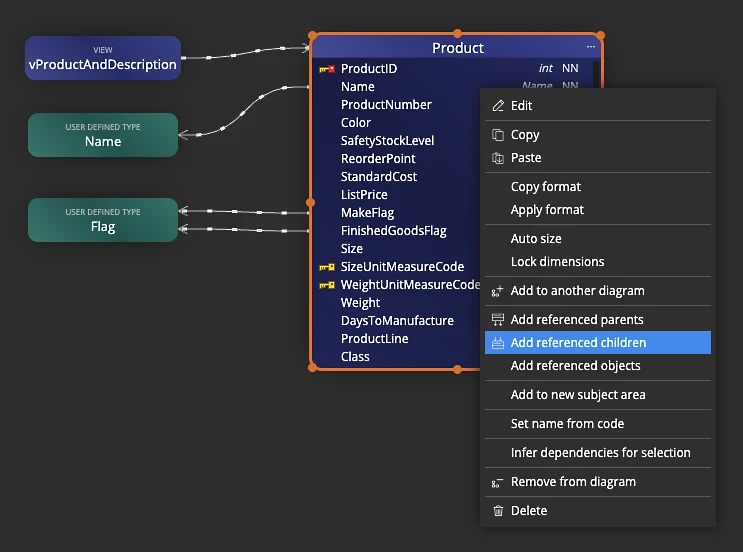
Dependency lines show the whole web, but during impact analysis you usually care about one object at a time. So Luna Modeler lets you build a focused sub-diagram around it. Right-click a table and pick Add referenced parents, Add referenced children, or Add referenced objects.
The tool then pulls the connected objects onto the diagram next to your starting point. As a result, you get a clean view of just the neighbors that matter, instead of the full model. You can repeat this for any object, which makes it quick to walk the chain outward step by step.
The workflow, step by step
Running an impact analysis follows a short, repeatable path:
- Infer dependencies: click Advanced then Infer dependencies so the tool scans code and draws the links.
- Pick the object you plan to change as your starting point.
- Add its referenced parents and children to a focused sub-diagram with a right-click.
- Read the dependency lines to see what reads from and writes to that object.
- Walk outward, repeating the step for each neighbor, until the affected set is clear.
- Plan the change against that map, then update the model as you apply it.
Because the lines update when you re-run the scan, you can repeat this before every risky edit and trust that the picture is current.
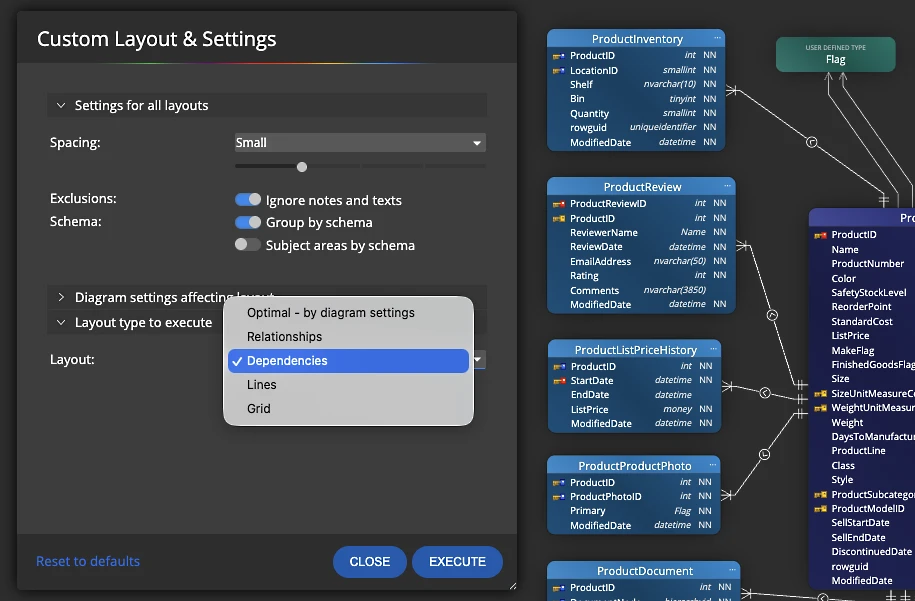
Tip: a busy model can show a lot of lines at once. So use the Display menu to show or hide all dependency lines, or switch to the Dependencies layout, which arranges objects to give dependencies more weight than relationships.
What you get at the end
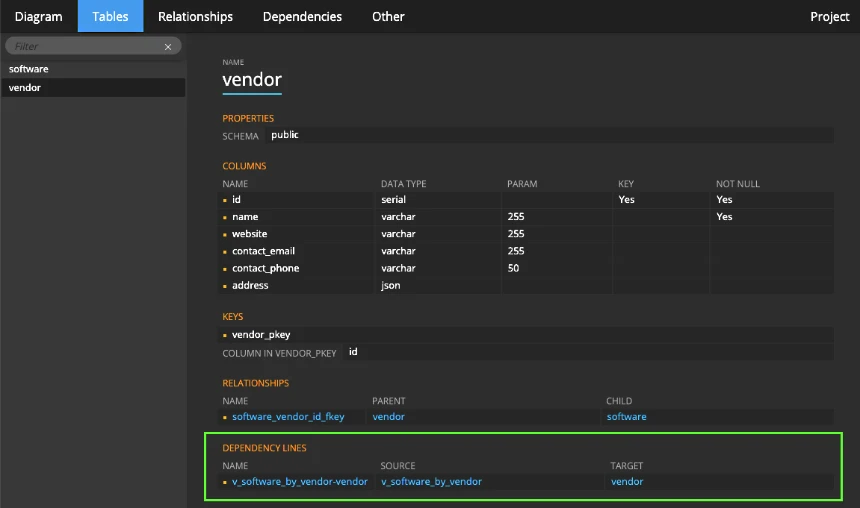
When the analysis is done, you hold a clear map of the blast radius. You can see, at a glance, which views, procedures and tables depend on the object you plan to touch. So instead of shipping a change and waiting for something to break, you know the affected set up front.
You can also export the dependency information to an HTML report, where it shows up both in a dedicated section and inside each object's details. As a result, the rest of the team reads the same impact map without opening the database, and the next person to plan an edit starts from a picture they can trust.
This works hand in hand with keeping the model honest through regular schema drift checks and living database documentation.
Download the free trial, infer your dependencies, and see what a change will touch in minutes.
- Free 14 days trial
- No credit card required
Impact analysis is the work of finding everything that depends on an object before you change it. It answers the question: if I change this table or column, what views, procedures and reports might break?
Click Advanced and then Infer dependencies. Luna Modeler scans the code of views, functions and stored procedures, and each time it finds the name of another object it draws a dependency line on the diagram.
Referenced objects are the parents and children connected to a chosen object. Right-click a table and pick Add referenced parents, Add referenced children or Add referenced objects to pull just those neighbors onto a focused sub-diagram.
Yes. You can create a dependency line by hand to record a link that lives outside SQL, such as a rule between two tables or a connection to a note. Create a new line and change its style from classic to dependency.
Yes. Dependency information is included in generated HTML reports, both in a dedicated section and inside each object's details, so the team can read the same impact map without opening the database.