Luna ModelerSpot Database Schema Drift
- Visual comparison See model versus database differences at a glance
- Clear change list Added, removed and modified objects are listed plainly
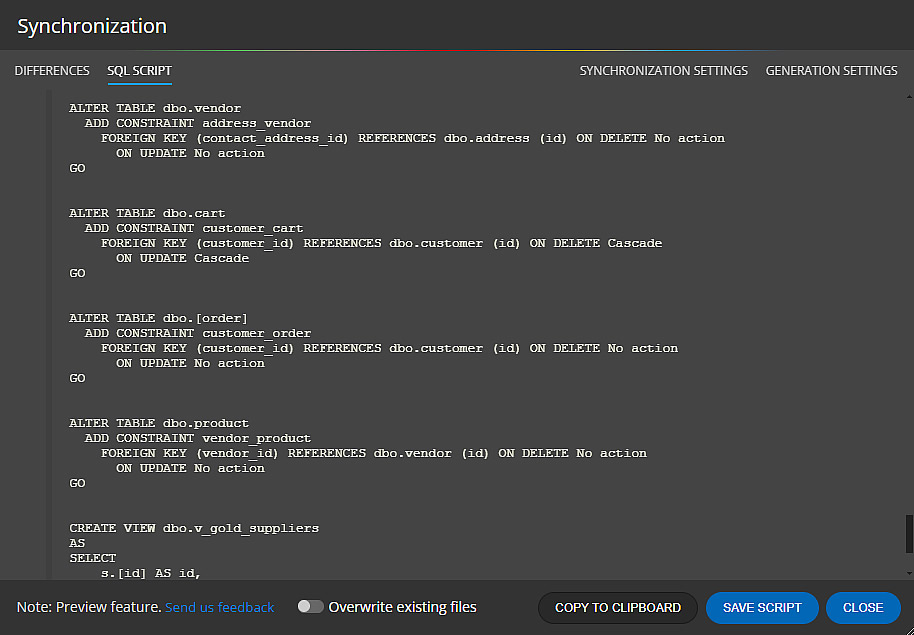
- Sync SQL scripts Generate scripts that align the database with the model
- Pay once, use forever A desktop tool with an excellent ROI
Find schema drift, review every change, and sync with confidence.
The problem: the database no longer matches the design
Every database starts with a plan. Tables, columns and relationships are agreed, drawn and shared. After that, real life takes over. A developer adds an index during an outage. A quick fix changes a column from varchar to text. A test table never gets cleaned up. None of these changes land back in the original design, so the design and the running database slowly pull apart.
That gap is database schema drift. In plain terms, drift is the difference between what your data model says the database should look like and what the database actually looks like right now.
The pain point: small changes turn into big surprises
Drift stays quiet until it bites. A report breaks because a column was renamed. A new hire trusts an old diagram and writes a query against a table that no longer exists. A release fails because the test database and the production database drifted in different directions.
Because nobody wrote the changes down, the team spends hours guessing what changed and when. So the real cost of drift is not the change itself. It is the time lost finding it.
Schema evolution vs schema drift
These two terms sound alike, but they are not the same thing.
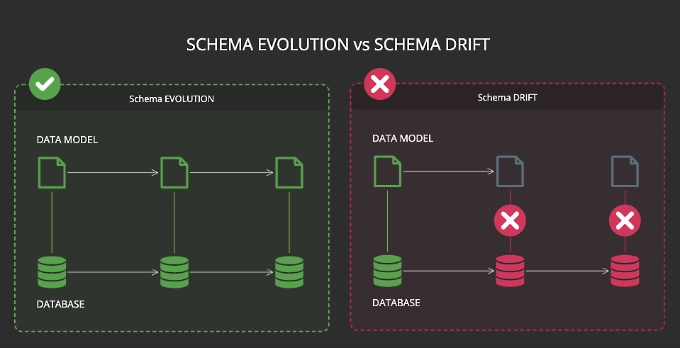
Schema evolution is planned change. The team decides to add a table, agrees on it, updates the model, and applies the change on purpose. The design and the database move together, step by step.
Schema drift is unplanned change. The database moves, but the model does not. After enough of these unrecorded edits, the model becomes fiction. The simple rule: evolution is change you chose and recorded, drift is change that slipped in unnoticed.
How Luna Modeler helps you catch drift
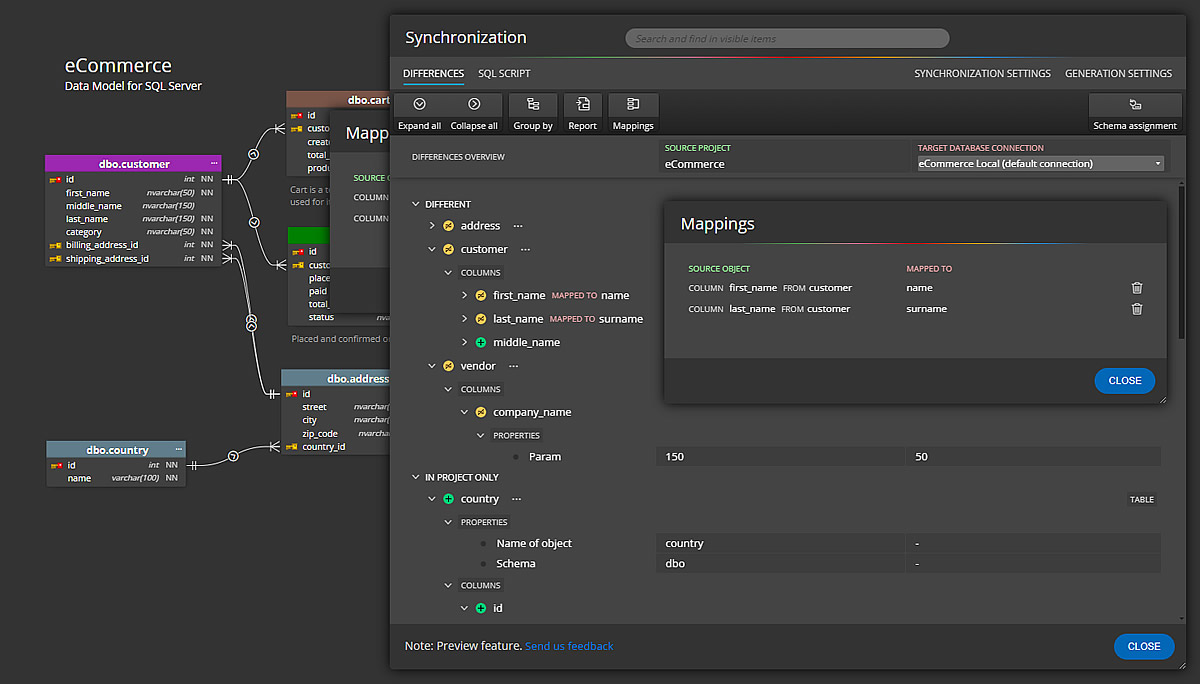
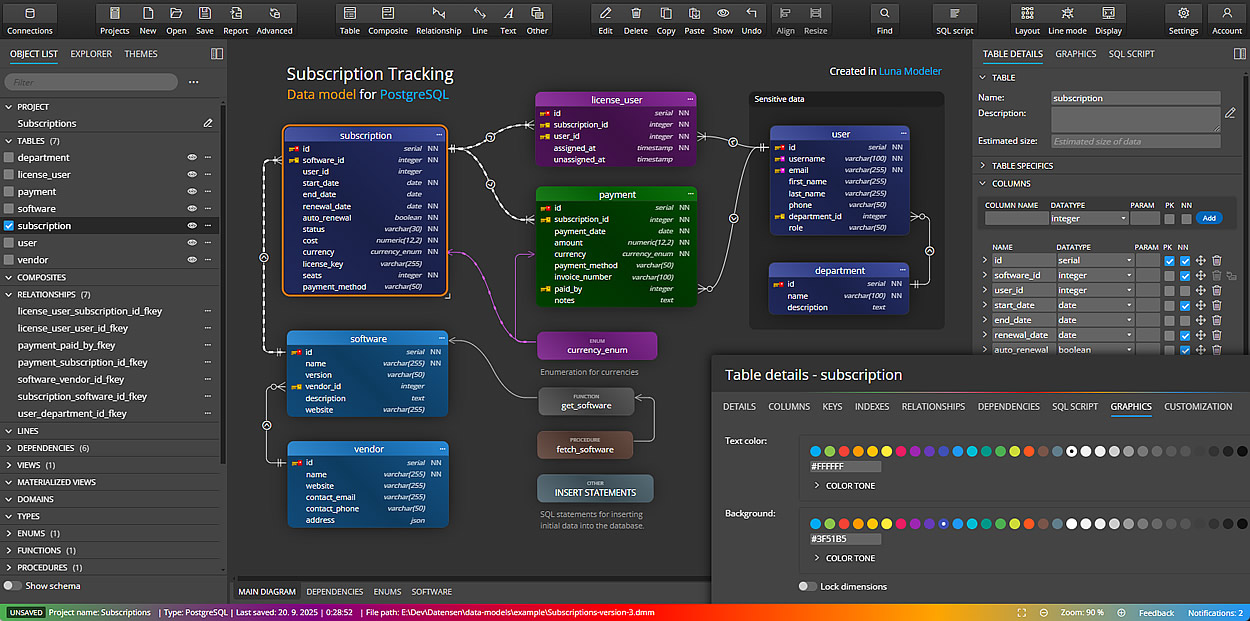
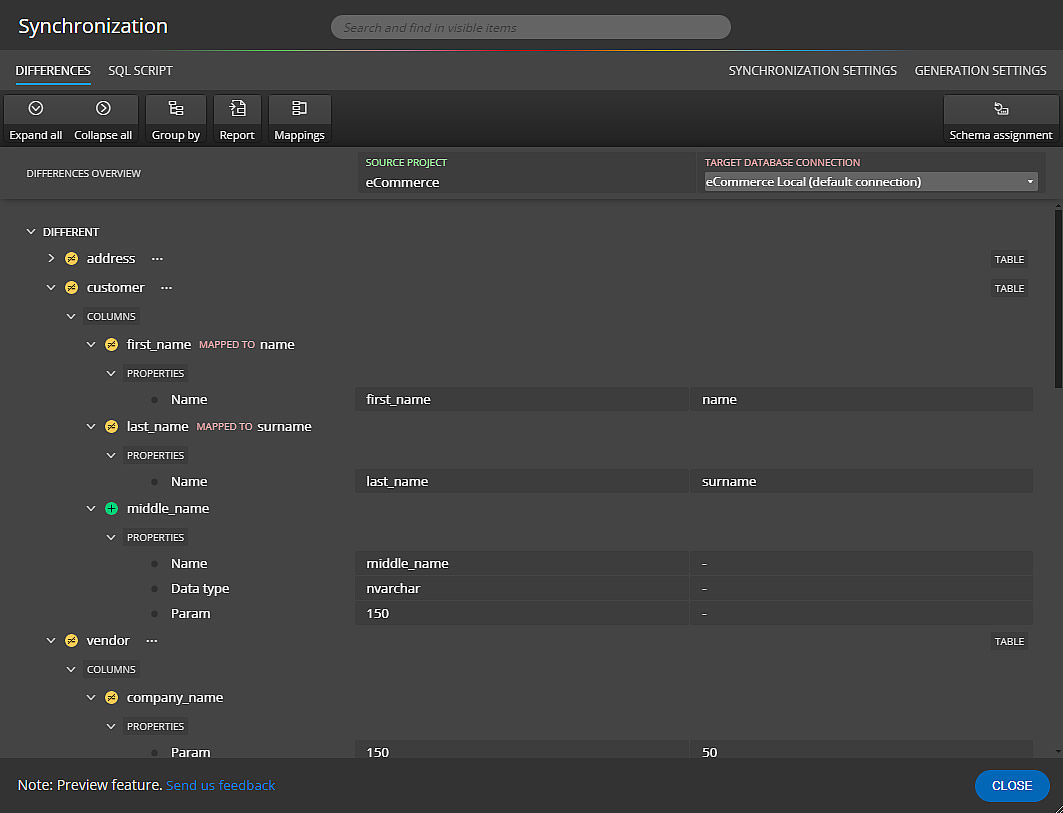
Luna Modeler gives you one place to compare your design against the live database. First you connect to the database and read its current structure. Then the tool lines up your saved model next to the real schema and marks every difference it finds.
Added tables, dropped columns, changed data types and renamed objects all show up in a single list. So instead of hunting through the database by hand, you read the differences and decide what to do next.
The workflow, step by step
Finding and fixing drift takes a short, repeatable set of steps:
- Connect Luna Modeler to your database and read its current structure.
- Compare the live schema against your saved data model.
- Review the list of added, removed and changed objects.
- Decide: update the model to match reality, or generate a script to fix the database.
- Apply the synchronization SQL script, then save the model as the new source of truth.
After you run this once, repeating it before each release keeps drift from building up again.
Tip: right after you apply a synchronization script, run Update Model from Database as well. The database fills in some values and properties on its own, because certain default settings live at the database level. So this second pass pulls those automatic defaults back into your model and keeps it a true copy of what really runs.
What you get at the end
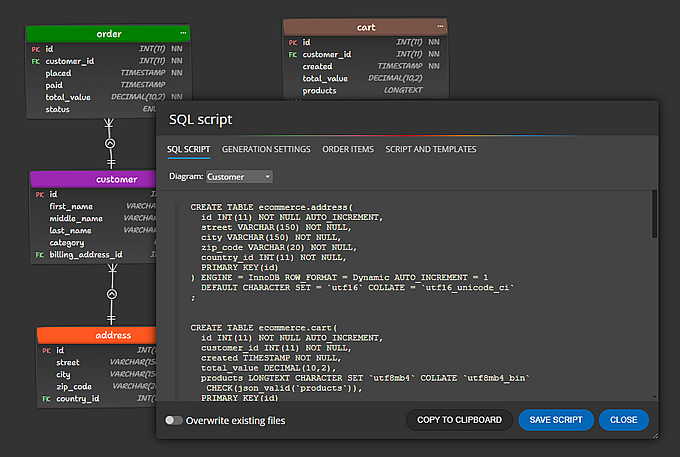
When the check is done, you hold two useful things. First, a data model that matches the real database again, ready to share with the team. Second, a synchronization SQL script that records exactly what changed.
You can also export the model to an HTML report, an image or a PDF, so the rest of the team sees the current structure without opening the database. As a result, the next person who reads the diagram can trust it.
Catching drift is part of ongoing data modeling: keep the model as the source of truth, then use it for living database documentation the team can rely on.
Download the free trial, connect to your database, and run your first comparison in minutes.
- Free 14 days trial
- No credit card required
Schema drift is the difference between what your data model says a database should look like and what the database actually looks like. It builds up when changes are applied to the database but never recorded in the design.
Schema evolution is planned, recorded change where the model and the database move together. Schema drift is unplanned change where the database moves but the model is left behind.
Luna Modeler connects to your database, reads its current structure, and compares it against your saved model. It then lists every added, removed and changed object so you can see where the two have moved apart.
Yes. You can update the model to match the database, or generate a synchronization SQL script that brings the database back in line with the model.
Running a comparison before each release works well. Frequent checks keep drift small and easy to read, instead of letting many changes pile up unnoticed.