Luna ModelerAutomation & CLI
- No UI required Reverse engineer, compare and report from a terminal or CI job
- Visual setup A configuration wizard generates your pipeline file for you
- Built for pipelines Predictable results and structured files
- Pay once, use forever A desktop tool with an excellent ROI
Automate reverse engineering, comparison and reporting instead.
The problem: modeling tasks that repeat, by hand, every time
Reverse-engineering a database, comparing it against your saved model, regenerating documentation, exporting a diff report — none of this is hard work, but it is repetitive work. Do it once before a release and it's routine. Do it across dev, staging and production, for every release, and it quietly becomes a real time sink.
A desktop GUI is the right place to design a model. It is the wrong place to run the same fifteen clicks every Friday afternoon before a deploy.
The pain point: tasks that get skipped are tasks that hurt later
Repetitive manual work is the first thing to get skipped under deadline pressure. The comparison against the database "for this one release" doesn't happen, so drift builds up unnoticed. The documentation export falls a version behind, so the next person reads stale information. Nobody is careless — there simply wasn't time to click through the same steps again.
And because a desktop application isn't something a CI pipeline can just call, teams that want real automation are often left stitching together their own scripts against undocumented internals, or giving up on automating the data model step altogether while every other part of the release is automated.
How Luna Modeler solves it
Luna Modeler ships with a full headless CLI. Install the luna command once, then run the same operations you use in the GUI — reverse-engineer a database, compare a model against it, generate SQL, or export documentation, PNG and PDF diagrams — directly from a terminal or a CI job, with no window ever opening.
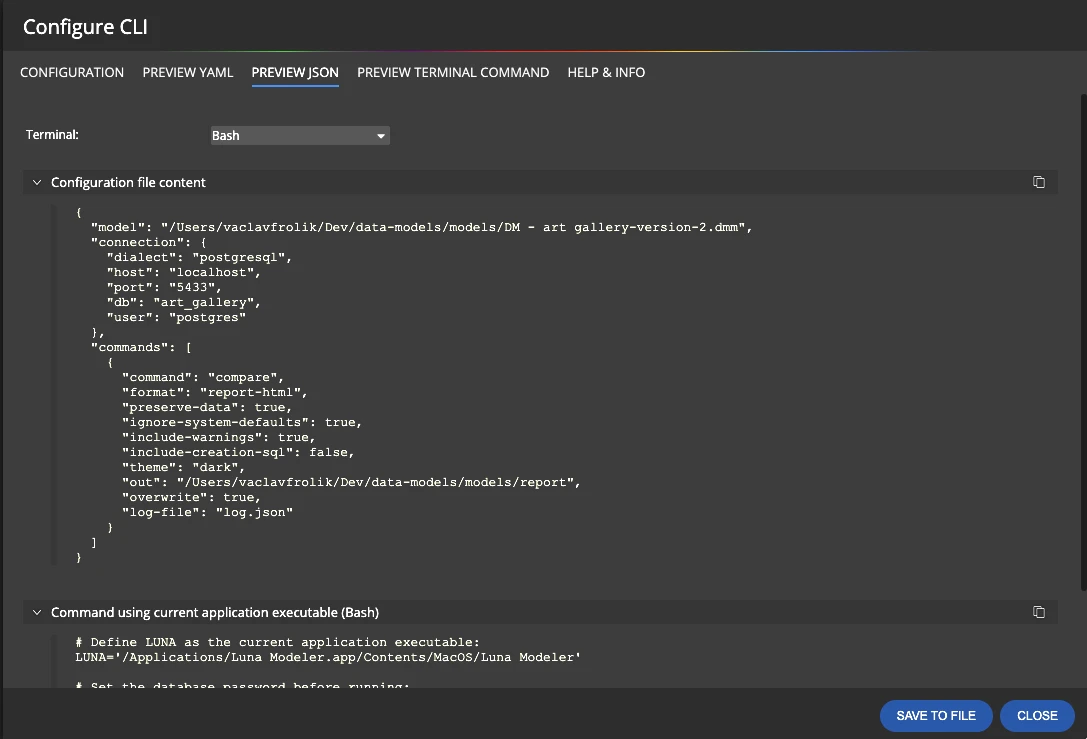
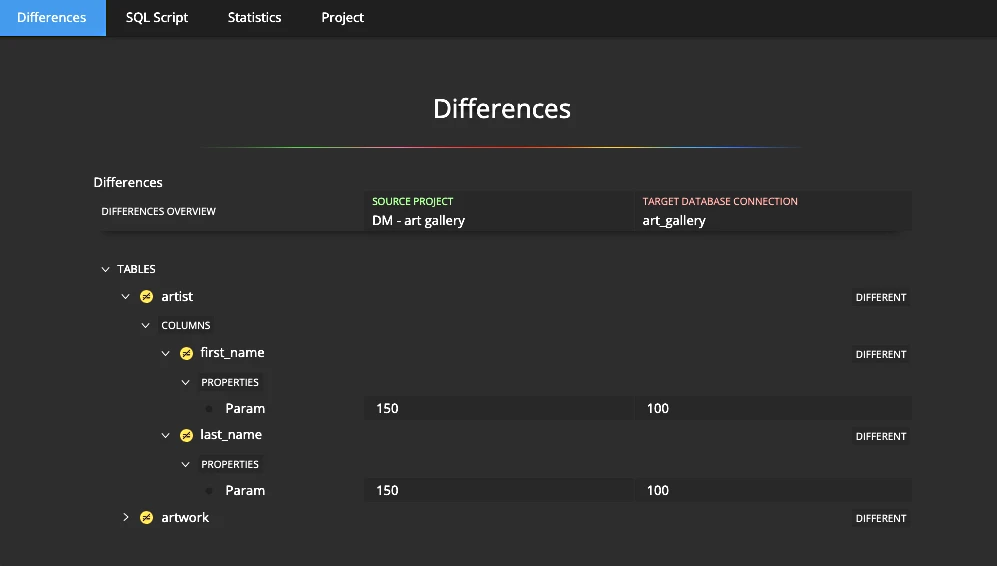
Chain a whole release pipeline into one call with a single YAML or JSON configuration file: reverse the database, diff it against your design, generate the alter script, refresh the documentation, export the diagrams — one command runs every step in order and stops at the first failure, so a broken step can't silently pass as a success.
You don't have to write YAML or JSON by hand
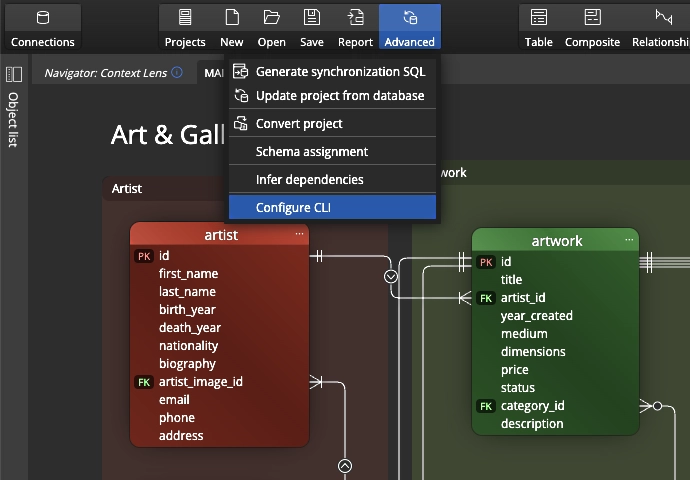
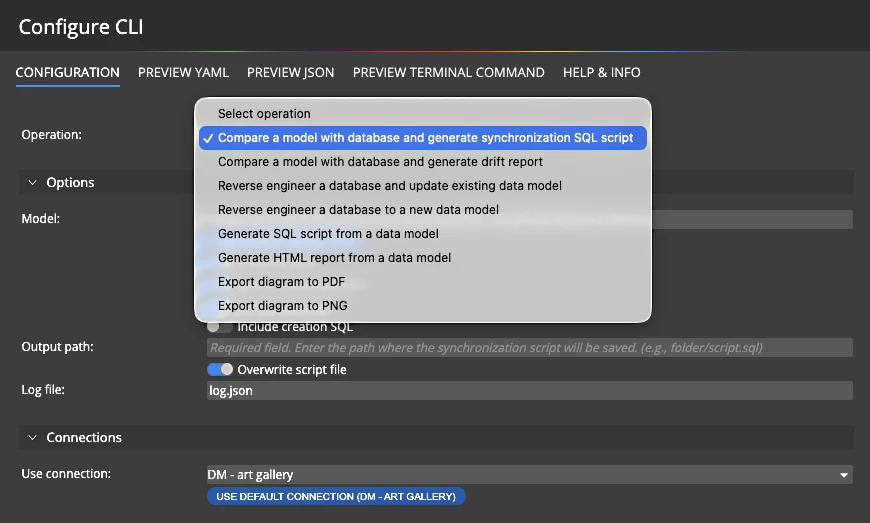
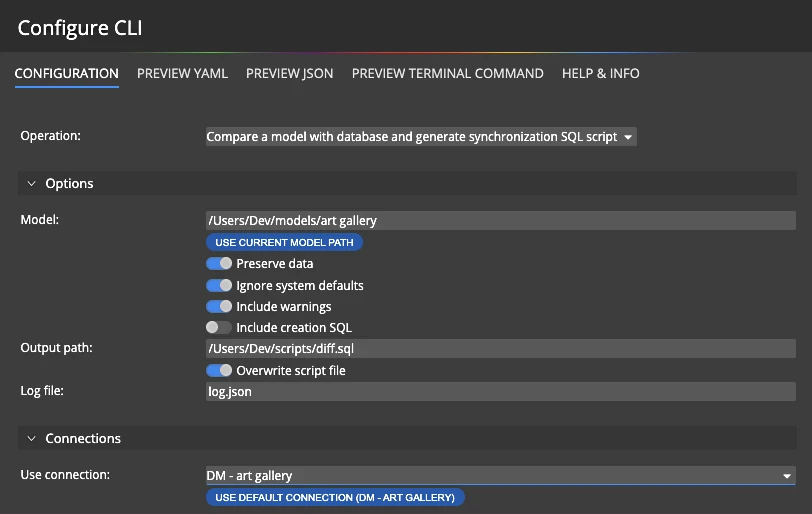
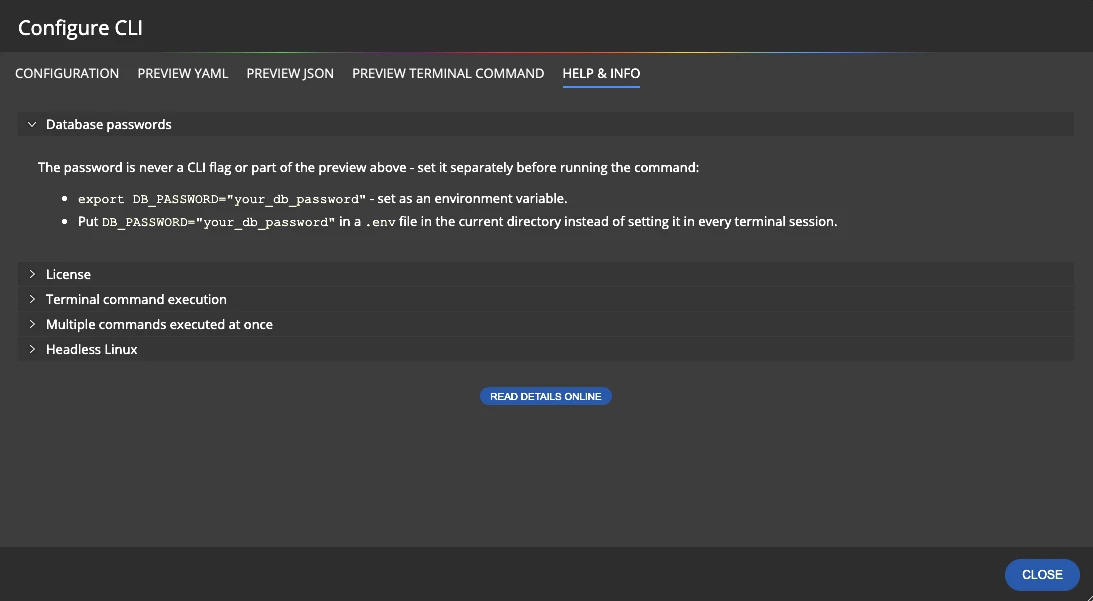
You don't need to be comfortable hand-writing configuration files to get started. Luna Modeler's built-in CLI configuration wizard walks you through the same choices in a simple form - which steps to run, which connection to use, where output should go, which theme to render with — and generates the pipeline file for you.
Save that file once, commit it alongside your project, and reuse it for every release from then on — by hand locally, or wired straight into your CI/CD system.
The workflow, step by step
Turning a manual routine into an automated one takes a short setup, once:
- Activate the Ultimate Edition and the
lunacommand on your machine or build agent. - Open the configuration wizard and choose the steps you want: reverse, compare, png, pdf.
- Save the generated YAML or JSON pipeline file next to your data model.
- Keep secrets out of the file — supply the database password and other secrets through environment variables, not the config itself.
- Run
luna --headless --config pipeline.yamllocally, or add the same command as a step in your CI/CD job. - Check the exit code or the optional structured result file to gate the rest of your pipeline on success or failure.
What you get at the end
The tasks that used to get skipped under deadline pressure now simply run, every time, the same way. Schema drift gets caught automatically instead of by accident. Documentation and diagrams stay current because generating them costs nothing but CI minutes. And your data modeling step finally sits inside the same automated pipeline as the rest of your release, instead of being the one manual gap in it.
The CLI's compare command is the automated engine behind catching schema drift before every release, and its doc/png/pdf commands keep your database documentation current without anyone remembering to click "export."
Ultimate Edition: the headless CLI is included with the Luna Modeler Ultimate Edition. Compare editions and upgrade today.
Download the free trial, run the configuration wizard, and see your first automated pipeline in minutes.
- Free 14 days trial
- No credit card required
The Luna Modeler CLI is a headless command-line interface that runs the same reverse-engineering, comparison and reporting operations as the desktop app, without opening a window. It is designed for terminals and CI/CD pipelines.
No. A built-in configuration wizard in the desktop app generates the YAML or JSON pipeline file for you from a simple form, which you can then reuse and edit for future runs.
Yes. A single configuration file can chain a whole pipeline of steps, such as reverse, compare, sql, doc, png and pdf, and the CLI runs them in order, stopping at the first failure.
Yes. The password is never passed as a command-line flag or stored in the configuration file. It is supplied through an environment variable, which is the standard way CI/CD systems inject secrets.
The headless CLI, including the configuration wizard, is included in the Luna Modeler Ultimate Edition.