Moon ModelerSchema Design Tool for DocumentDB
- Native DocumentDB Connection A dedicated connection type, new in version 13.5
- Reverse Engineering Turn existing collections into a diagram
- Validation Scripts Generate schema validation from your model
- Excellent ROI Pay once, use forever
Create a DocumentDB connection in Moon Modeler, enter the cluster host, your credentials and TLS settings, and click Connect and load existing database structure. Moon Modeler reads the collections and draws the diagram for you.
Learn more about Moon Modeler
Yes. Create a new project, design collections, fields, embedded documents and references on the diagram, and generate scripts once the cluster is ready.
Download Moon Modeler
and Visualize Your Collections
Start with a Free DocumentDB Cluster
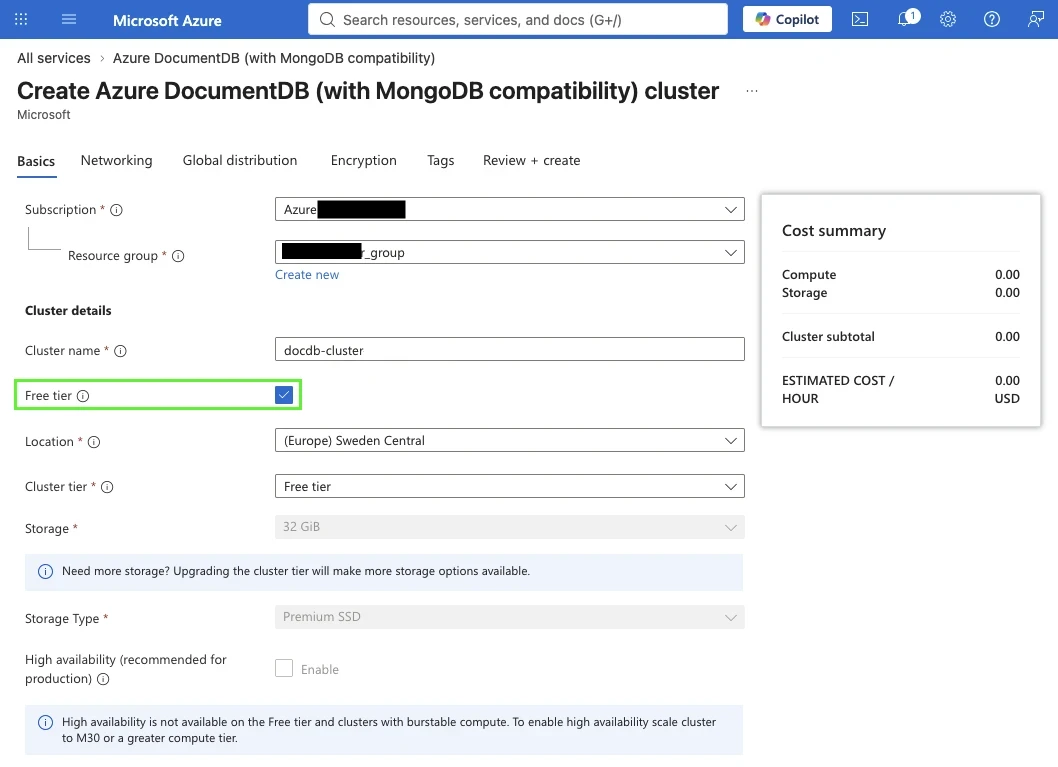
Don't have a cluster yet? Azure DocumentDB (with MongoDB compatibility) offers a free tier. In the Azure portal, create a new Azure DocumentDB cluster, check Free tier and pick a location.
The free tier comes with sufficient storage and an estimated cost of zero. High availability is not available on it, so keep it for learning and prototyping.
You can also try the open source Document DB from documentdb.io
Create a DocumentDB Connection
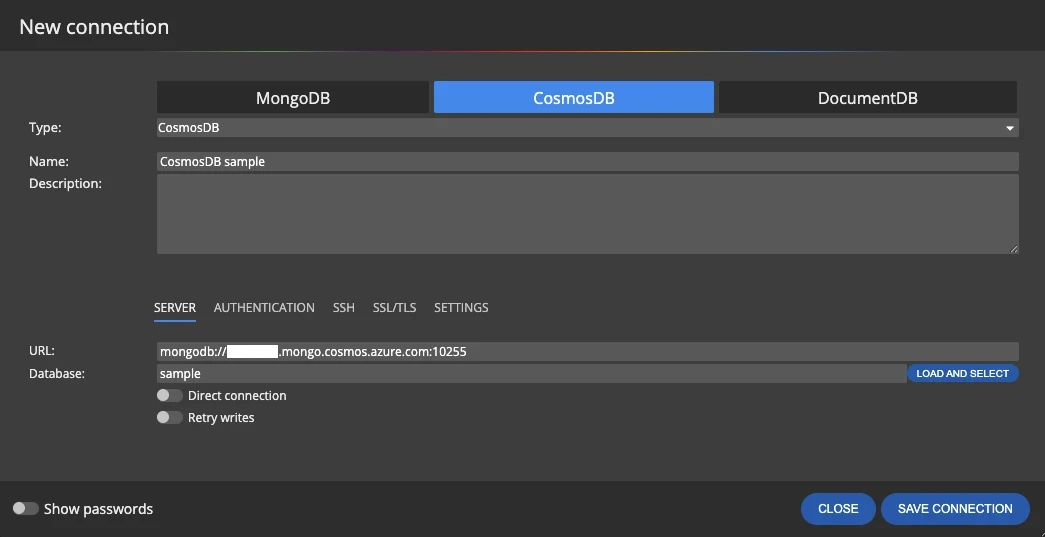
Click Connections on the main toolbar, then Create new connection and select the DocumentDB tab. Enter the host and port of your cluster in the URL field. You can copy them from the connection string of the cluster.
On the Authentication tab, select the authentication type used by your cluster and enter the user name and password of the cluster admin or another database user.
Enable TLS and, if Needed, SSH
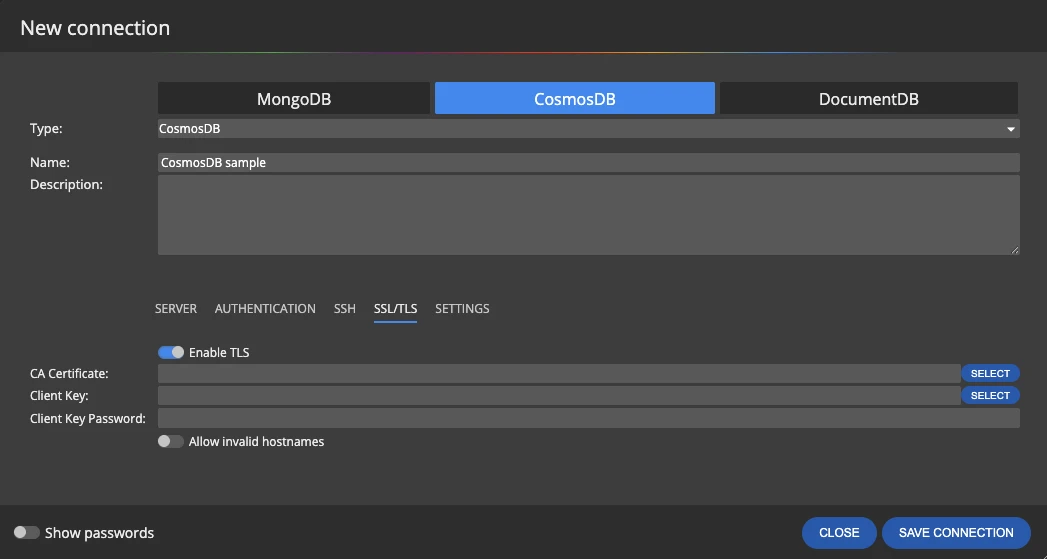
DocumentDB clusters expect encrypted connections. Turn on Enable TLS on the SSL/TLS tab.
SSH/SSL/TLS connections are supported for noSQL databases in the Professional Edition.
Connect and Load the Database Structure
Save the connection and click Connect and load existing database structure. Moon Modeler reads the collections, fields and embedded documents and creates a project with a diagram — the same way it does for MongoDB.
Add descriptions, notes and references, arrange collections into sub-diagrams and share the result as an interactive HTML report or PDF.
Design New Collections and Generate Scripts
Click New on the main toolbar and select DocumentDB in the New project dialog to start a model from scratch. Design collections visually, define fields, embedded documents and references, and generate validation and creation scripts for your DocumentDB database.
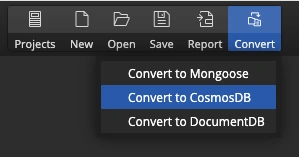
Already have a MongoDB model? Click Convert on the main toolbar and choose Convert to DocumentDB.
Yes. Azure DocumentDB (with MongoDB compatibility) offers a free tier cluster with sufficient storage, and Moon Modeler comes with a free trial.
No. DocumentDB connection strings usually include retryWrites=false, so keep Retry writes off in the Moon Modeler connection as well.
Yes. Design collections visually or load them from the database and generate validation and creation scripts from your model.
No. Moon Modeler is a desktop application for Windows, macOS and Linux. Database connections and data models stay on your computer.