Luna ModelerMap Data Lineage in Your ER Diagram
- Source to target Draw the path data takes between tables
- Flow lines Connect objects with labelled lines and arrows
- Notes and captions Explain each hop in plain language
- One picture Lineage and structure live in the same diagram
First, what is a data model?
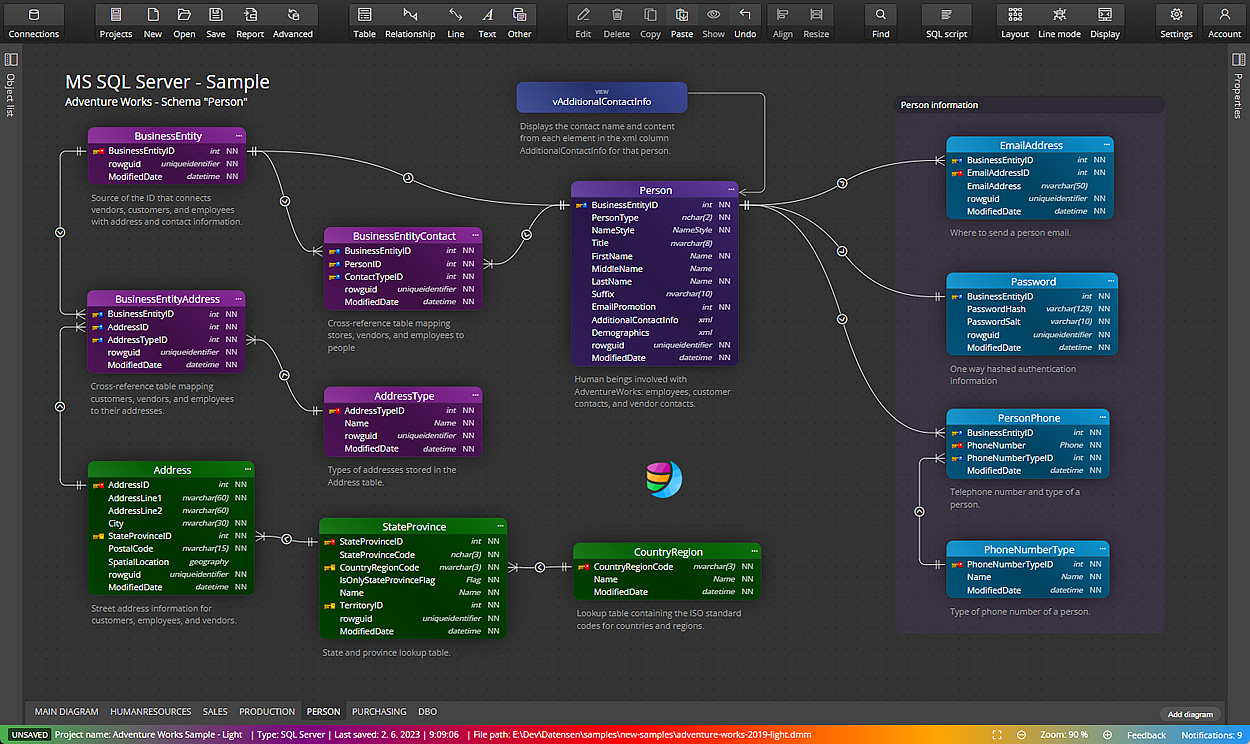
A data model is a picture of how your data is organised. It shows the tables you store, the columns inside them, and the links between them. In short, it is a map of your data, drawn so people can read it without opening the database.
Luna Modeler builds this map as an ER diagram. You can draw it from scratch or read it from an existing database. Either way, you end up with a clear view of your structure.
The problem: nobody knows where the data came from
A structure diagram tells you what tables exist. It does not tell you how a value got into a table, or which report reads it later. So when a number looks wrong, the team starts a long search. Where did this field come from? Which job filled it? Who reads it downstream?
That missing story is data lineage. Without it, every data question turns into detective work.
The pain point: tools that are too heavy to bother with
Some teams reach for large lineage platforms. These can be powerful, but they also cost a lot, take weeks to set up, and need a specialist to keep them running. For a single project or a small team, that is too much.
So the lineage never gets written down at all. It lives in one person's head, and it leaves when they do. A lighter approach works better: capture the main flows right where you already draw the structure.
How Luna Modeler helps you draw a data lineage diagram
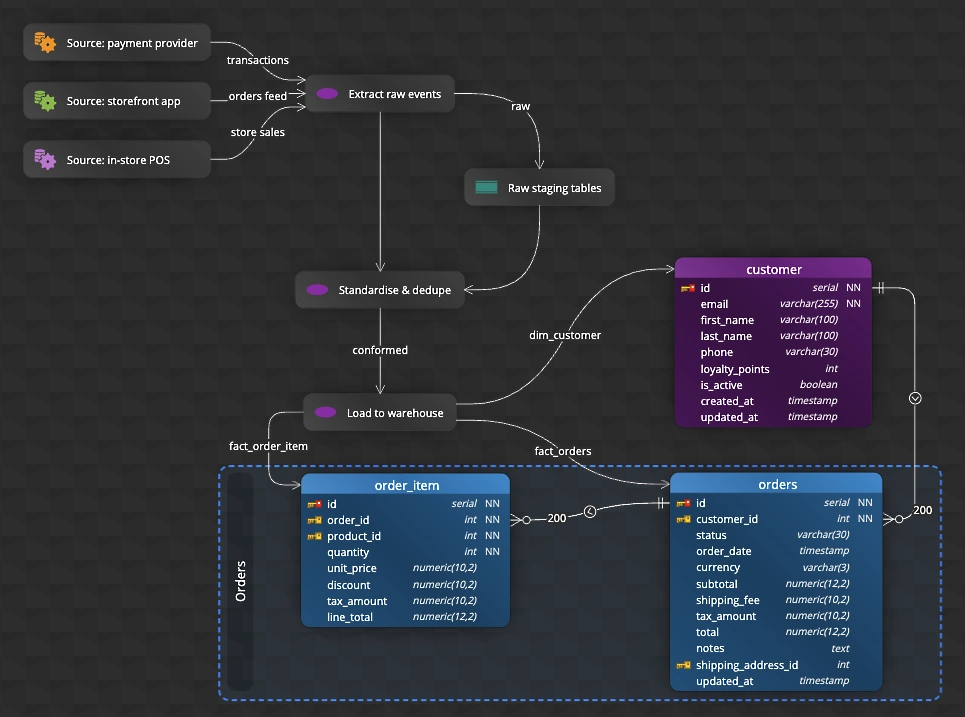
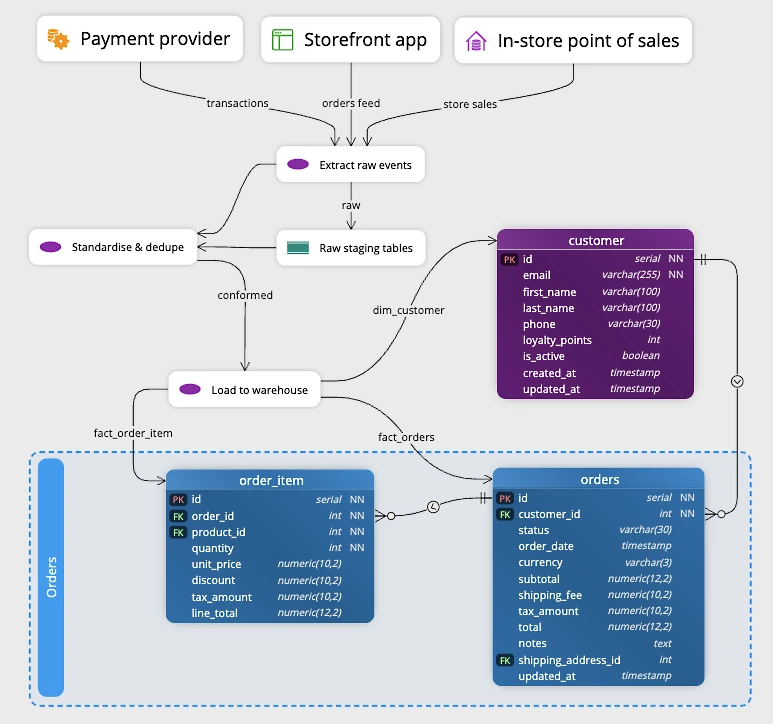
Luna Modeler lets you draw lineage on the same canvas as your tables. You connect a source object to a target object with a line, point the arrow in the direction the data flows, and label the line so its meaning is clear.
You can also drop notes and captions next to a table to explain a transformation in plain words. Because everything sits in one diagram, the reader sees the structure and the flow together.
Show the real source, not just a table
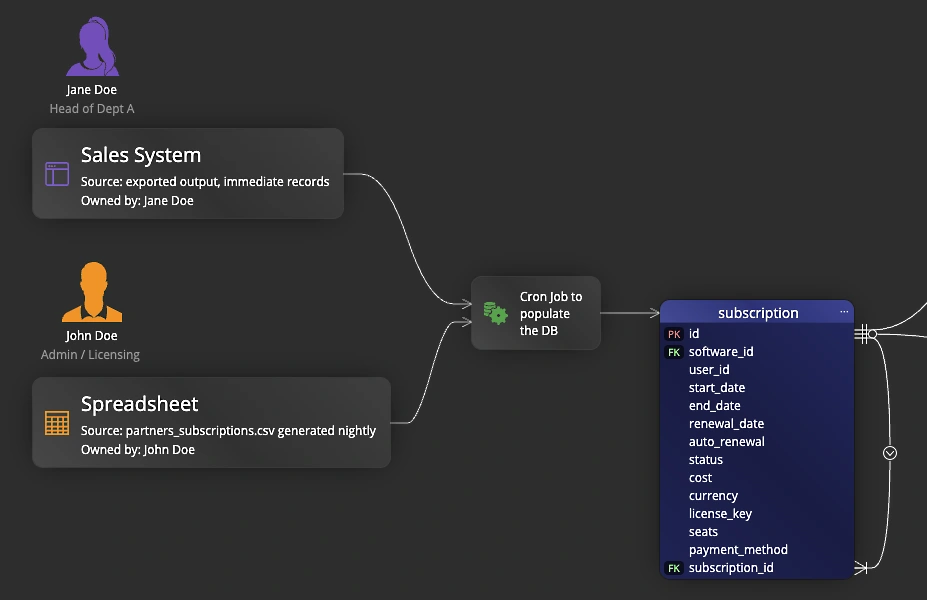
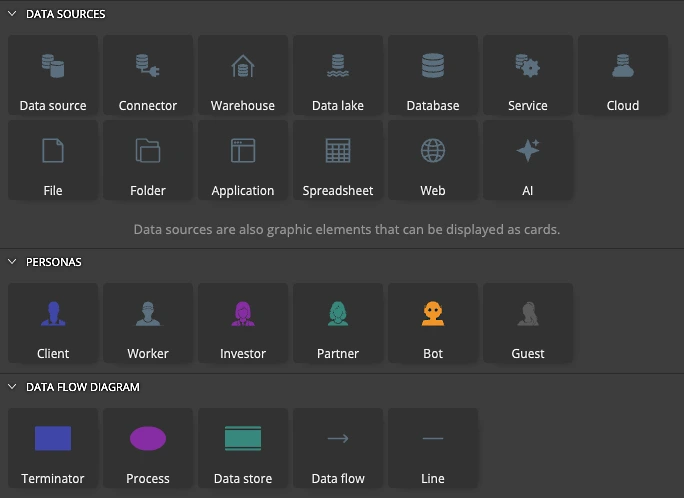
Most data modeling tools stop at tables. Luna Modeler goes a step further. Open the Assets pane, then the Data Sources section, and you find ready-made graphics that stand for the real places your data lives: a File, a Folder, an Application, a Cloud service, a Database, a Warehouse, a Data lake, a Spreadsheet, a Web service and more.
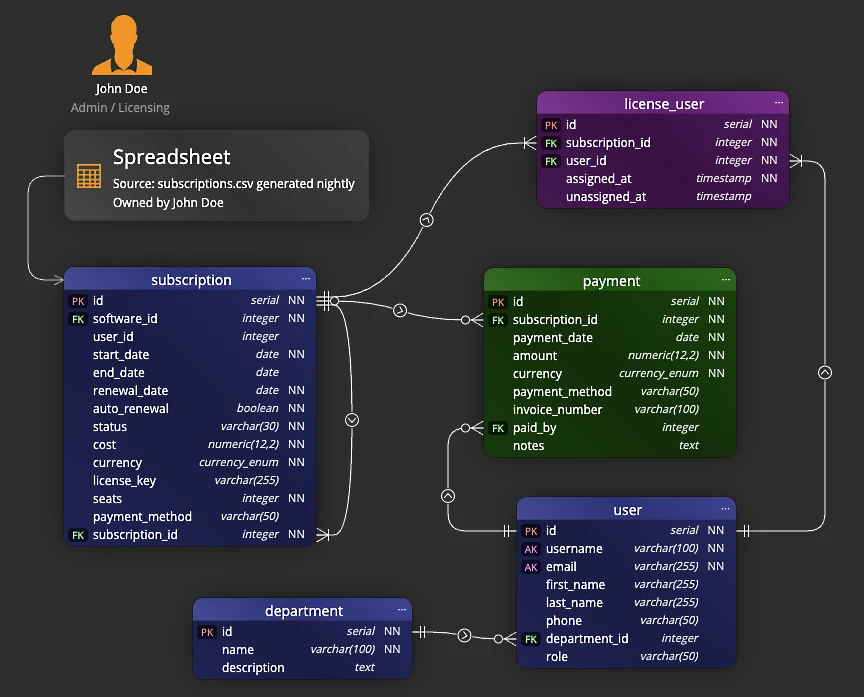
Drag one of these onto the canvas and connect it to the tables it feeds. So a lineage line no longer starts at a vague point. It starts at a clear icon that says "this data comes from a nightly CSV file" or "this is loaded from a cloud application".
What you get at the end
The result is a single diagram that shows both your structure and the main data flows through it. New team members read it and understand the system faster, because the path of the data is right in front of them.
You can export the diagram to an image, a PDF or an HTML report and share it in a wiki or a review. So the lineage stays visible to everyone, not locked inside one tool.
Lineage pairs naturally with data governance in your data model and full database documentation. You can also enrich the picture with flowchart and data flow elements — all kept in the same diagram.
- Free 14 days trial
- No credit card required
A data model is a picture of how your data is organised. It shows the tables you store, the columns inside them, and the links between them, so people can read the structure without opening the database.
Data lineage is the story of where a piece of data comes from, what happens to it along the way, and where it ends up. It traces a value from its source through each step to the place that finally uses it.
You draw lines between source and target objects on the same canvas as your tables, set the arrow direction, and label each line. Notes and captions explain any step that needs more detail.
Yes. The Assets pane has a Data Sources section with graphics for a File, Folder, Application, Cloud, Database, Warehouse, Spreadsheet and more. You drag one onto the canvas, connect it to the tables it feeds, and write its details in the graphic properties, so the real source is part of the diagram.
No. Luna Modeler offers a simple, visual way to record the main flows inside your model. It suits a single project or a small team that wants clear documentation without a heavy, separate platform.
Yes. You can export the diagram to an image, a PDF or an HTML report and share it in a wiki or a review, so the lineage stays visible to everyone.