Luna ModelerData Governance in Your Data Model
- Owners on the diagram Show who is responsible for each table
- Sensitive fields Flag personal or restricted columns clearly
- Rules in plain words Write notes that anyone can read
- Shareable reports Export the model for reviews and audits
First, what is data governance?
Data governance is the set of agreed rules for handling your data. It answers a few plain questions. Who owns this table? Which columns hold personal or sensitive details? Who is allowed to read or change them? How long do we keep this data?
Good governance does not need to be complicated. At its core, it is a clear record of these answers, kept somewhere people will actually look.
The problem: the rules live far from the data
In many teams the governance rules sit in a spreadsheet, a wiki page or a slide deck. The data, meanwhile, lives in the database. Because the two are kept apart, the rules drift out of date and nobody trusts them.
So when someone asks "is this column personal data?", the answer takes a long search through old documents, and often the search ends with a guess.
The pain point: audits and reviews get painful
The gap really hurts during an audit or a security review. A reviewer asks where personal data is stored and who owns it. The team then scrambles to match a stale document against the live database, field by field.
That work is slow and error prone. Worse, if a sensitive column is missed, the risk is real. So teams need the rules and the structure in one trusted place.
How Luna Modeler turns your ERD into a data governance diagram
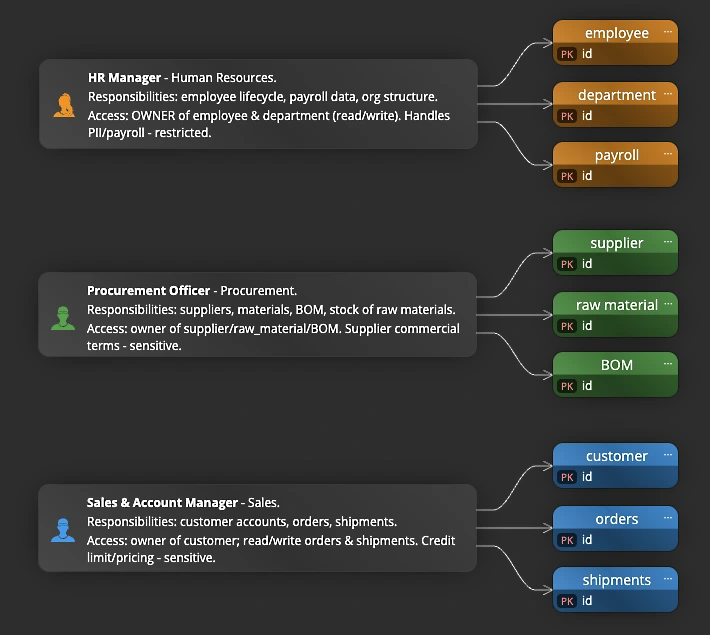
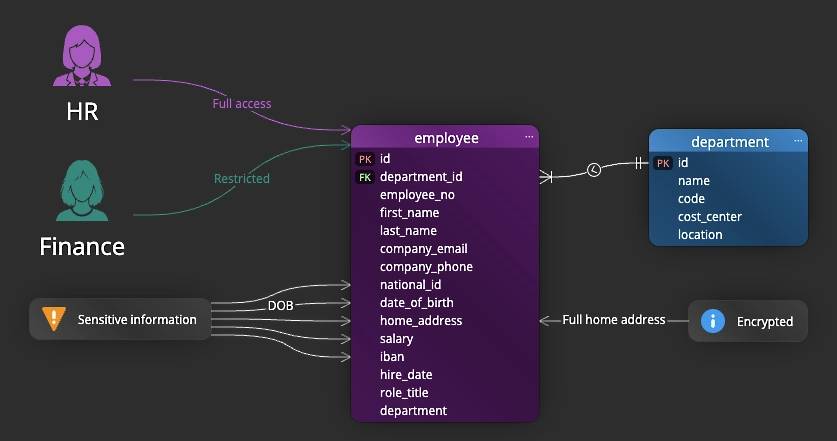
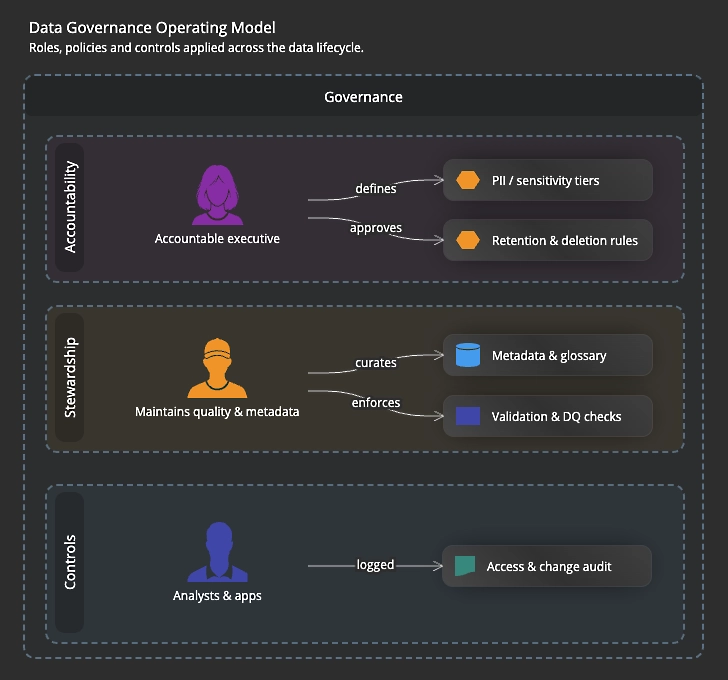
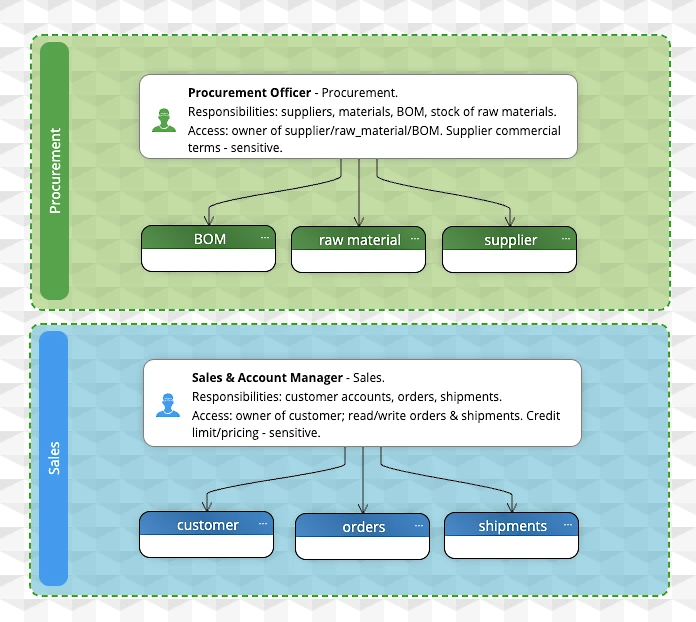
Luna Modeler lets you record governance facts on the diagram itself. You can name an owner for each table, write a description that states how the data should be used, and add notes that spell out a rule in plain words.
You can also colour tables and add captions, so sensitive areas stand out at a glance. Because the rules sit next to the tables they govern, the model becomes a single source people can trust.
Show who touches the data with personas
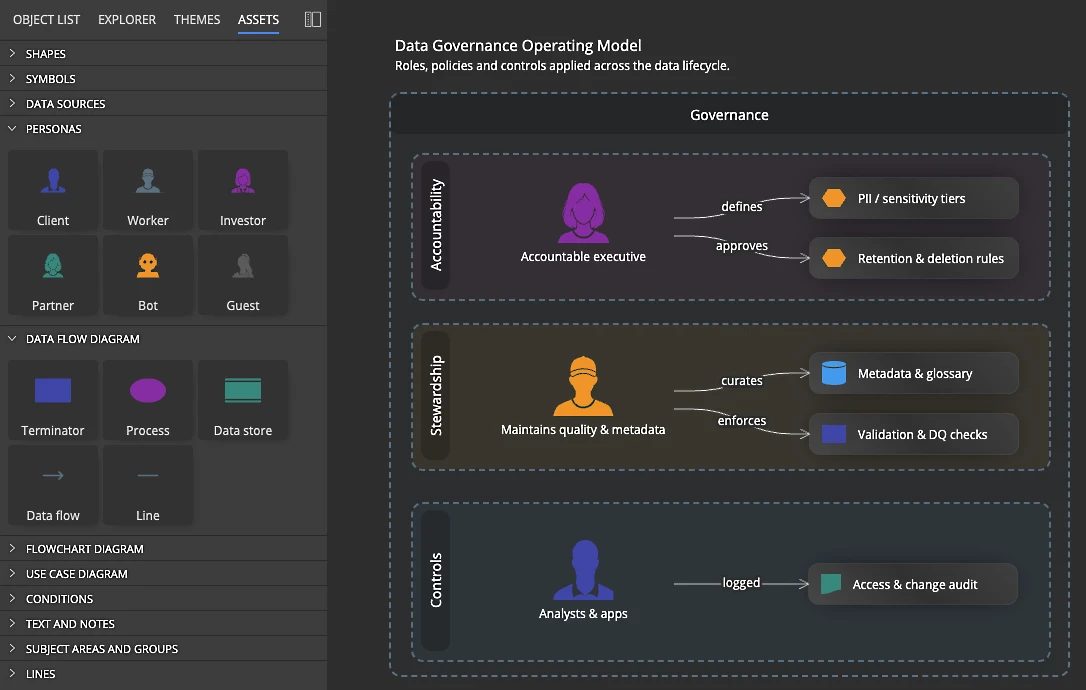
Governance is also about people. So Luna Modeler gives you persona graphics that you drag straight onto the diagram. The Assets pane includes personas such as Client, Worker, Investor, Partner and Guest, and you place the one that fits next to the tables that person reads or owns.
That way a reviewer sees at a glance who works with each part of the data. For example, you can place a Worker persona by the payroll tables and a Client persona by the orders, then connect each one to the data it touches.
Add symbols, graphics and notes for the rest
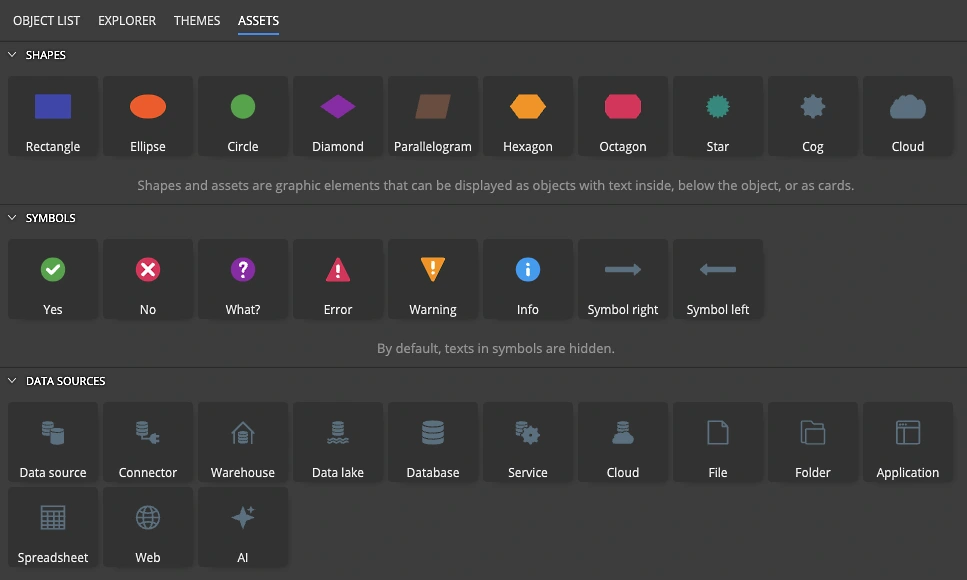
Personas are only the start. The Assets pane also holds symbols such as Yes, No, Warning, Error and Info, plus other graphics you can drop on the canvas. Use a Warning symbol to flag a table that holds personal data, or an Info symbol to point to a policy.
On top of that, you add free notes that describe any extra detail in plain words, like a retention period or an access rule. So between personas, symbols, graphics and notes, the diagram carries the full governance story, not just the tables.
What you get at the end
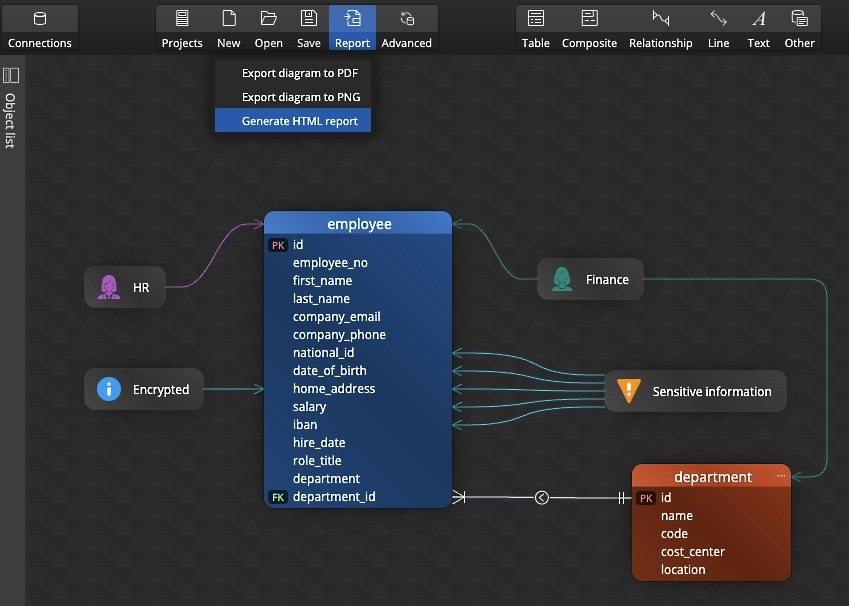
The result is a data model that shows both the structure and the rules around it. Owners, sensitive fields and key policies are visible right where the data lives, so the diagram becomes a reliable reference.
You can export it to an HTML report, an image or a PDF and hand it straight to a reviewer or an auditor. As a result, the next review starts from a clear picture instead of a scramble.
Governance works hand in hand with data lineage in your data model and full database documentation, so owners, flow and structure all live in one place.
- Free 14 days trial
- No credit card required
Data governance is the set of agreed rules for handling your data. It covers who owns each table, which fields hold sensitive information, who may use the data, and how long it is kept.
In Luna Modeler you record owners, colour coded tags and notes on the tables and columns. The rules then sit right next to the structure they apply to, in a single diagram.
Yes. You can colour tables, add captions and write notes to mark personal or restricted fields, so sensitive areas stand out at a glance.
Yes. The Assets pane includes persona graphics such as Client, Worker, Investor, Partner and Guest. You drag a persona onto the canvas and connect it to the tables that person reads or owns, so the diagram shows who touches each part of the data.
Besides personas, you can add symbols such as Yes, No, Warning, Error and Info, plus other graphics and free notes. Use them to flag personal data, point to a policy, or explain a rule in plain words.
No. Luna Modeler offers a simple, visual way to document ownership and rules at the model level. It supports a wider program by keeping the structure and its rules clear and in one place.
Yes. You can export the governed model to an HTML report, an image or a PDF and hand it to a reviewer or auditor, so the review starts from a clear picture.