Moon Modeler Data Modeling & Schema Design
for MongoDB
- noSQL Databases Supported MongoDB, CosmosDB, DocumentDB...
Local & Cloud Databases - The Smarter Way to Design noSQL Data modeling, reverse & forward engineering, validation scripts, interactive reports
- Offline / Secure Your data never leaves your device
- Cross Platform
 Runs on Windows, macOS & Linux
- Excellent ROI Pay once, use forever

Data modeling tool for MongoDB and NoSQL databases
Moon Modeler is a visual data modeling and schema design tool for NoSQL databases like MongoDB®, Mongoose, Azure Cosmos DB and DocumentDB. Use Moon Modeler to create noSQL diagrams, design MongoDB schemas visually, generate scripts, and produce interactive documentation. You can connect to existing databases, perform reverse engineering, and export diagrams as PDF files or images.
- Support for Azure Cosmos DB
- Support for DocumentDB
- Drag and move fields between collections
- Import main objects and assets from text
- Snap to grid, snap to objects
- Colors to multiple objects at once
very intuitive!

Quickly create diagrams for MongoDB and Mongoose
Visually design the structure of your MongoDB databases by drawing clear diagrams. Easily add collections and documents to your MongoDB data models. Moon Modeler also lets you define schema designs for Mongoose ODM with ease.
Define collections, fields, and indexes visually
Use Moon Modeler to visually design MongoDB and Mongoose data models with ease. Add collections, define fields with specific types and validation rules, and design schema structures interactively in the diagram.
Moon Modeler also lets you create and manage indexes for MongoDB collections in just a few clicks. Configure single-field or compound indexes visually, and include them in your generated scripts or technical documentation.


Boost productivity with visual data modeling for MongoDB
Improve your MongoDB schema design workflow by creating multiple diagrams with customizable view settings and line modes. Modify layout properties visually to organize complex data models with ease.
Create new collections, fields, and documents using predefined default values. Quickly select and edit any object — from collections to individual fields — and apply updates instantly. Moon Modeler saves your changes automatically, so you can focus on designing. Made a mistake? Just hit UNDO.
Create HTML reports and keep your MongoDB schema well documented
Keep your MongoDB schema designs organized and easy to understand. With Moon Modeler, you can arrange objects into multiple ER diagrams, switch between view modes, and display metadata, indexes, or field descriptions directly in the diagram.
Add visual notes, images, and export your diagrams to PDF, images or generate professional, interactive HTML reports — perfect for technical documentation and team collaboration.


Generate scripts and write custom templates for any scenario
Use Moon Modeler data modeling tool to generate validation and creation scripts for MongoDB or Mongoose along with other options, to preview the code formatted and with syntax highlighting and to save the generated code for the entire data model or just one selected MongoDB collection.
Wait, the Moon Modeler isn't limited to the generation of schema validation scripts! With custom templates, you can create snippets of application code, JavaScript files etc.
Read about custom templates and scriptsReverse engineer and visualize existing MongoDB databases
Automatically generate ER diagrams by connecting to your existing MongoDB databases. With reverse engineering, you can visualize schema structures including collections, fields, and references in just a few clicks.
In the Professional Edition of Moon Modeler, secure your connection using SSH, SSL, or TLS protocols for safe remote access to your cloud-hosted or production environments.

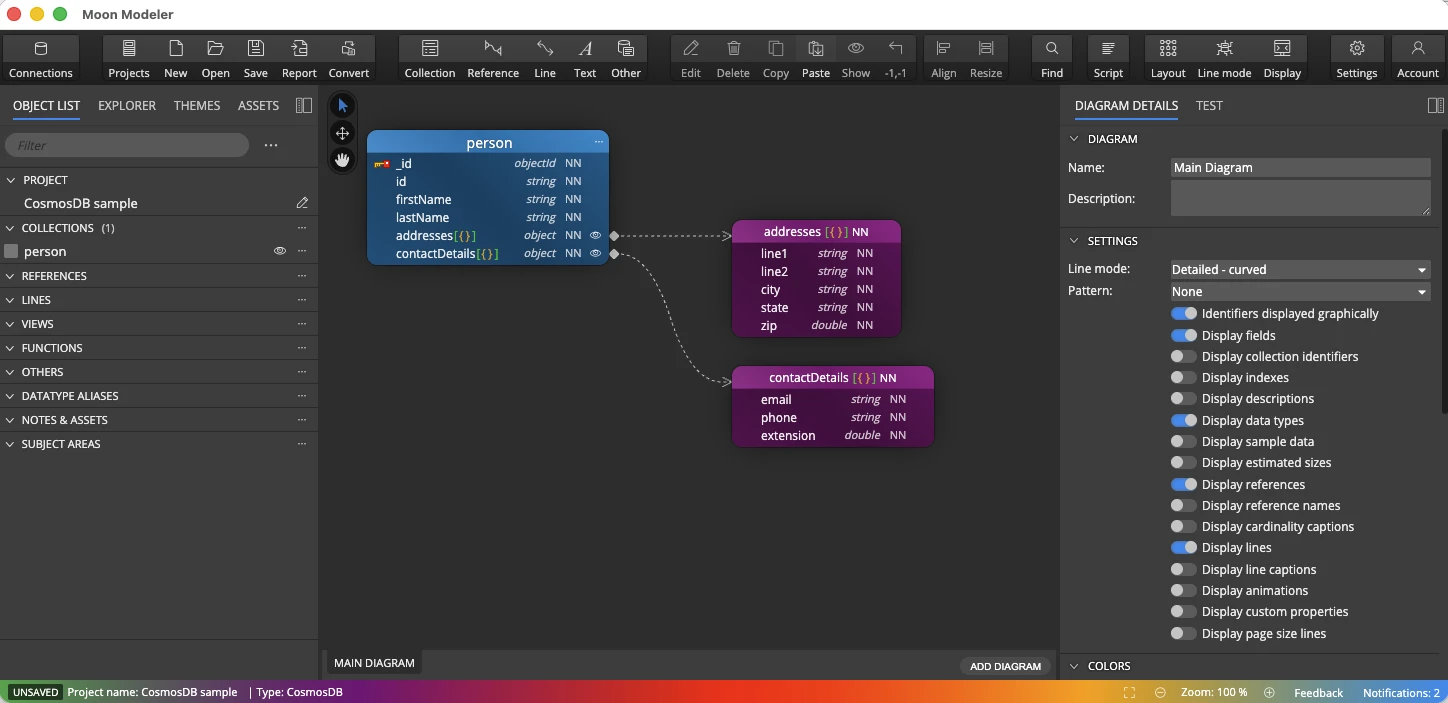
Design and visualize Azure Cosmos DB schemas
Version 13.5 adds a dedicated Azure Cosmos DB connection type. Enter the account URL of your Cosmos DB for MongoDB account, pick a database, and Moon Modeler reads the collections, embedded documents and fields into a diagram.
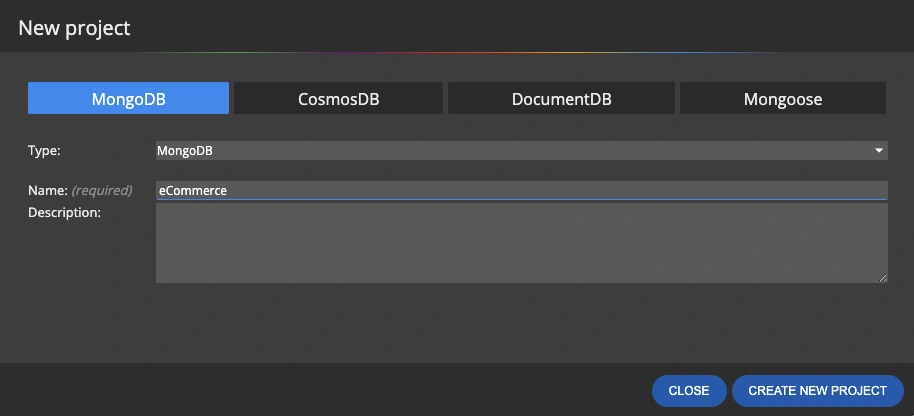
Cosmos DB also sits in the New project dialog, so you can design collections for it from the first diagram — or click Convert to turn an existing MongoDB model into a Cosmos DB one.
Model DocumentDB clusters from the first collection
DocumentDB has its own connection type as well, so cluster settings no longer have to be squeezed into a generic MongoDB connection. Connect over TLS, load the structure and document it, or start a new DocumentDB project and generate validation scripts for it.
Want to try it without paying for a cluster? Azure DocumentDB (with MongoDB compatibility) offers a free tier, and the open source engine from documentdb.io can be run on your own hardware.

Convert MongoDB
projects to Mongoose
Use Moon Modeler to load your existing MongoDB database and convert it into a Mongoose project. This enables you to automatically generate Mongoose schemas based on your database structure — no manual rewriting needed.
The conversion feature is available in the Professional Edition.

Mongoose ODM and noSQL databases
- Free 14 days trial
- No credit card required
One-Time Purchase
User-Based Perpetual Licenses
- Volume discounts available
- 1 year of free upgrades + lifetime ownership
- Use on work and personal devices
- Data modeling, ER diagrams
- Unlimited projects, unlimited tables
- Reverse & forward engineering
- SQL scripts generation
- Custom fields & customization
- Templates for custom output
- Assets & graphics
- All basic edition features
- Secure SSH/TLS connections
- Sub-diagrams
- Interactive reports
- Conversion to Mongoose ODM
- Multiple instances
How Data Modeling for MongoDB Works
MongoDB is schema-flexible, not schema-less. Every application still has a structure - it just lives in the documents instead of in table definitions. Data modeling for MongoDB means deciding that structure up front, around the way your application reads and writes data.
Embed related data
Store data that is read together in one document - an order with its line items, a customer with their addresses. Embedding suits one-to-one and one-to-few relationships, and one read returns everything. Moon Modeler draws embedded documents and arrays with containment lines, so nesting is visible at a glance.
Reference across collections
Use references when related data grows without limit, is shared by many documents, or changes on its own - authors and books, products and reviews. References also keep documents under the 16 MiB limit. In the diagram, references appear as relationship lines between collections.
Validate the structure
Flexible does not have to mean inconsistent. MongoDB's $jsonSchema validation enforces required fields, types and allowed values on the server. Moon Modeler turns your data model into validation rules and generates the scripts for you.
Index for your queries
A good data model for MongoDB is designed around its queries, and indexes are part of that design. Define single-field and compound indexes next to the collections they serve, and include them in generated scripts and documentation.
New to the topic? Read the guide to NoSQL data modeling or see how data models work in general. Ready to design? See Moon Modeler as a tool for MongoDB data modeling.
What is data modeling for MongoDB?
Data modeling for MongoDB is the process of deciding how your application's data is structured in documents and collections: which data is embedded together, which collections reference each other, which fields are validated, and which indexes support your queries. A data modeling tool for MongoDB, such as Moon Modeler, lets you design that structure visually and generate the scripts to apply it.
Should I embed or reference documents in MongoDB?
Embed data that is read together and belongs to one parent, such as an order and its line items. Reference data that grows without limit, is shared by many documents, or changes independently, such as products and their reviews. Most data models for MongoDB combine both, and referencing also keeps documents under the 16 MiB size limit.
What is a schema design tool for MongoDB?
A schema design tool for MongoDB is software that lets you visually design and document NoSQL database structures — collections, fields, data types, references, and indexes — without writing raw JSON or code. Moon Modeler lets you draw MongoDB schema diagrams, define validation rules, generate creation and validation scripts, and produce interactive HTML documentation, all from a visual canvas.
Which databases does Moon Modeler support?
Moon Modeler supports MongoDB (all recent versions), Mongoose ODM, Azure Cosmos DB for MongoDB, and DocumentDB — Azure DocumentDB and the open source engine from documentdb.io. Cosmos DB and DocumentDB have had their own connection types since version 13.5. You can design schemas from scratch or reverse-engineer existing databases. The Professional edition adds SSH/SSL/TLS secure tunnel support for cloud-hosted and production environments.
Is Moon Modeler a free noSQL schema design tool?
Moon Modeler offers a free 14-day trial with no credit card and no account required. After the trial, a perpetual license starts at $99 USD — a one-time purchase, not a subscription. You pay once and use the tool forever. Optional annual renewals are available to access major new versions.
What is the difference between Moon Modeler and MongoDB Compass?
MongoDB Compass is a query and inspection tool — it connects to a live database and lets you browse data, run queries, and see the current schema. Moon Modeler is a design tool — it lets you architect MongoDB schemas visually from scratch, completely offline, without a running database. You use Moon Modeler to plan and document your schema. Moon Modeler also generates validation scripts and HTML documentation.
Does Moon Modeler work offline?
Yes. Moon Modeler is a desktop application for Windows, macOS, and Linux. All your schema designs, diagrams, and generated scripts stay on your local machine. No account is required to use it and no data is ever uploaded to a cloud service.