Merit Modeler Free Flowchart Tool
- Free, not a trial No licence to buy
- Runs on your machine Windows, macOS and Linux - works offline
- Swimlanes and themes Group steps by owner and restyle a chart at once
- Your files stay yours Projects are saved locally, never uploaded
It should not need an account before you can draw one.
The problem: drawing a process costs more than it should
Most flowchart tools now live in a browser tab. Before you can place a single box you sign up, confirm an email, pick a plan, and agree to store your diagram on someone else's server. For a chart that explains how an order gets approved, that is a lot of ceremony.
The other option is a general drawing program. It will happily draw rectangles, but it knows nothing about flowcharts: no decision shape, no connector that stays attached when you move a step, no sense that this diagram has a start and an end.
The pain point: the second draft
The first version of a flowchart is easy. The trouble starts when someone says "there is also a rejection path". You insert a step, and every line below it has to be dragged back into place. Do that three or four times and the diagram stops being a thinking tool and starts being a chore.
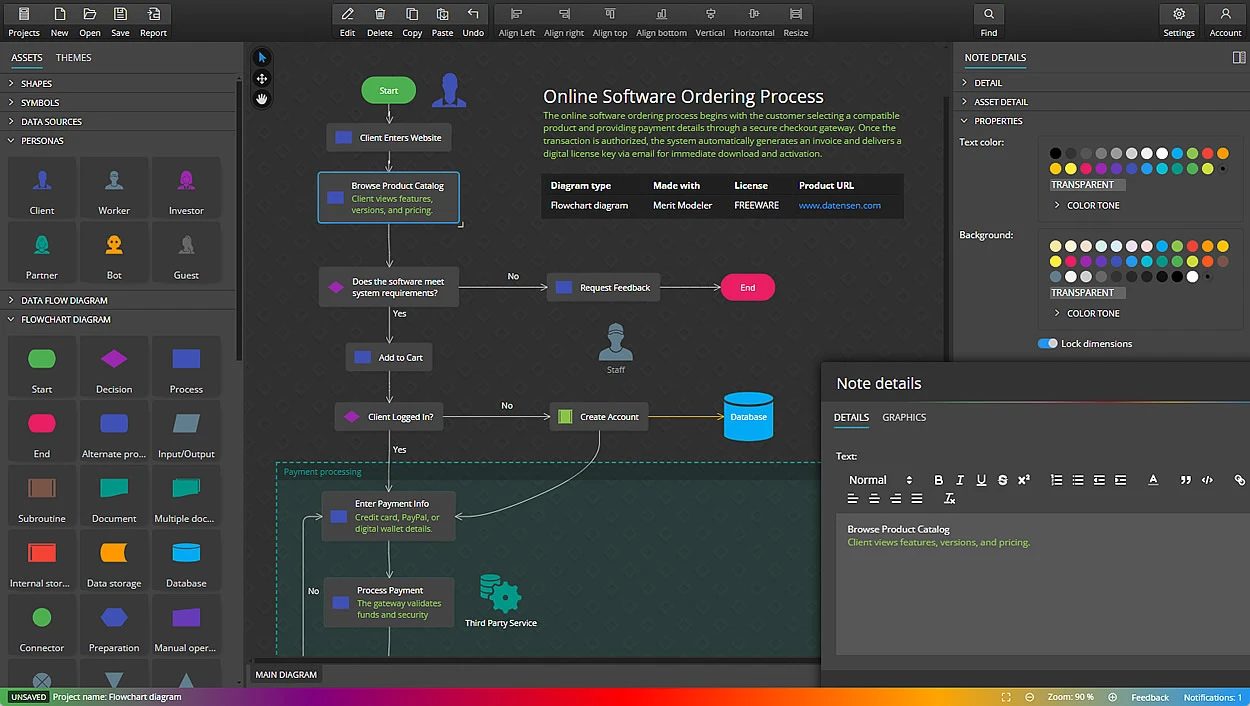
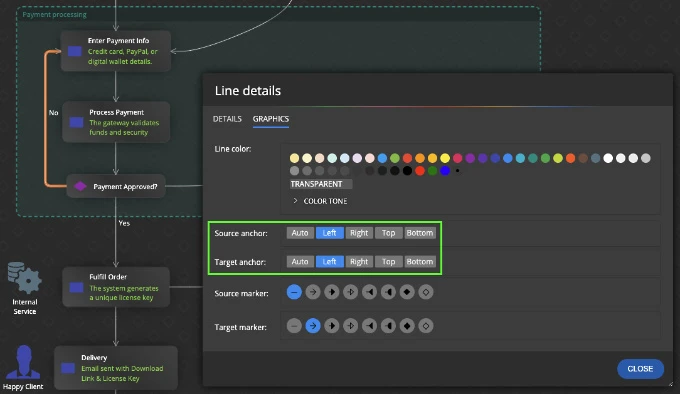
Merit Modeler uses smart connectors that stay attached to the shapes they join, with manual control when you want a line routed your way. Move a step and the arrows follow it, so rearranging a process is a matter of seconds rather than a cleanup job.
How Merit Modeler solves it
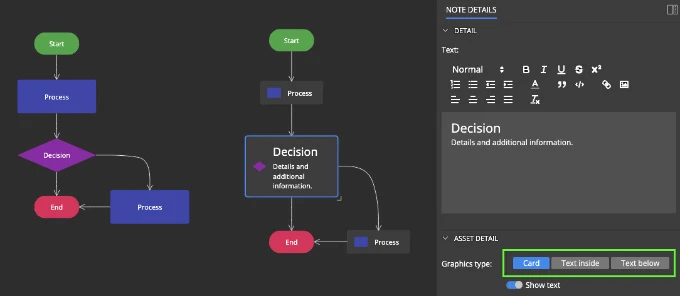
Merit Modeler is a desktop application, so it opens like any other program on your computer and keeps working on a train with no signal. It ships with the shapes a flowchart actually needs - process, decision, terminator, document, data - on an assets panel you drag from.
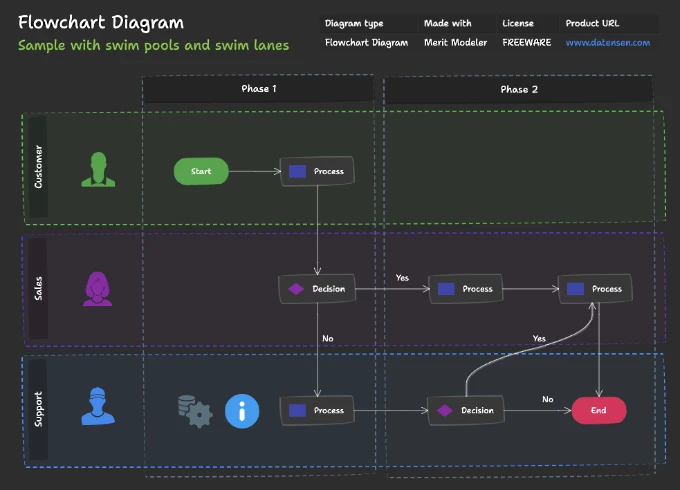
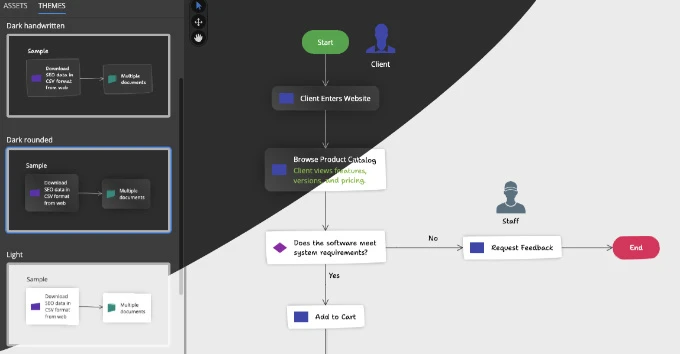
Swimlanes let you show who does what: put each role in its own lane and the handover points become obvious. Themes restyle a whole diagram at once, so a chart drawn for your own notes can be made presentable for a review without editing every shape by hand.
Notes support Markdown, which is useful when a step needs a paragraph of explanation that does not belong inside the box.
The workflow, step by step
Going from a blank canvas to a finished flowchart takes five steps:
- Create a new project and add a flowchart diagram.
- Drag the shapes you need from the assets panel onto the canvas.
- Connect them - the connector stays attached when a step moves later.
- Group steps into swimlanes if more than one role is involved.
- Apply a theme, then export the diagram as an image or PDF.
There is no save-to-cloud step, because the project is a file on your disk from the first moment.
A worked example is in the guide on creating a flowchart diagram in Merit Modeler.
Comparing options first? We put Merit Modeler next to LibreOffice Draw, Dia, Pencil and Inkscape in the best free flowchart tools guide.
What you get out
Export the finished chart as an image or a PDF and drop it into a specification, a wiki page or a slide. The project file itself stays on your machine, so a diagram you drew two years ago still opens without an account or a subscription behind it.
Flowcharts are one of three diagram types Merit Modeler draws. The others are data flow diagrams and use case diagrams, and all three can live in the same project.
Designing a database instead? A flowchart will not generate SQL. Luna Modeler is the tool for that - it models PostgreSQL, Oracle, SQL Server, MySQL, MariaDB and SQLite and writes the DDL and ALTER scripts for you.
Yes. Merit Modeler is freeware, not a time-limited trial. There is no licence to buy, no expiry date and no account to create. You download it and use it.
Yes. Merit Modeler is a desktop application for Windows, macOS and Linux. Projects are saved as files on your own disk and nothing is uploaded, so it works with no connection at all.
Yes. Swimlanes let you group steps by the role or department that owns them, which makes the handover points in a process visible at a glance.
Diagrams can be exported as images or PDF files, so a flowchart can go straight into a specification, a wiki page or a presentation.
No. Merit Modeler draws flowcharts, data flow diagrams and use case diagrams. For database design with DDL and ALTER script generation, use Luna Modeler for SQL databases or Moon Modeler for MongoDB and noSQL.