What's new in
Galaxy Modeler version 13
This page was updated on July 29th
Custom Line Points for Untangling Reference Lines
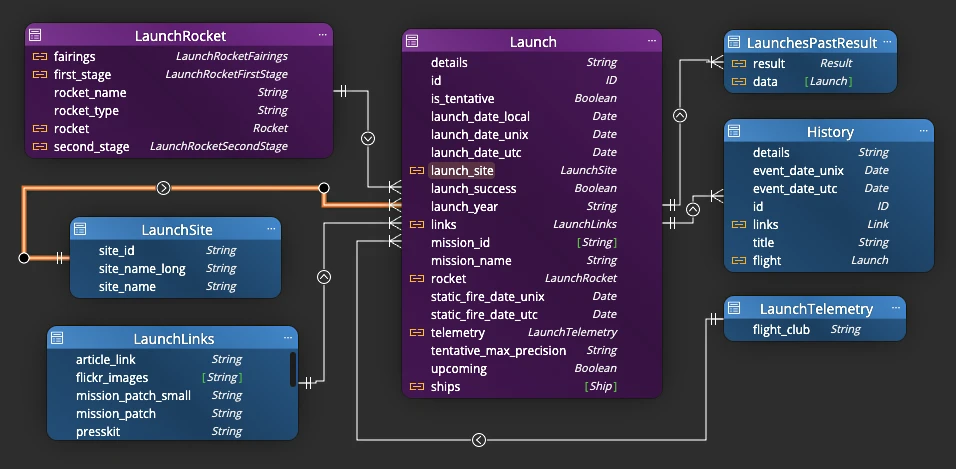
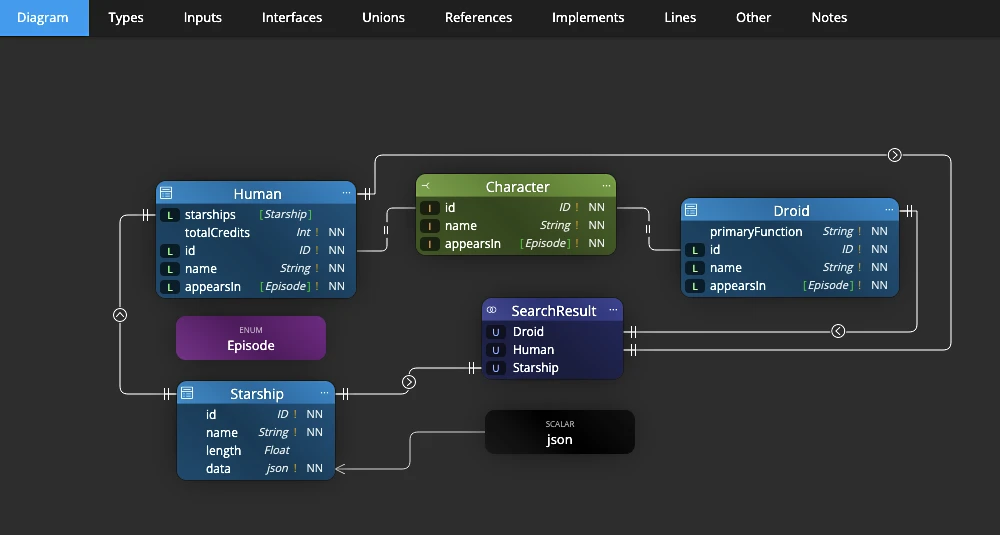
A GraphQL schema rarely stays simple for long — once types start implementing interfaces, resolving unions and referencing each other across a growing schema, the connecting lines on your diagram can turn into a tangle fast. Take control of exactly how they route: Ctrl+click a selected line to drop a custom waypoint and bend it exactly where you want, Ctrl+double-click a point to remove it, or use the right-click menu to add a point at the cursor or clear every point from a line in one go.
Points snap into line with a neighboring point or anchor, so a connection between two types stays perfectly straight, and holding Shift while dragging locks its movement to a single axis. Whichever line mode you're using, points render exactly as expected — straight segments in basic mode, or a smooth curve running precisely through every point in curved mode.
Orthogonal Routing for Schema Diagrams That Read Like Documentation
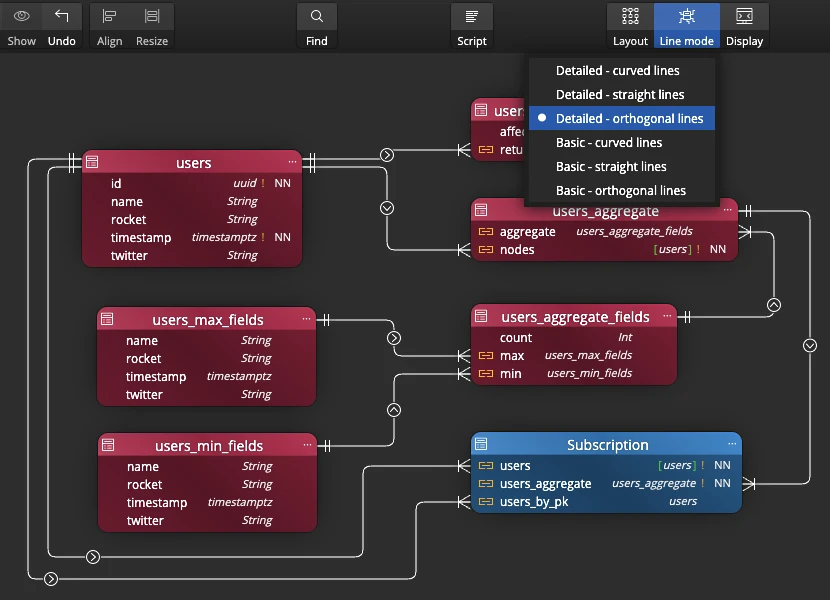
Give your GraphQL schema diagram the clean, blueprint look of real API documentation with two new orthogonal line modes: horizontal/vertical-only routing instead of diagonals, with your choice of detailed field-to-field line mode or basic mode that allows anchors to be at any side of an object.
Pair orthogonal routing with the new custom line points for a fully hand-tuned, rectilinear layout — points on an orthogonal line always stay on the grid, so a connection between two types never sneaks off at an angle. The result is a schema diagram you can hand to another engineer, or drop straight into your API docs, without redrawing a thing.
New Assets for Annotating Your Schema
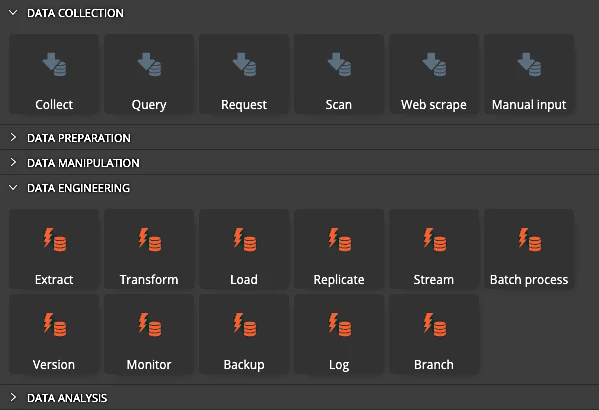
Not every detail about a GraphQL schema belongs inside a type definition. Use the new graphical assets to annotate your diagram directly — flag a field as deprecated, note which resolver backs a type, or sketch the data flow behind a query — without cluttering the schema itself. Combine them with flowcharts and data flow elements to document the bigger picture around your API, right next to the types it describes.
Single File HTML Report for Easy Sharing
Sharing documentation used to mean a whole folder of files — HTML, stylesheets, icons, images — that could easily lose a piece along the way. Not anymore. Generate a report as a single, self-contained HTML file: no separate styles, no icons, no images to misplace. Attach it to an email, drop it in a shared drive, or publish it on an intranet — open it on any machine and it looks exactly the same, with nothing left behind.
Other improvements
Version 13.7
- Show grid, snap to grid and snap to objects.
- Colors for multiple objects at once.
- New themes: dark pastel and light pastel.
- Gradient backgrounds for diagrams.
- Background patterns for diagrams.
Version 13.6
- Import from text - quickly add collections, assets or other objects.
Right click the diagram area and choose Import from text. A modal form opens.
Specify object type, object names (one per line) and click Import. - Drag and move a line segment in both the Orthogonal line modes.
- Better alignment of lines and custom points in both the Curved line modes.
- Fix: Line mode for a single selected line or can be set to Orthogonal.
Version 13.5
- Azure Cosmos DB: new connection type
- DocumentDB: new connection type
- New project: CosmosDB and DocumentDB added
- Convert: new options Convert to CosmosDB and Convert to DocumentDB
- Fields can be moved from one collection to another using drag and drop
Version 12.6.2
- UI/UX: Resize from any corner or edge — not just the bottom right. When your diagram includes ER entities, data flow elements, swimlanes, or custom graphics, being able to pull an object in exactly the direction you need saves you from the tedious resize-then-reposition dance. Your objects stay where you want them, and your diagram stays readable.
- Cleaner diagrams: Automatic line routing picks shorter, less cluttered paths
- Visual fix: Lines no longer misrender when you drag objects across the canvas
Version 12.6.1
- Rendering improvements: Fixing issues with diagram rendering after changing diagram properties and after re-positioning fields in a collection
- Fixed issue with license re-validation in another instance of Galaxy Modeler
Version 12.6
- Performance optimizations related to loading and rendering available datatypes
- Copy/Paste operation on sub-diagrams now adds objects to the Main diagram as hidden
- Fix for Text file creation from the Explorer panel
- Cardinality captions: new method for rendering and positioning
- Fix for Move/Pan on diagram
Version 12
- UI - Move selected objects using arrow keys
- Mongoose - updated templates for Mongoose scripts
- Updated components to newer versions