Moon Modeler
Intuitive Data Modeling Tool
for MongoDB and noSQL
- noSQL Databases Supported MongoDB, CosmosDB, DocumentDB...
Local & Cloud Databases - The Smarter Way to Design noSQL Data modeling, reverse & forward engineering, validation scripts, interactive reports
- Offline / Secure Your data never leaves your device
- Cross Platform
 Runs on Windows, macOS & Linux
 - Excellent ROI Pay once, use forever
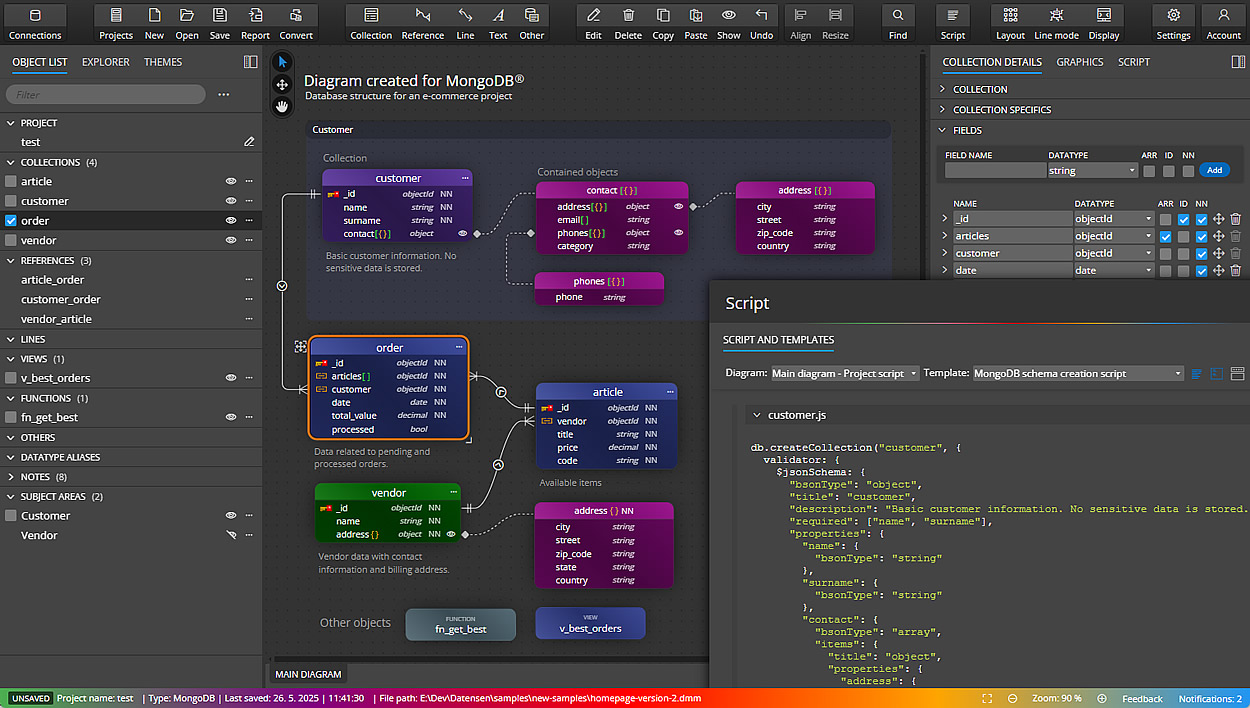
Data modeling tool for MongoDB & noSQL
Moon Modeler is a visual schema design and data modeling tool for NoSQL databases like MongoDB®, Mongoose, and other compatible platforms. Use Moon Modeler to create noSQL diagrams, design MongoDB schemas visually, generate scripts, and produce interactive documentation. You can connect to existing databases, perform reverse engineering, and export diagrams as PDF files or images.
- Performance improvements
- Predefined symbols and graphics
- Markdown notes, Swim pool, Swim Lane
- Support for data flow, flowchart, and other elements
- Various UI enhancements
very intuitive!
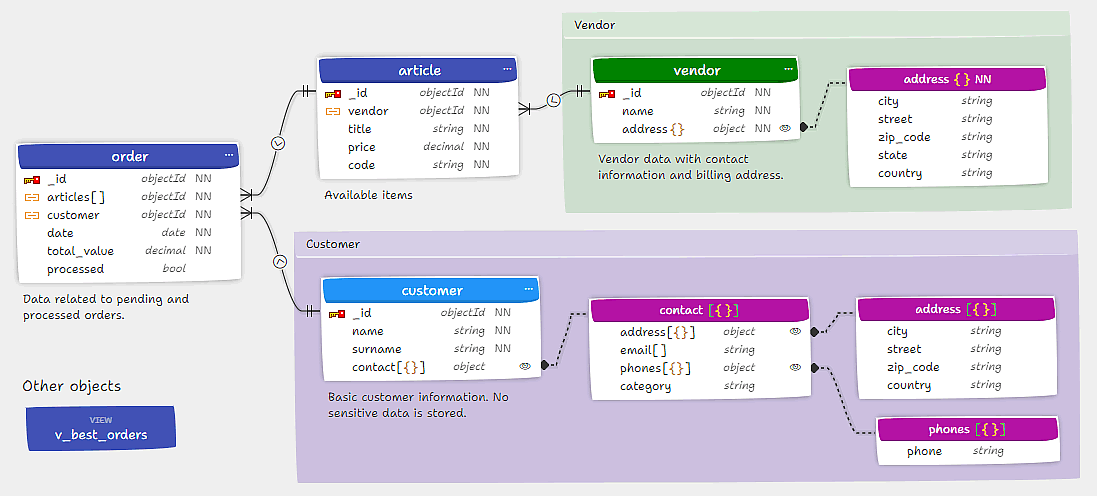
Quickly create diagrams for MongoDB and Mongoose
Visually design the structure of your MongoDB databases by drawing clear diagrams. Easily add collections and documents to your MongoDB data models. Moon Modeler also lets you define schema designs for Mongoose ODM with ease.
Define collections, fields, and indexes visually
Use Moon Modeler to visually design MongoDB and Mongoose data models with ease. Add collections, define fields with specific types and validation rules, and design schema structures interactively in the diagram.
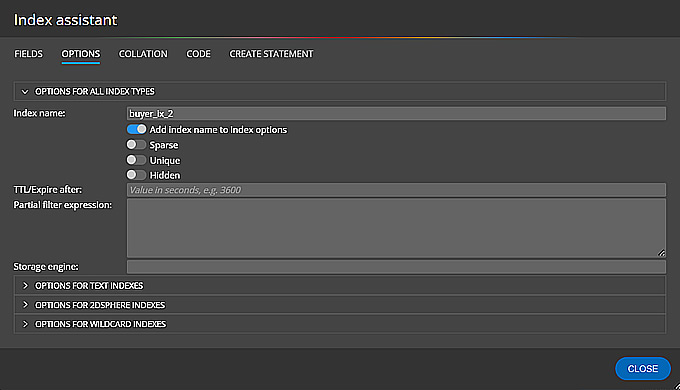
Moon Modeler also lets you create and manage indexes for MongoDB collections in just a few clicks. Configure single-field or compound indexes visually, and include them in your generated scripts or technical documentation.
Boost productivity with visual data modeling for MongoDB
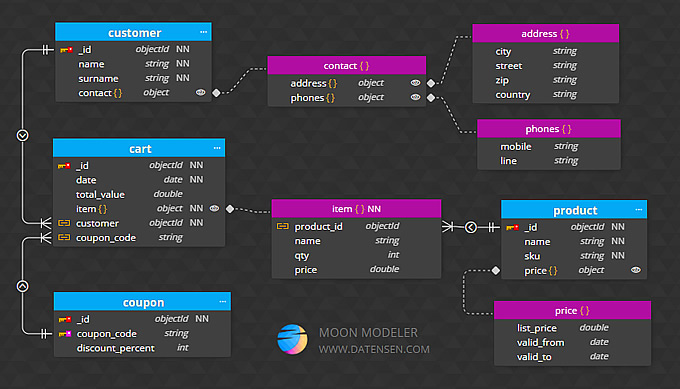
Improve your MongoDB schema design workflow by creating multiple diagrams with customizable view settings and line modes. Modify layout properties visually to organize complex data models with ease.
Create new collections, fields, and documents using predefined default values. Quickly select and edit any object — from collections to individual fields — and apply updates instantly. Moon Modeler saves your changes automatically, so you can focus on designing. Made a mistake? Just hit UNDO.
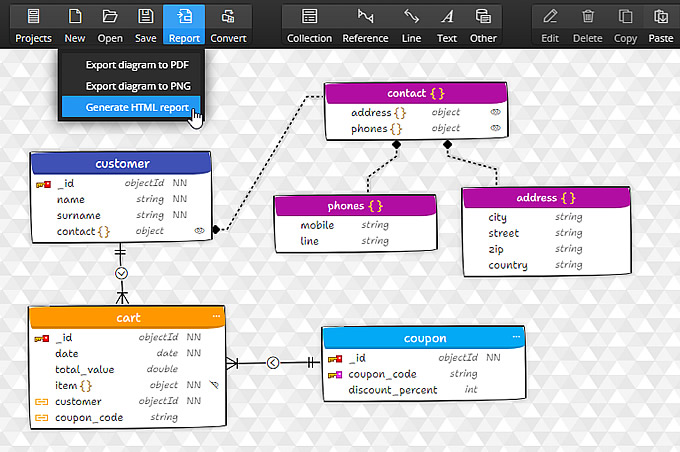
Create HTML reports and keep your MongoDB schema well documented
Keep your MongoDB schema designs organized and easy to understand. With Moon Modeler, you can arrange objects into multiple ER diagrams, switch between view modes, and display metadata, indexes, or field descriptions directly in the diagram.
Add visual notes, images, and export your diagrams to PDF, images or generate professional, interactive HTML reports — perfect for technical documentation and team collaboration.
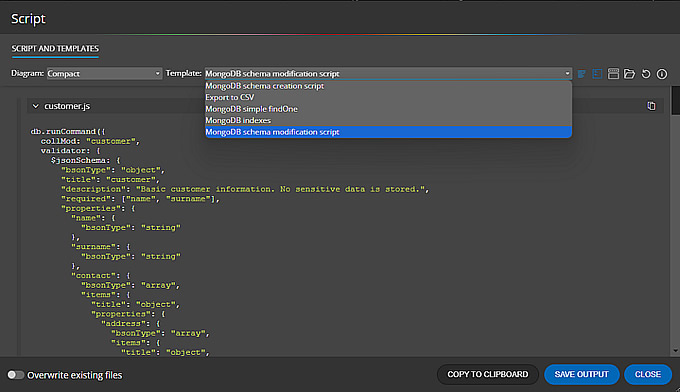
Generate scripts and write custom templates for any scenario
Use Moon Modeler data modeling tool to generate validation and creation scripts for MongoDB or Mongoose along with other options, to preview the code formatted and with syntax highlighting and to save the generated code for the entire data model or just one selected MongoDB collection.
Wait, the Moon Modeler isn't limited to the generation of schema validation scripts! With custom templates, you can create snippets of application code, JavaScript files etc.
Read about custom templates and scriptsReverse engineer and visualize existing MongoDB databases
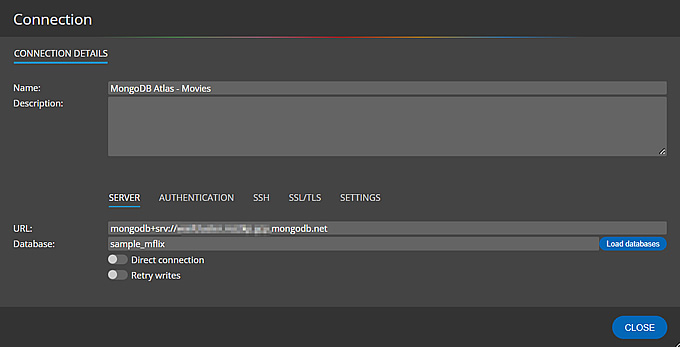
Automatically generate ER diagrams by connecting to your existing MongoDB databases. With reverse engineering, you can visualize schema structures including collections, fields, and references in just a few clicks.
In the Professional Edition of Moon Modeler, secure your connection using SSH, SSL, or TLS protocols for safe remote access to your cloud-hosted or production environments.
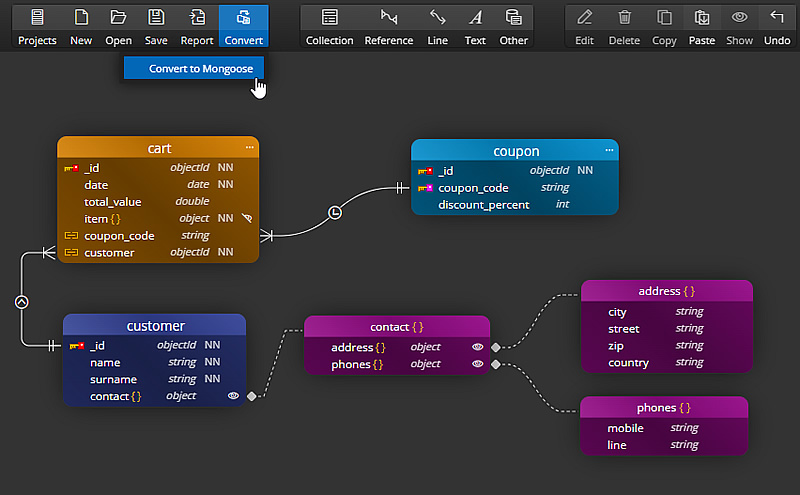
Convert MongoDB
projects to Mongoose
Use Moon Modeler to load your existing MongoDB database and convert it into a Mongoose project. This enables you to automatically generate Mongoose schemas based on your database structure — no manual rewriting needed.
The conversion feature is available in the Professional Edition.

Mongoose ODM and noSQL databases
- Free 14 days trial
- No credit card required
One-Time Purchase
User-Based Perpetual Licenses
- Data Modeling + ER Diagrams
- Unlimited Projects, Unlimited Tables
- Reverse Engineering
- Forward Engineering
- Export to PDF / PNG
- Custom Script Generation
- Flowcharts, Data Flow Diagrams
- User-based Perpetual License
- 12 Months Updates Included
- License for Multiple Devices
- All Basic Edition Features
- Sub-Diagrams
- Secure SSH/TLS Connections
- Conversion to Mongoose ODM
- Interactive Reports
- Multiple Instances
- User-based Perpetual License
- 12 Months Updates Included
- License for Multiple Devices
- All Basic Edition Features
- Open File from URL
- Ideal for educators, teachers, students
What is a MongoDB schema design tool?
A MongoDB schema design tool is software that lets you visually design and document NoSQL database structures — collections, fields, data types, references, and indexes — without writing raw JSON or code. Moon Modeler lets you draw MongoDB schema diagrams, define validation rules, generate creation and validation scripts, and produce interactive HTML documentation, all from a visual canvas.
Which databases does Moon Modeler support?
Moon Modeler supports MongoDB (all recent versions), Mongoose ODM, Azure Cosmos DB for MongoDB, and Amazon DocumentDB. You can design schemas from scratch or reverse-engineer existing databases. The Professional edition adds SSH/SSL/TLS secure tunnel support for cloud-hosted and production environments.
Is Moon Modeler a free noSQL schema design tool?
Moon Modeler offers a free 14-day trial with no credit card and no account required. After the trial, a perpetual license starts at $99 USD — a one-time purchase, not a subscription. You pay once and use the tool forever. Optional annual renewals are available to access major new versions.
What is the difference between Moon Modeler and MongoDB Compass?
MongoDB Compass is a query and inspection tool — it connects to a live database and lets you browse data, run queries, and see the current schema. Moon Modeler is a design tool — it lets you architect MongoDB schemas visually from scratch, completely offline, without a running database. You use Moon Modeler to plan and document your schema. Moon Modeler also generates validation scripts and HTML documentation.
Does Moon Modeler work offline?
Yes. Moon Modeler is a desktop application for Windows, macOS, and Linux. All your schema designs, diagrams, and generated scripts stay on your local machine. No account is required to use it and no data is ever uploaded to a cloud service.
Czech Republic
European Union
ID No. 175 96 041
TAX ID No. CZ 175 96 041


