What's new in
Moon Modeler version 12 & 12.5 & 12.6
This page was updated on May 27th
UI Refinements & Workflow Accelerators
We've fine-tuned the Luna Modeler experience to make your design process smoother and your diagrams more professional.
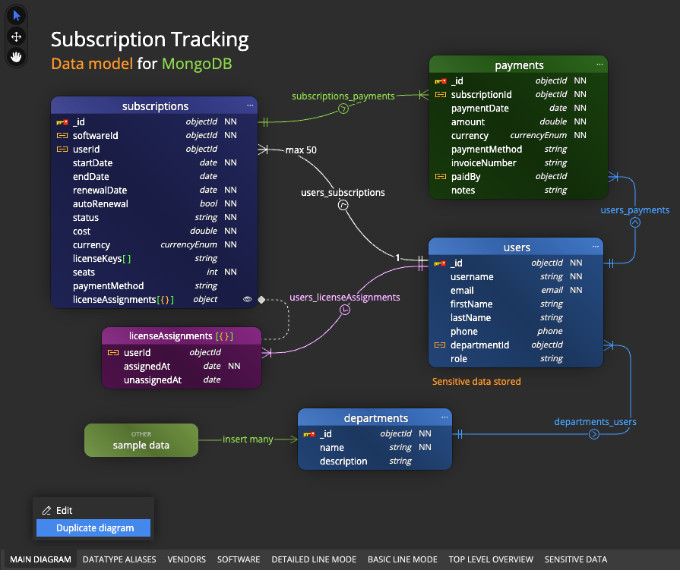
- Precision Diagramming: Enjoy better visual alignment for reference names, cardinality captions, and line captions for a cleaner, presentation-ready look.
- One-Click Duplication: Quickly clone diagrams or sub-diagrams to experiment with architectural changes without losing your baseline.
- Enhanced Autolayout: Our improved layout engine organizes complex schemas better.
Experience a Faster and Smoother Moon Modeler
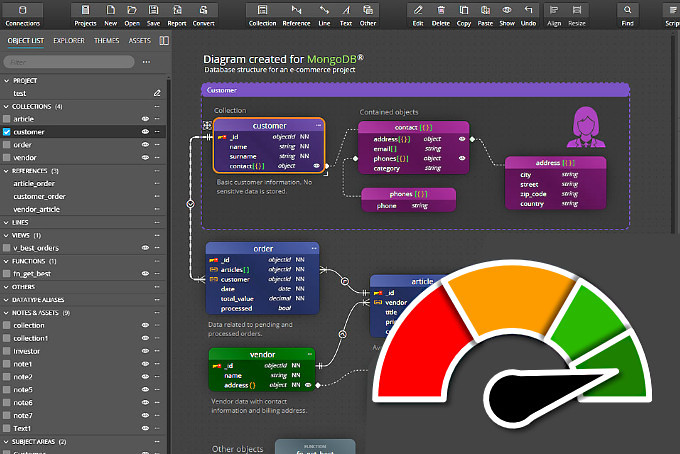
We've pushed the limits of performance in Version 12.6. Following the groundwork laid in 12.5, this latest release is engineered for speed - specifically for those handling complex, high-scale data models.
What’s new?
- Seamless Interaction: Even in large data models, selecting objects and defining references feels fluid and responsive.
- Faster Rendering: Experience fluid, instant diagram updates.
- Rapid Object Management: Adding referenced objects or organizing subdiagrams is now near-instant.
Mongoose ODM Object Properties Editing
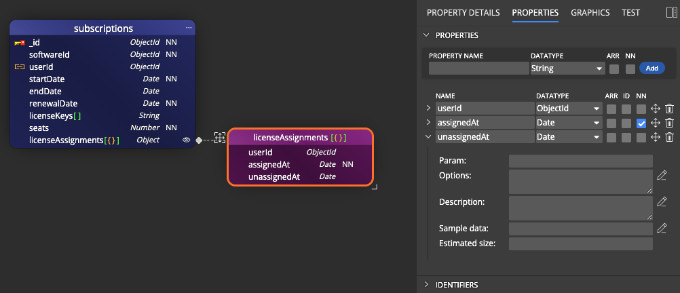
- We've fixed the editing of properties for embedded elements in Mongoose ODM projects.
- You can now easily edit both the property itself and other embedded properties.
What's new in version 12.5
Performance Improvements
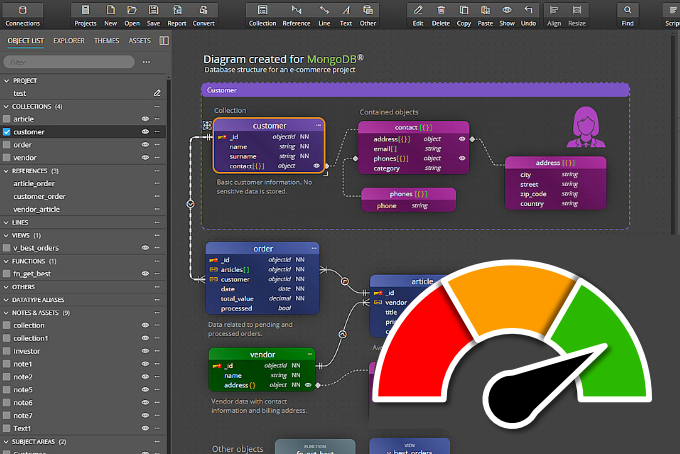
We have implemented a number of changes to improve the application’s performance. We updated the application’s core, optimized the execution of bulk actions, and adjusted caching and rendering. All of these changes result in significant improvements, which are most noticeable when working with large models or, for example, editing multiple objects at once.
UI/UX Enhancements
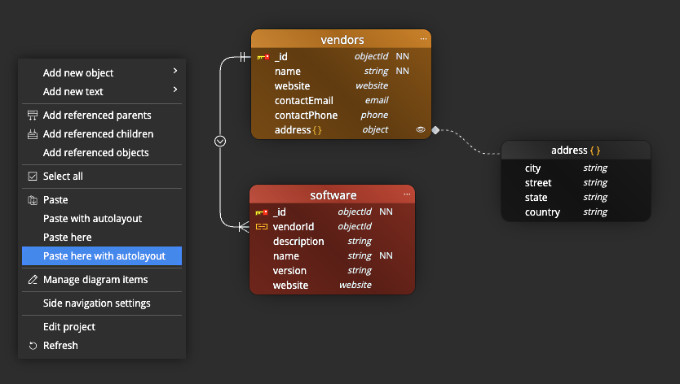
- We've improved how Copy/Paste operations work. You now have access to the standard Paste option, as well as Paste with autolayout, Paste here, and Paste here with autolayout via the context menu. This gives you more control over how objects are placed and helps you avoid having to rearrange them manually.
- Objects added to a sub-diagram will be inserted with their default colors and placed in available space using autolayout.
- If there are multiple lines leading to an object, the connectors are spaced further apart, which improves readability.
Code Generation
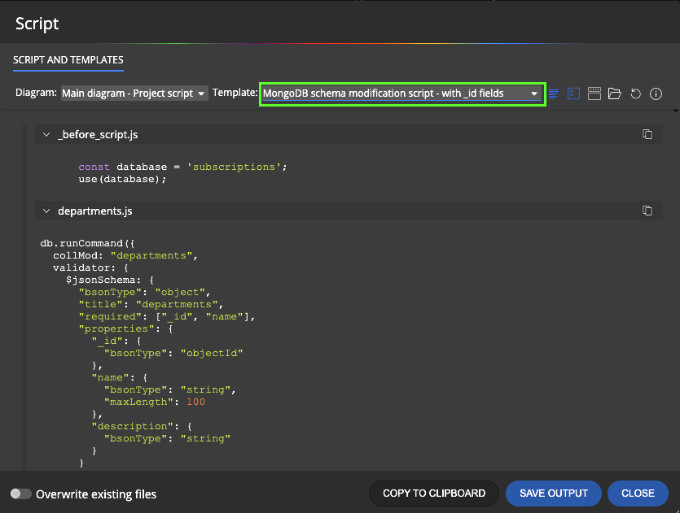
We have added templates for generating validation scripts for MongoDB that include fields named _id. This allows you to set the data type to a custom value and configure additional options for those _id fields.
Application Settings
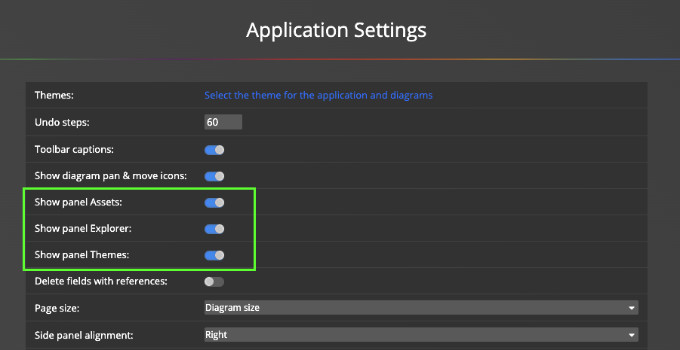
You can now turn on or off the panels displayed on the left side. This allows you to easily turn off the theme selection panel or hide or show the Assets panel. If you want to add flowchart or data flow diagram elements to your diagram, you can easily turn on the Assets panel and conveniently insert additional objects into your diagrams.
What's new in version 12
Better Control over References and Simple Lines
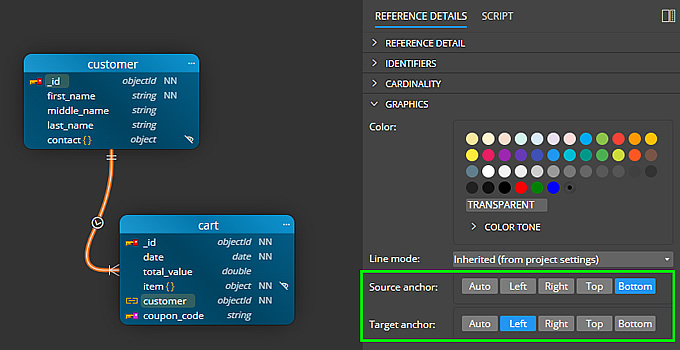
- Now you can choose which side to anchor the reference line or simple line
- For detailed or basic line mode, there are appropriate options for anchoring lines.
- The line color can be selected separately for each sub-diagram.
Multi-Line Scenario Enhancements
- We have improved the rendering of multiple self-references.
- All lines leading to the same object are handled together, and the shortest anchor point is automatically selected.
- If the lines lead to the same field of the collection, they will be evenly distributed. This will help with clarity and identification of the lines.

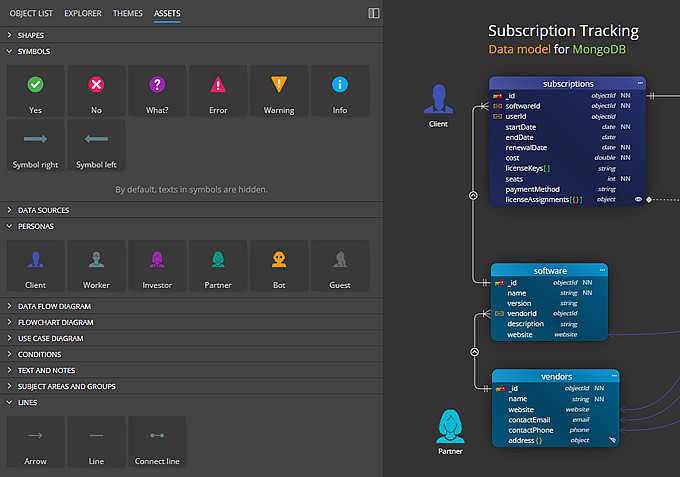
Predefined Graphics in Assets Panel
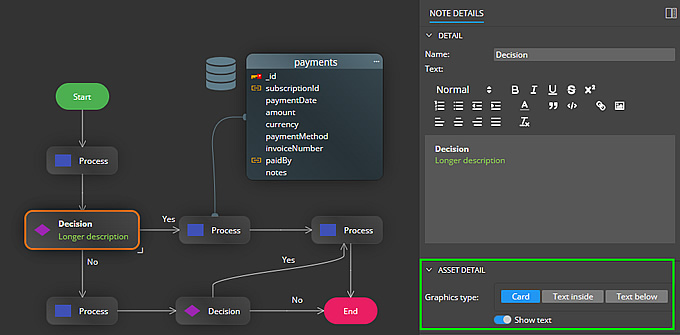
You can now add symbols and predefined graphic objects to diagrams. Easily create professional Data Flow diagrams within your project, add Flowcharts, or enrich data models with additional information.
Asset Visualizations and Documentation
- Most objects added from the Assets panel can be displayed as Graphics or as Cards.
- Such objects are also included in generated HTML reports.

Subject Areas, Swim Pools and Swim Lanes
To improve visualization, we have added new elements such as Swim Pool and Swim Lane. Work with these objects in the same way as with Subject Area. The only difference is in the visualization. You also have the option to set the color and style of the border.
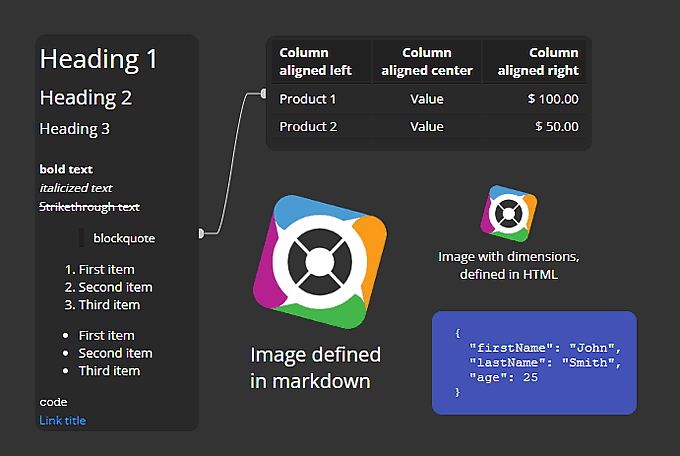
Markdown Notes
In addition to classic texts and notes, you can add Markdown notes to the diagram, which support classic markdown and some HTML elements. This makes it easy to create a table, list, or add an image with a specific size.
Other improvements
Version 12.6.2
- UI/UX: Resize from any corner or edge — not just the bottom right. When your diagram includes ER entities, data flow elements, swimlanes, or custom graphics, being able to pull an object in exactly the direction you need saves you from the tedious resize-then-reposition dance. Your objects stay where you want them, and your diagram stays readable.
- Cleaner diagrams: Automatic line routing picks shorter, less cluttered paths
- Visual fix: Lines no longer misrender when you drag objects across the canvas
Version 12.6.1
- Rendering improvements: Fixing issues with diagram rendering after changing diagram properties and after re-positioning fields in a collection
- Fixed issue with license re-validation in another instance of Moon Modeler
Version 12.6
- Performance optimizations related to loading and rendering available datatypes
- Copy/Paste operation on sub-diagrams now adds objects to the Main diagram as hidden
- Fix for Text file creation from the Explorer panel
- Cardinality captions: new method for rendering and positioning
- Fix for Move/Pan on diagram
Version 12
- UI - Move selected objects using arrow keys
- Updated template for Mongoose ODM output
- Updated components to newer versions
Czech Republic
European Union
ID No. 175 96 041
TAX ID No. CZ 175 96 041


