A check constraint is a rule that you can use for a specific column or columns. This rule makes sure that the data you enter meets a defined condition. If you make sure the rules are enforced at the database level, you can be sure your data will stay clean and logical, no matter which application or user is trying to modify it.
- Domain Integrity: It limits the values in a column to a specific range (e.g.,
Age >= 21). - Business Logic Enforcement: It encodes business rules directly into the schema (e.g.,
Membership_Level IN ('Bronze', 'Silver', 'Gold')). - Preventing “Garbage” Data: It stops nonsensical entries before they happen, like a
Pricebeing a negative number or aDiscount_Rateexceeding 100%.
How to add check constraints to your SQL Server data model
In the Luna Modeler database design tool, you can create check constraints in two ways. You can either go to the right-hand panel or open a modal form. To add a new check constraint to a database table, first edit the table (double-click a table on the ER diagram). Then go to the Check Constraints tab and click + Add Check Constraint.
Specify the Check constraint name and add your check constraint condition to the Expression field. If you want to describe the check constraint, write text to the Description field. (optional).
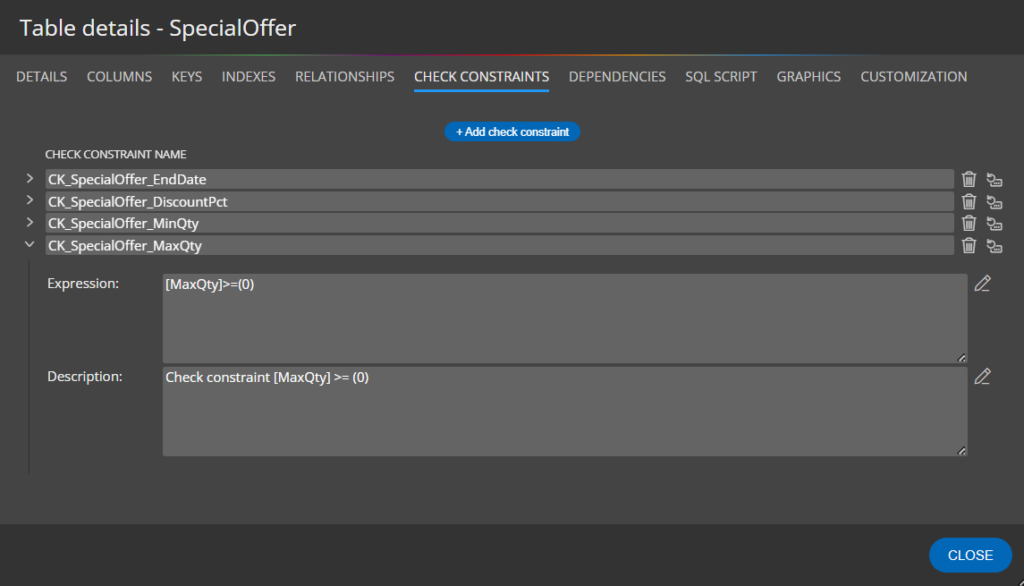
Check constraint properties
Details of check constraints can also be displayed or modified in collapsible areas in the right side panel.
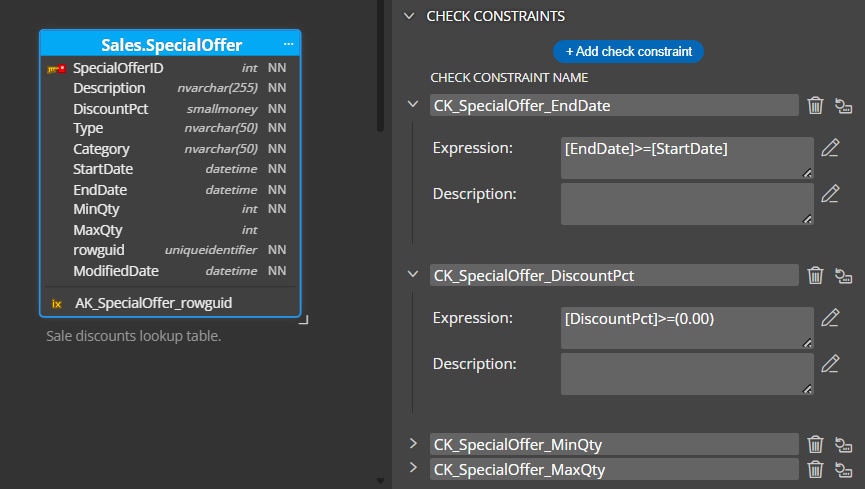
Generated SQL script with check constraint statements
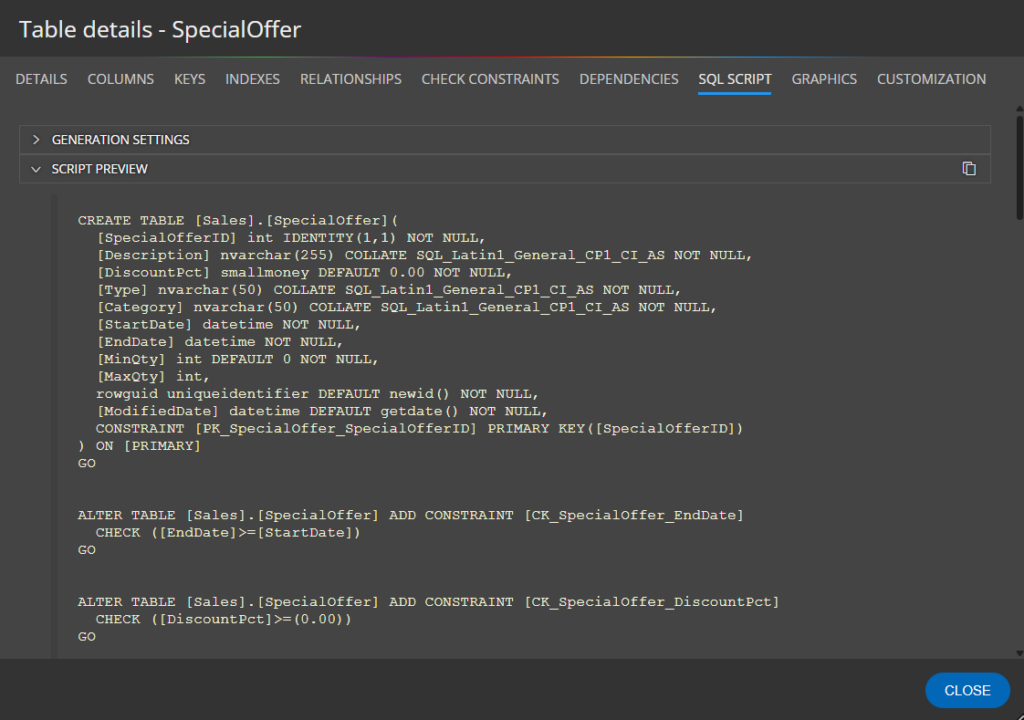
Column-level and table-level check constraints
Column-Level Constraints
A column-level constraint is defined directly alongside a specific column definition. It is intended to validate only that specific column’s data.
Example: DiscountPct >= (0.00)
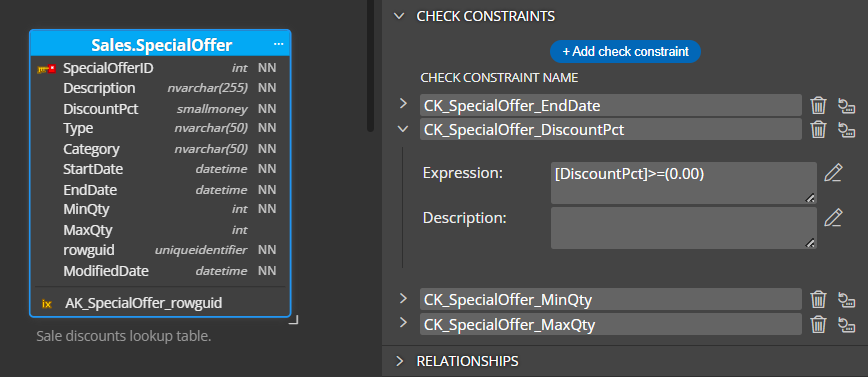
Table-Level Constraints
A table-level constraint is defined after all the columns have been declared. Because it sits “above” the individual columns, it has the power to look at multiple pieces of data within the same row to see if they make sense together.
Example: [EndDate] >= [StartDate]
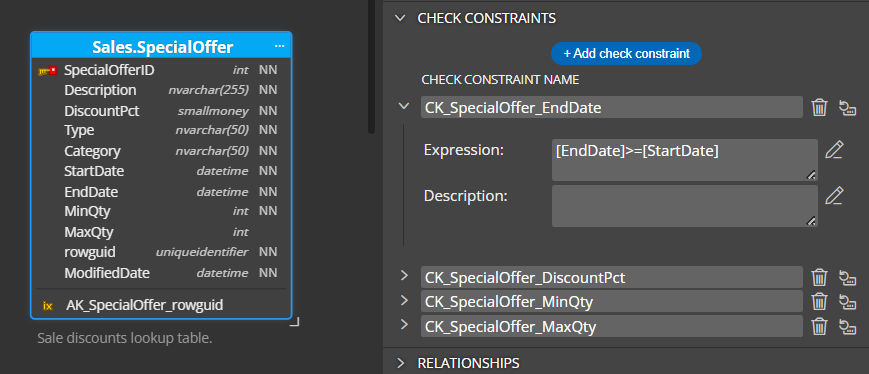
Choosing between column-level and table-level constraints usually depends on whether a rule applies to a single field or a relationship between multiple fields.
Unified management in Luna Modeler
While traditional SQL may separate these by where they appear in the code, modern modeling tools like Luna Modeler make this process simple. In Luna Modeler, both column-level and table-level check constraints can be defined within the same section (the “Check Constraints” tab of the table properties).
This unified approach offers several benefits:
- Centralized Overview: You can see every validation rule for a table in one list, regardless of whether it affects one column or five.
- Easier Debugging: When you need to update business logic, you don’t have to hunt through individual column properties.
- Naming Consistency: It encourages you to give your constraints clear, descriptive names, which makes database error messages much easier to understand.
By managing them in one place, you treat your data integrity rules as a cohesive set of logic rather than scattered fragments of code.
#
 Luna Modeler
 Moon Modeler
 Galaxy Modeler
 Merit Modeler
 Meteor Modeler