What’s new in
Luna Modeler version 13.5 & 13.6
This page was updated on April 29th
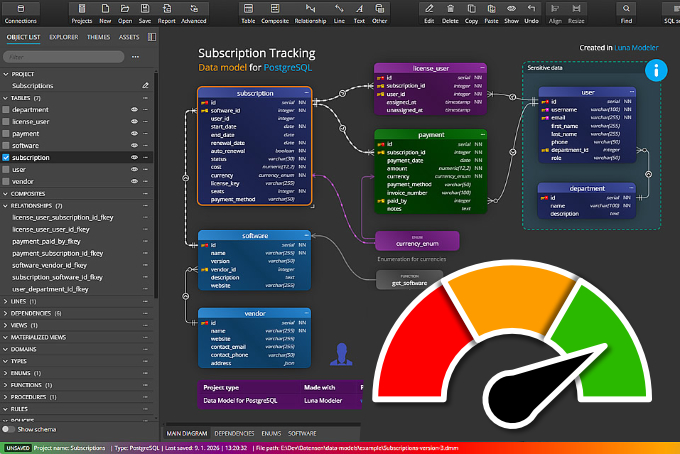
Experience a Faster, Smoother Luna Modeler
We’ve pushed the limits of performance in Version 13.6. Following the groundwork laid in 13.5, this latest release is engineered for speed – specifically for those handling complex, high-scale data models.
What’s new?
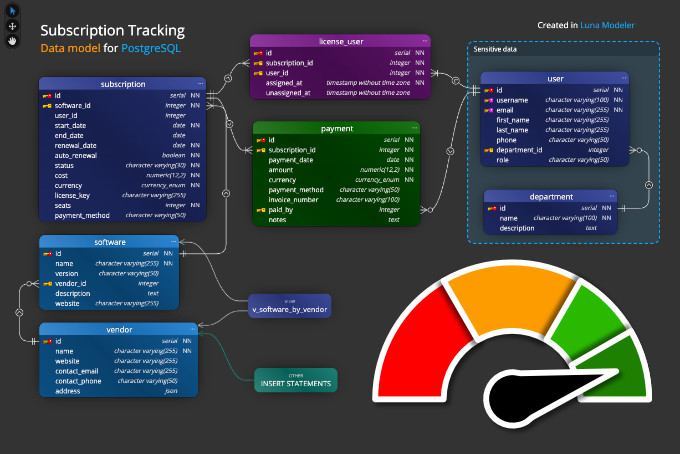
- Faster Rendering: Experience fluid, instant diagram updates.
- Rapid Object Management: Adding referenced objects or organizing subdiagrams is now near-instant.
- Seamless Interaction: Even in large data models, selecting objects and defining relationships feels fluid and responsive.
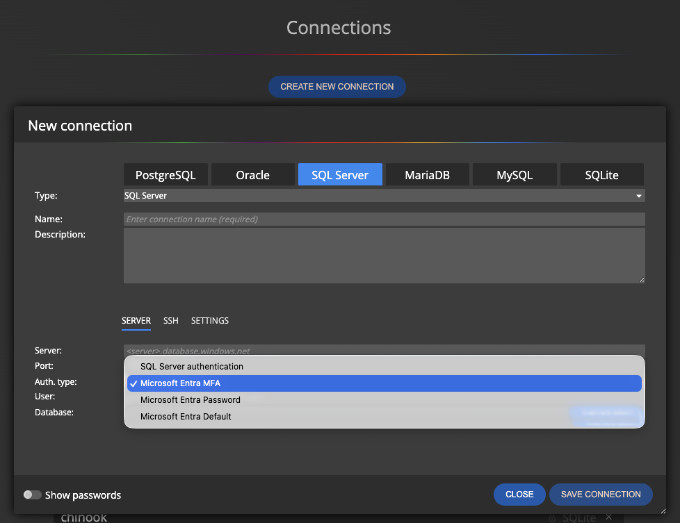
Microsoft Entra – Modern Authentication. Maximum Security.
Experience enterprise-grade security with our newly expanded support for Microsoft Entra ID. You can now connect to your cloud databases using Entra MFA, Entra Password, or Entra Default credentials.
Stay compliant and keep your schema within reach – no matter where you’re working from.
Advanced Geospatial Modeling with PostGIS
Unlock the full power of location intelligence within Luna Modeler. Our new PostgreSQL enhancement provides native support for the PostGIS extension, allowing you to design and deploy spatial databases with precision.
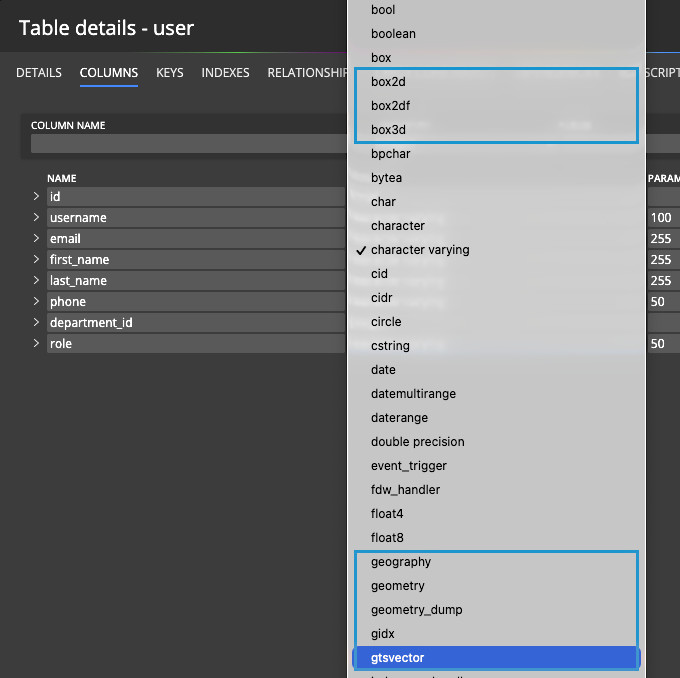
- Native Spatial Types: Effortlessly map
GEOMETRY,GEOGRAPHY, and other PostGIS-specific data types directly in your diagrams. - Smart Scripting: Automatically include the
CREATE EXTENSION IF NOT EXISTS postgis;statement in your generated SQL scripts with a single click. - Visual Clarity: View and manage spatial attributes alongside your standard relational data in one unified workspace.
UI Refinements & Workflow Accelerators
We’ve fine-tuned the Luna Modeler experience to make your design process smoother and your diagrams more professional.
- Precision Diagramming: Enjoy better visual alignment for relationship names, cardinality captions, and dependency captions for a cleaner, presentation-ready look.
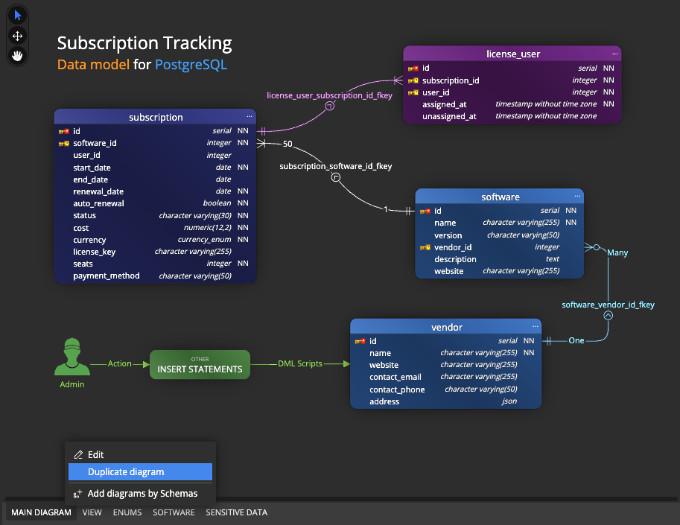
- One-Click Duplication: Quickly clone diagrams or sub-diagrams to experiment with architectural changes without losing your baseline.
- Enhanced Autolayout: Our improved layout engine organizes complex schemas better.
- Granular Project Comparisons: The comparison engine now detects differences in column ordering, ensuring your synchronized scripts match your model perfectly.
- Naming Conventions: Added naming convention support for MariaDB and MySQL relationships for better consistency.
- Check Constraints: Now included in HTML reports.
What’s new in version 13.5
Performance Improvements
We have upgraded to newer versions of the technology frameworks we use, optimized the processing of certain actions and batch operations, and refined the caching and rendering systems. This reflects our commitment to keeping the application user-friendly, fast and stable.
Check Constraints
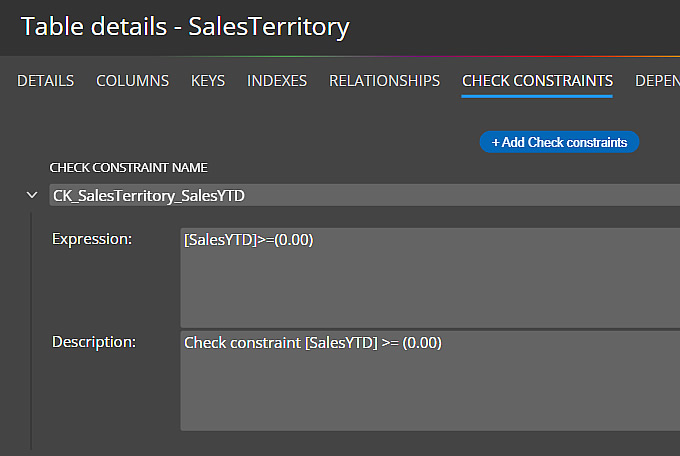
- Check constraints are now available in their own section, where you can define check constraints for both tables and individual columns.
- Check constraints are taken into account during modeling, model updates and when generating creation and synchronization SQL scripts.
- Supported for physical data models for Oracle, SQL Server, MariaDB, MySQL, and PostgreSQL.
SQL Server Features
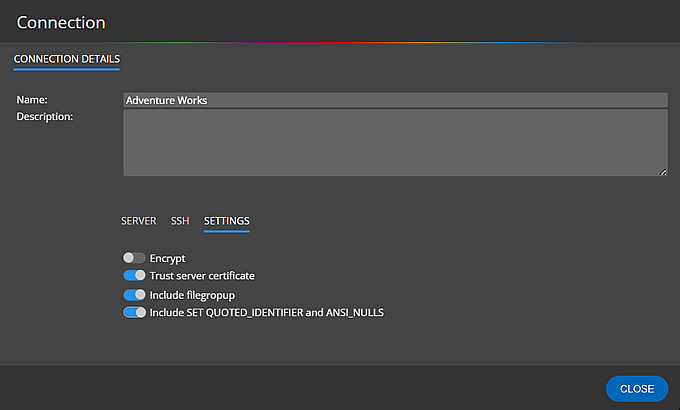
- Support for Filegroups
- Support for defining and reverse engineering the SET QUOTED_IDENTIFIERS and SET ANSI_NULLS options.
- Available for modeling, model updates, and generating synchronization SQL scripts.
- Improved generation of comments for SQL Server objects
Database Specific Features
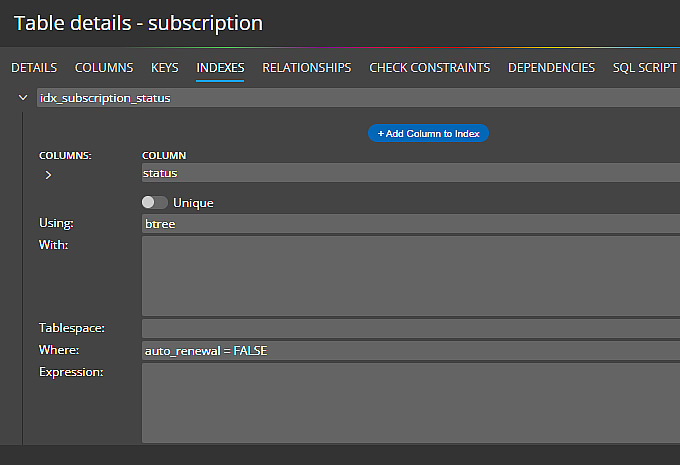
- PostgreSQL: support for WHERE clause in indexes
- MySQL/MariaDB: comparison of indexes in a given order / sorted alphabetically. This affects model update and comparison features
UI/UX Enhancements
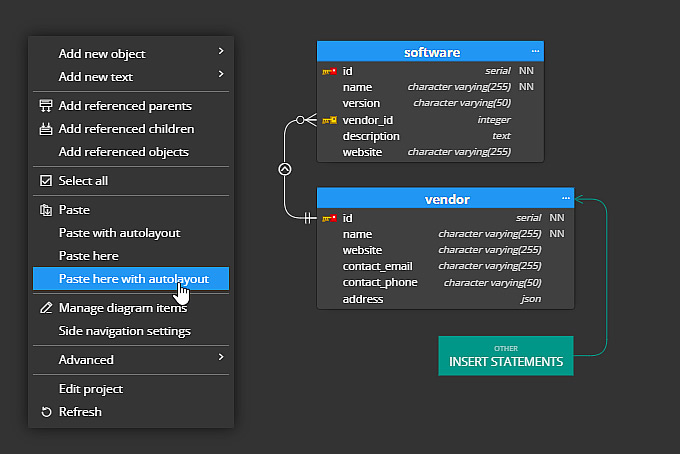
- We’ve improved how Copy/Paste operations work. You now have access to the standard Paste option, as well as Paste with autolayout, Paste here, and Paste here with autolayout via the context menu. This gives you more control over how objects are placed and helps you avoid having to rearrange them manually.
- Objects added to a sub-diagram will be inserted with their default colors and placed in available space using autolayout.
- If there are multiple relationships leading to an object, the connectors are spaced further apart, which improves readability.
Application Settings
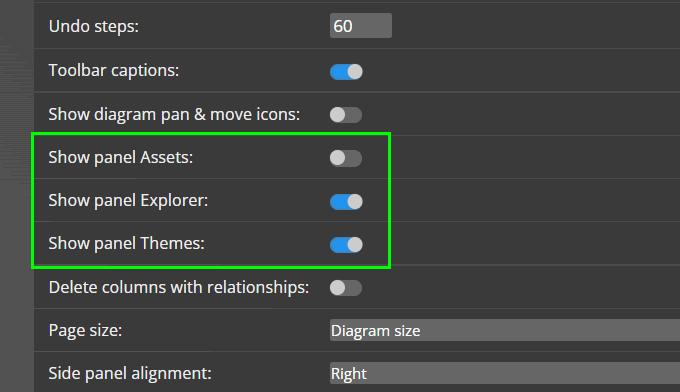
You can now turn on or off the panels displayed on the left side. This allows you to easily turn off the Themes panel, Explorer panel or hide or show the Assets panel. If you want to add flowchart or data flow diagram elements to your diagram, you can easily turn on the Assets panel and conveniently insert additional objects into your diagrams.
What’s new in version 13
Predefined Graphics in Assets Panel
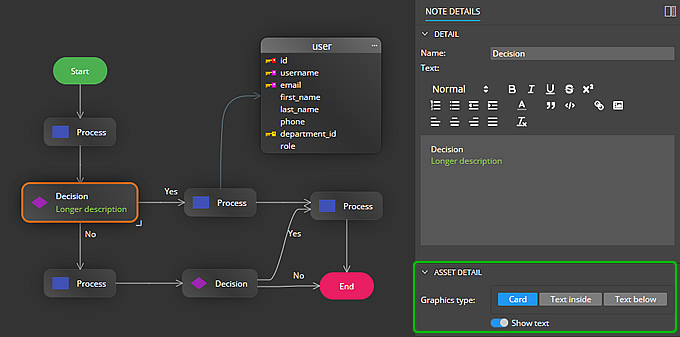
You can now add symbols and predefined graphic objects to diagrams. Easily create professional Data Flow diagrams within your project, add Flowcharts, or enrich ER diagrams with additional information.

Asset Visualizations and Documentation
- Most objects added from the Assets panel can be displayed as Graphics or as Cards.
- Such objects are also included in generated HTML reports.
Markdown Notes
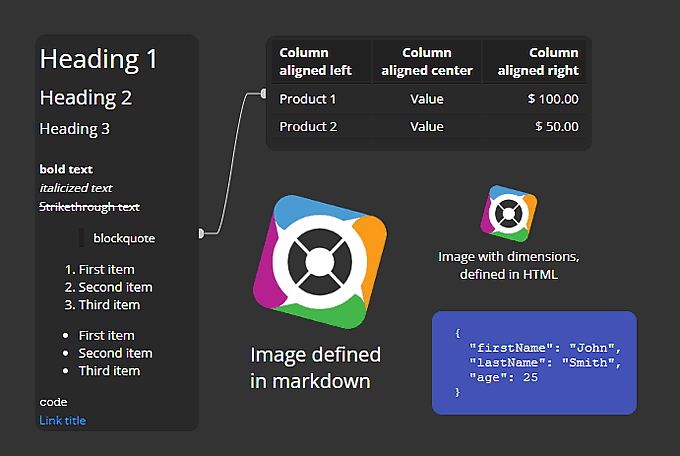
In addition to classic texts and notes, you can add Markdown notes to the diagram, which support classic markdown and some HTML elements. This makes it easy to create a table, list, or add an image with a specific size.
Other improvements
Version 13.6.1
- Oracle: Improved loading of synonyms
- Oracle: Fix for expression indexes
- MySQL and MariaDB: unique names for relationships
- Performance optimizations: Batch delete of stored procedures, functions and other database objects (from the Object List panel)
- Rendering improvements: Fixing issues with diagram rendering after changing diagram properties and after re-positioning columns in a database table
- SQL Server: Unique names of check constraints in Synchronization scripts
- SQL Server: Fix for Project Update and removal of cardinality captions
- SQL Server: Added GO statement to SET QUOTED_IDENTIFIERS and SET ANSI_NULLS code to the Before Script section
- Fixed issue with license re-validation in another instance of Luna Modeler
Version 13.6
- Performance optimizations related to loading and rendering available datatypes
- Copy/Paste operation on sub-diagrams now adds objects to the Main diagram as hidden
- Fix for Text file creation from the Explorer panel
- Cardinality captions: new method for rendering and positioning
- Fix for Move/Pan on diagram
- Comparison: different columns order is now displayed with additional information
Version 13.5
- Comparison now ignores differences in items order of given object types, e.g. indexes etc.
- Removed shadows from generated PDF output. Native macOS viewer does not support rendering of shadows the same way as other PDF viewers
- Components updated to the latest stable versions
- Fix bug related to line mode set for relationships loaded from existing databases
Version 13.0
- Read What’s new in Luna Modeler version 13.0 (with screenshots)
- UI – Move selected objects using arrow keys
- MySQL and MariaDB – foreign keys are now loaded also for keys that contain just a subset of items defined in the primary key
- MySQL and MariaDB – primary key generation fix related to deleted relationship
- SQL Server – comparison of objects now displays a warning in case the name is not equal to the name defined and stored in the database script.
- PostgreSQL – fix for data type where Enum and Array settings are combined
- PostgreSQL synchronization script – quotation added to the script for object names defined with capital letters.
- PostgreSQL synchronization script – improved management of serial/bigserial data types for temporary tables.
- Conceptual model – fixed export to PNG
- Conceptual model – fix for new sub-diagram creation and line types
- Conceptual model – generation of HTML reports fully supported
- Optimized animation performance and diagram rendering
- Updated components to newer versions
Download
Luna Modeler
Luna Modeler is available for Windows, Linux and MacOS.
Trial version expires 14 days after installation.
 Luna Modeler
 Moon Modeler
 Galaxy Modeler
 Merit Modeler
 Meteor Modeler


