 Luna Modeler Best ER Diagram Tool for MySQL in 2026
Download Luna Modeler
- Ideal for MySQL Tables, views, triggers, procedures, functions. All MySQL-specific.
- Synchronization features Update a data model or generate diff SQL scripts
- For Everything You Need Connect to local, remote, or cloud MySQL. Get an ER diagram in seconds.
- Excellent ROI No subscriptions. Just a desktop app that works.
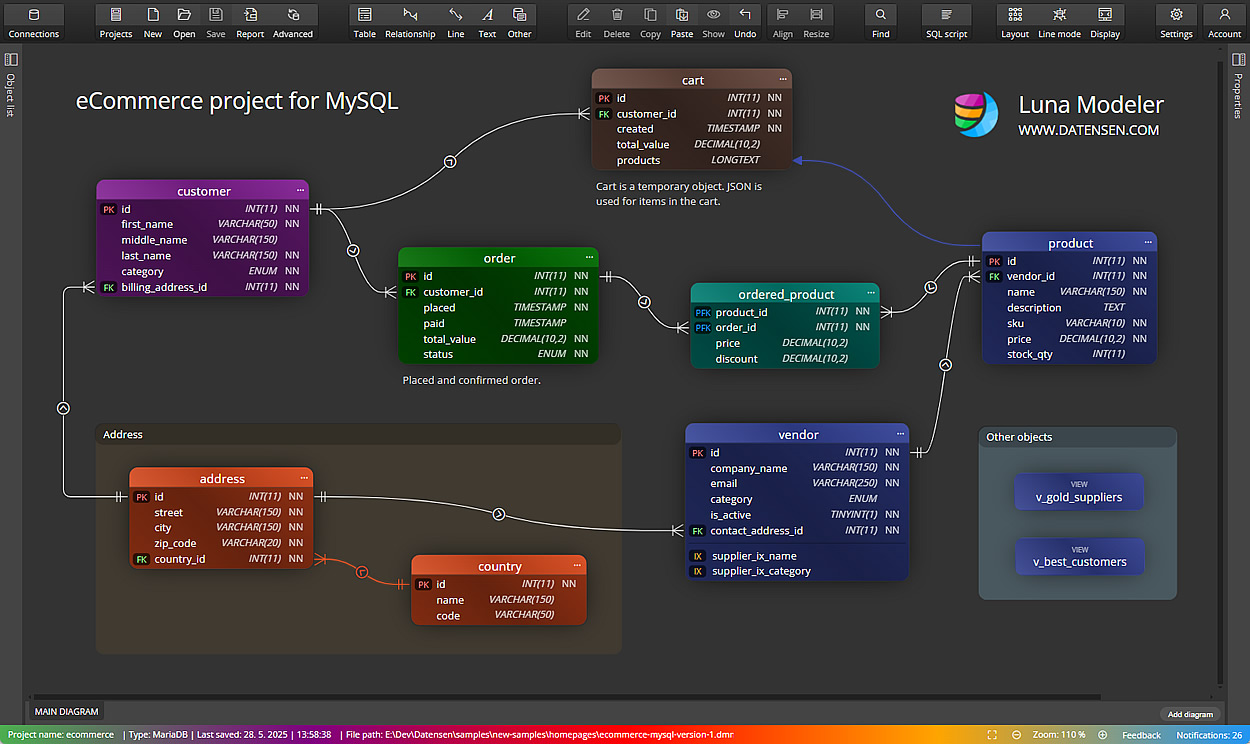
Luna Modeler isn’t a generic drawing app. It knows MySQL – tables, indexes, foreign keys, triggers, all of it. Draw your schema, connect to a running database and reverse engineer what you already have. Then generate real SQL you can run.
Learn more about Luna Modeler
It’s perfect for web developers, freelancers, small teams, agencies, developers, data engineers, educators and anyone building apps on MySQL.
Download Luna Modeler
What You Can Do with
This MySQL ER Diagram Tool
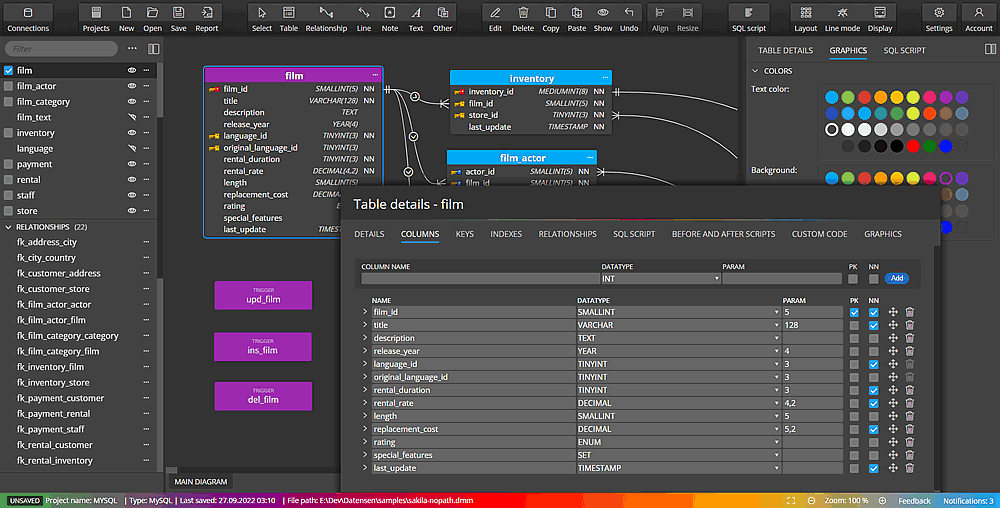
Draw Your MySQL Schema Visually
Stop writing CREATE TABLE statements blind. Open Luna Modeler, add tables, set columns, define foreign keys. You see the whole schema at once. Relationships are clear. Dependencies are obvious.
It’s a real MySQL ER diagram tool—not a generic box-and-line drawing app. So you get proper types, indexes, constraints. Then generate SQL when you’re ready.
Simple to Use. Seriously.
You don’t need a training course. Open the app, start a MySQL project, add your first table. That’s it. The interface stays out of your way.
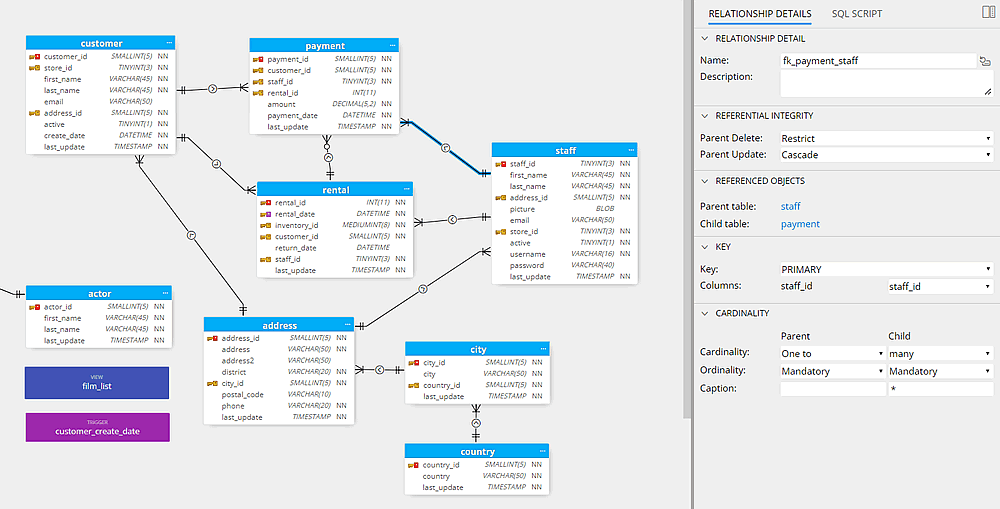
Edit columns in the sidebar. Click a relationship to see its details. Everything saves automatically. And if you know data modeling already, you’ll find the advanced stuff too.
Already Have a Database? See It.
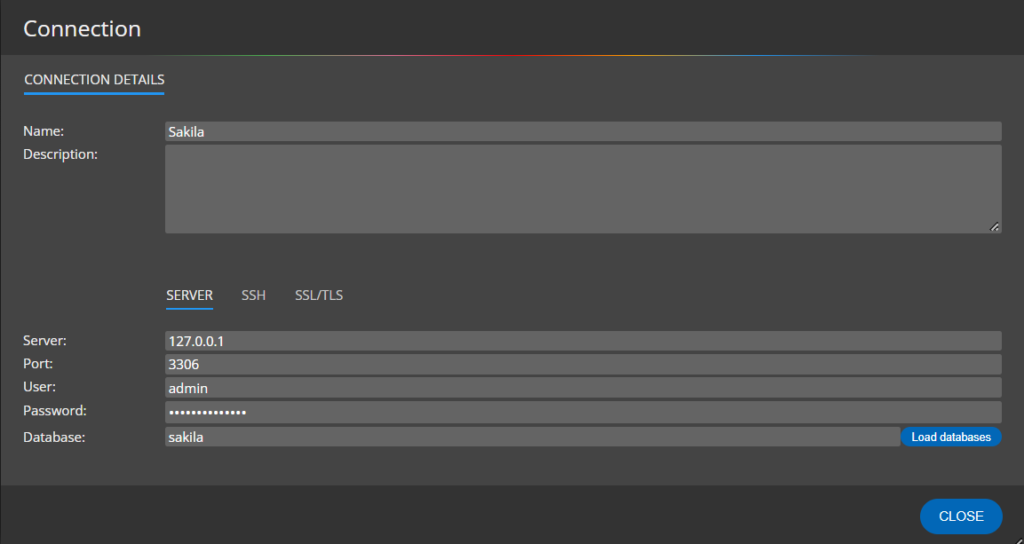
Point Luna Modeler at your MySQL database. It reads the schema and draws the ER diagram for you. Tables, columns, relationships, indexes – all there. Takes seconds.
Works with local MySQL, remote servers, cloud databases. The Professional Edition adds SSH and SSL/TLS for secure connections. Good for production servers you don’t want to expose.
Generate SQL from Your ER Diagram
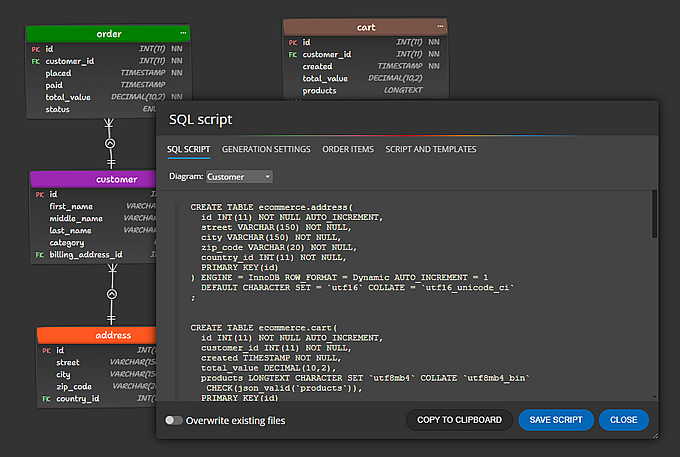
Finished designing? One click gives you the full SQL script. CREATE TABLE, ALTER TABLE, indexes, foreign keys – ready to copy into your terminal or editor.
Need something custom? Write your own templates. Generate migration files, seed scripts, whatever your project needs.
Share Your Schema with the Team
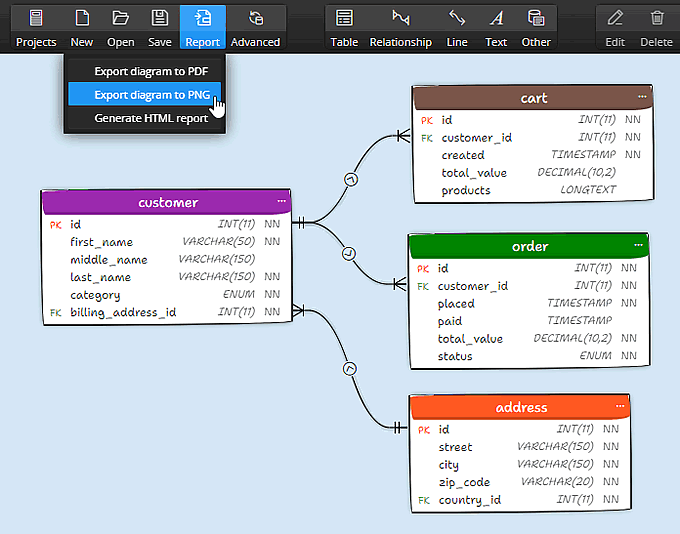
Your ER diagram is useful. But only if others can see it too. Luna Modeler exports to:
- Interactive HTML reports – share a report, everyone sees the schema
- PDF or images – for docs, wikis, Confluence, README files
- Comparison reports — show what changed between your model and the live database
Your Diagram Drifted from the Database? Fix It.
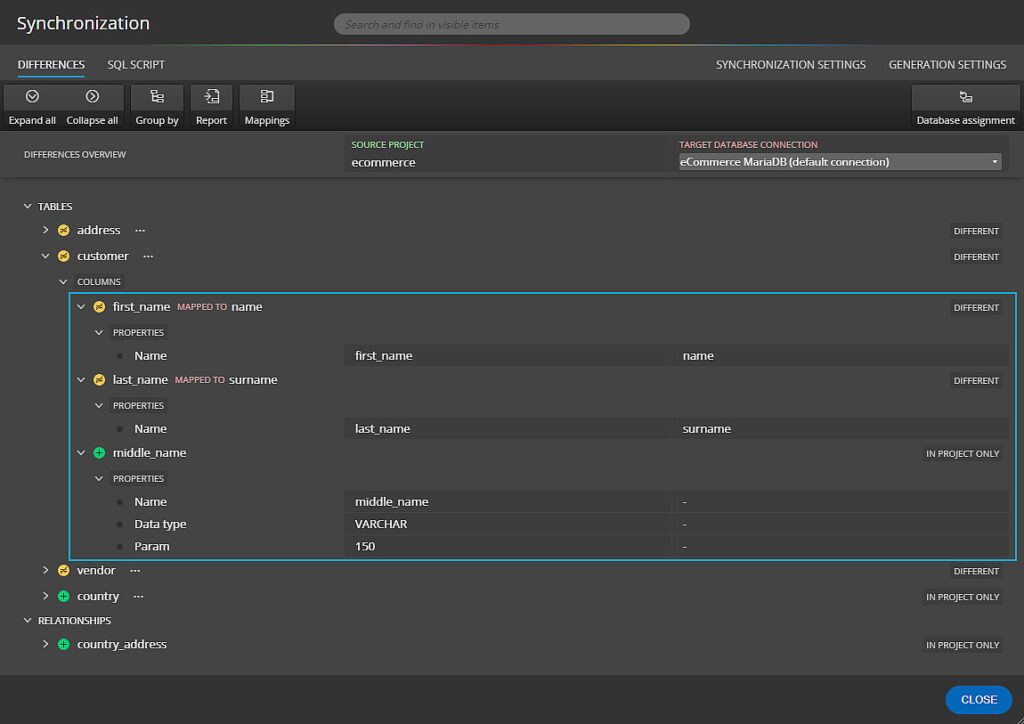
You changed the database directly. Or someone else did. Now your ER diagram doesn’t match. Luna Modeler compares your model with the live MySQL database and shows every difference.
Then you pick: update the model, or generate an ALTER script to fix the database. Either way, you’re back in sync.
Read more about updating MySQL projects
See how to generate sync SQL scripts
Download
Luna Modeler
Luna Modeler is available for Windows, Linux and MacOS.
Trial version expires 14 days after installation.
Frequently Asked Questions on ER Diagram tool for MySQL
Use a tool that knows MySQL, not just a drawing app. Luna Modeler understands tables, foreign keys, indexes, triggers. You design visually and it tracks dependencies for you. Then it generates real MySQL SQL scripts.
Yes. One click and you get the full CREATE script – tables, keys, indexes, everything. You can also write custom templates to generate scripts, forms or seed data.
Yes. Connect to any MySQL server – local, remote, or cloud. Luna Modeler reads the schema and builds the diagram automatically. Great for understanding projects you inherited or databases without documentation.
Desktop. It runs on Windows, macOS, and Linux. No account needed. No data leaves your machine. Your projects and database connections stay local. Nothing gets uploaded anywhere.
Both ways. Someone changed the database directly? Update your model to match. Changed the model and need to push it? Generate an ALTER script with just the differences. Works both directions for MySQL.
es. Luna Modeler compares your model with the live database and lists every difference – added columns, changed types, missing indexes. You can export the comparison as an HTML report to share with your team.
 Moon Modeler
 Galaxy Modeler
 Merit Modeler
 Meteor Modeler


