Luna Modeler is a really helpful tool for designing relational databases. It’s great because it makes it super easy to create data models with ER diagrams. You can use these diagrams to show graphical representations of tables and other database objects. Some of them are defined in great detail, while others are represented in a simpler way.
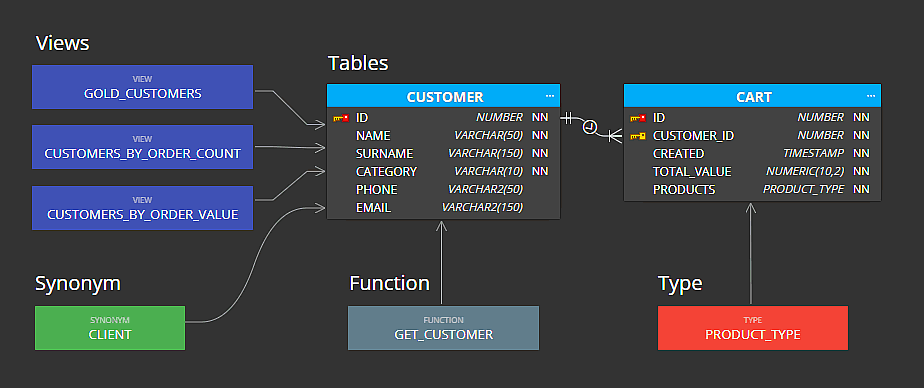
Database objects
The following objects can be added to Oracle Database diagrams with details:
- Tables
- Types (can be assigned to a column as a data type)
- Synonyms (synonyms for Types can be assigned to a column as a data type)
Other database objects defined by SQL script:
- View
- Materialized view
- Function
- Procedure
- Package
- Sequence
- Trigger
- Other (for specific custom object)
Each object has its default color that can be changed. Objects can be re-positioned, aligned etc.
How to work with other objects
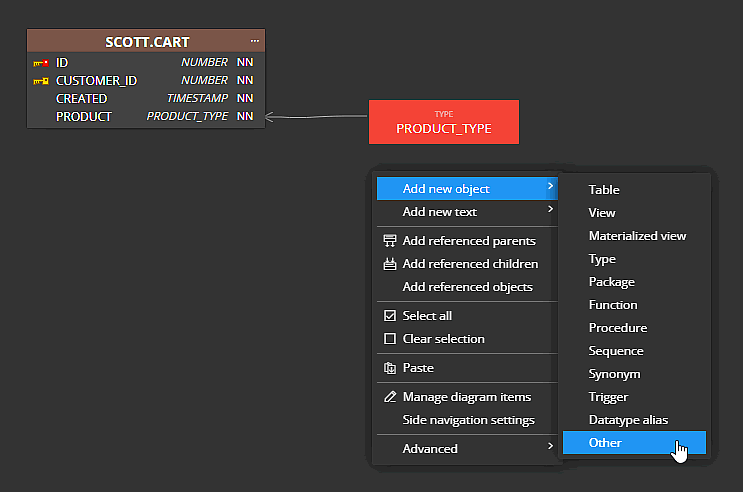
To add a new object to your ER diagram for Oracle Database, click Other on the main toolbar or right-click the diagram area and choose the desired object type, for example, Function.
In object properties, specify colors and code. The code will be saved together with SQL statements for basic objects like tables and relationships.
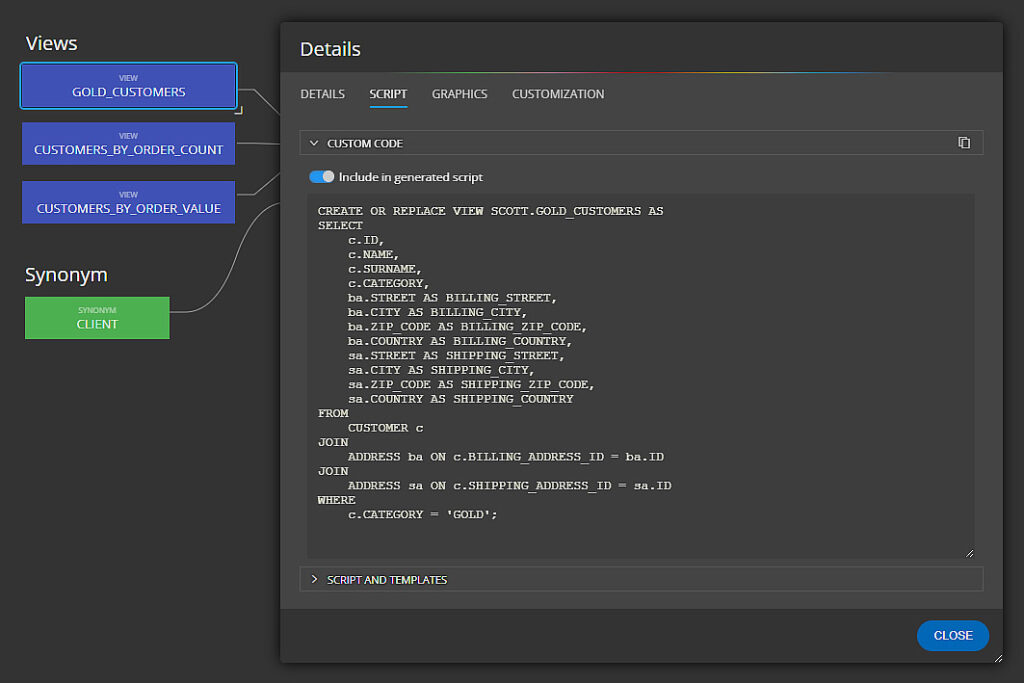
Other specific database objects
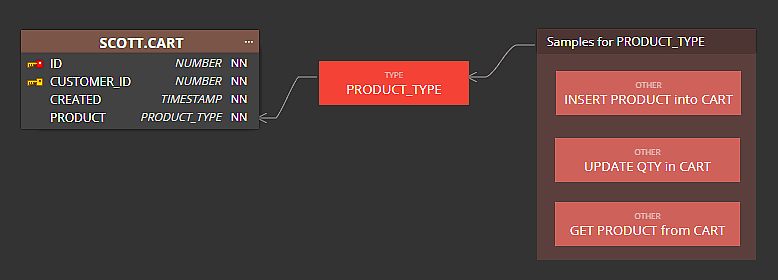
You can also add Other objects to your ER diagrams:
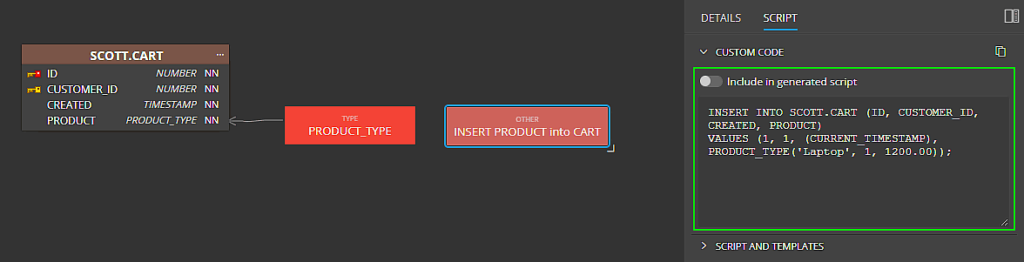
Specify Custom code and turn off the Include in generated script switch to exclude the code from the SQL generated for the entire project:
Group the objects – add them to a subject area and easily improve the visualization of your data structure.
#
 Luna Modeler
 Moon Modeler
 Galaxy Modeler
 Merit Modeler
 Meteor Modeler