If you’re looking for reliable, offline desktop apps to create professional flowchart diagrams, this guide is for you. Many diagramming tools today are SaaS (web‑based), but a local desktop application gives you better privacy, full offline access, and control over your files – perfect for secure environments, travel, or when you want to avoid cloud dependencies.
In this post, we’ll cover the top 5 FREE flowchart diagram tools that run natively on Windows, macOS, and Linux. All are installed desktop apps, not online services.
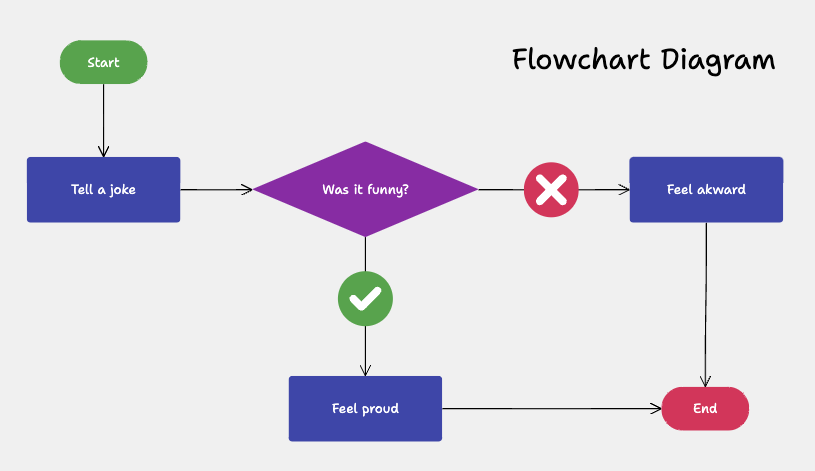
Why Choose a Desktop Flowchart Diagram Tool?
A flowchart diagram is a visual way to describe a process, workflow, or algorithm using standard symbols (like rectangles, diamonds, and arrows) to show steps and decisions. Using a desktop app instead of a web tool brings several advantages:
- Your diagrams stay on your computer – no uploads to the cloud.
- Works 100% offline, great for low‑bandwidth or restricted networks.
- Typically faster performance and smoother interaction.
- Better for long‑term documentation, version control, and integration with local office suites.
Choosing a good desktop flowchart diagram tool means you can build clear, professional visuals without subscriptions, trials, or forced online accounts.
1. Merit Modeler – Free Desktop Flowchart Diagram Tool
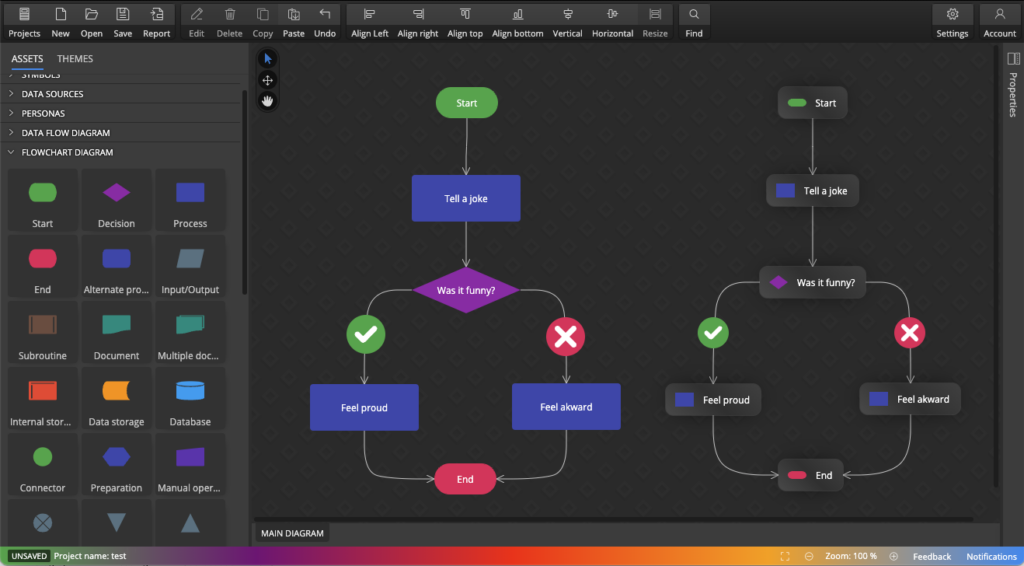
Merit Modeler is a freeware desktop application specifically designed for creating flowchart diagrams, process diagrams, data flow diagrams, use case models, and other structured visuals. It runs on Windows, Linux, and macOS, making it a solid cross‑platform choice that’s completely free.
Key Features
- Simple, intuitive interface suitable for beginners and technical users.
- Built‑in support for standard flowchart symbols (start/end, process, decision, connectors).
- Flowchart elements displayed as shapes or cards
- Lightweight and fast.
- Export diagrams to PNG, PDF formats for reports, presentations, and documentation.
- 100% free to use, with no subscription, trial, or watermarks.
Why Use Merit Modeler for Flowchart Diagrams?
Merit Modeler is one of the few free desktop tools where flowchart diagrams are a core feature. It’s easy to install, quick to launch, and focused on getting the diagram right without overwhelming menus. Despite its simplicity, it’s powerful enough for professional technical and business diagrams.
For example, creating a simple process flow is straightforward:
- Create a new diagram project.
- Add standard shapes (start/end, process, decision) from the Assets panel.
- Connect them with line arrows (lines will be anchored to the diagram objects automatically).
- Export the finished flowchart diagram where needed.
Best For
- Developers, data modelers, and technical users who want a free, offline tool.
- Anyone who needs a reliable desktop flowchart app without paying for SaaS.
2. LibreOffice Draw – Free Office Suite Tool for Flowchart Diagrams
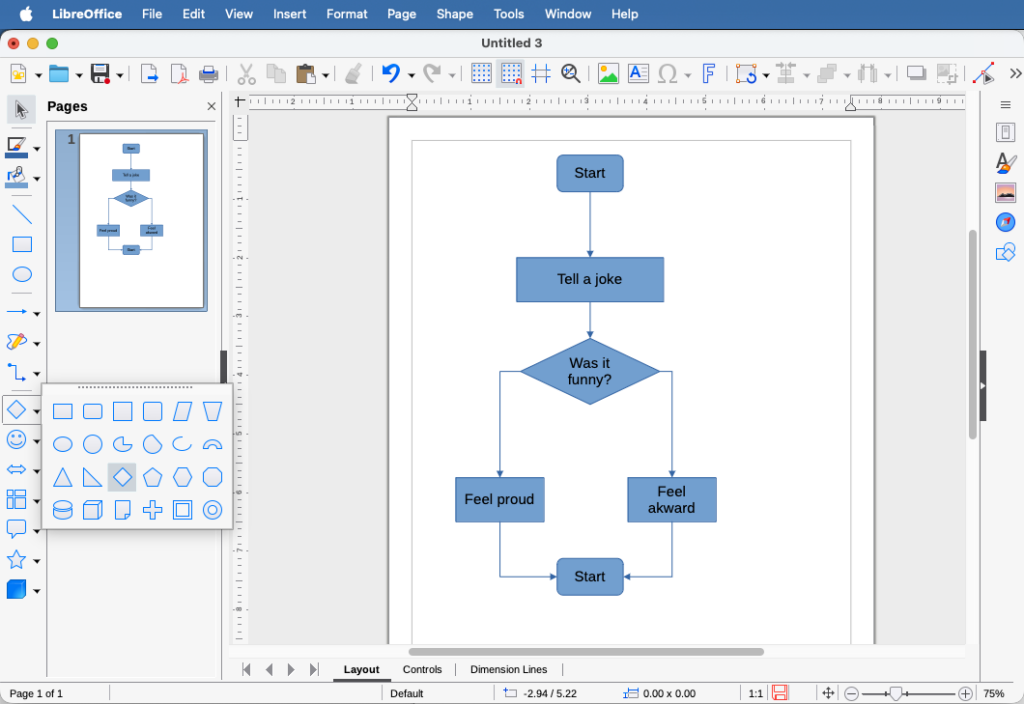
LibreOffice Draw is the vector drawing component of the popular free and open‑source LibreOffice suite. It’s a full‑featured desktop application that runs natively on Windows, macOS, and Linux, and it’s excellent for creating flowchart diagrams without any extra cost.
Key Features
- Completely free and open source, part of the LibreOffice office bundle.
- Built‑in shapes for flowcharts, including process, decision, start/end, and connectors.
- Grid, alignment, and snapping tools for clean, professional diagrams.
- Full text formatting and styling for labels and documentation.
- Save as .odg or export to PDF, PNG, SVG, and other common formats.
Why Use LibreOffice Draw?
Draw is ideal if you already use LibreOffice for word processing (Writer) and presentations (Impress). It integrates smoothly, so you can easily embed a flowchart diagram into a document or slide. It’s also perfect for users who want a free, fully offline desktop diagramming tool that doesn’t rely on any cloud service.
Best For
- Office workers and students who need to include flowcharts in documents and reports.
- Users who want a free, open‑source solution for office tasks.
- Anyone already using LibreOffice and looking for a capable, no‑cost flowchart diagram tool.
3. Dia – Open Source Desktop Flowchart Editor
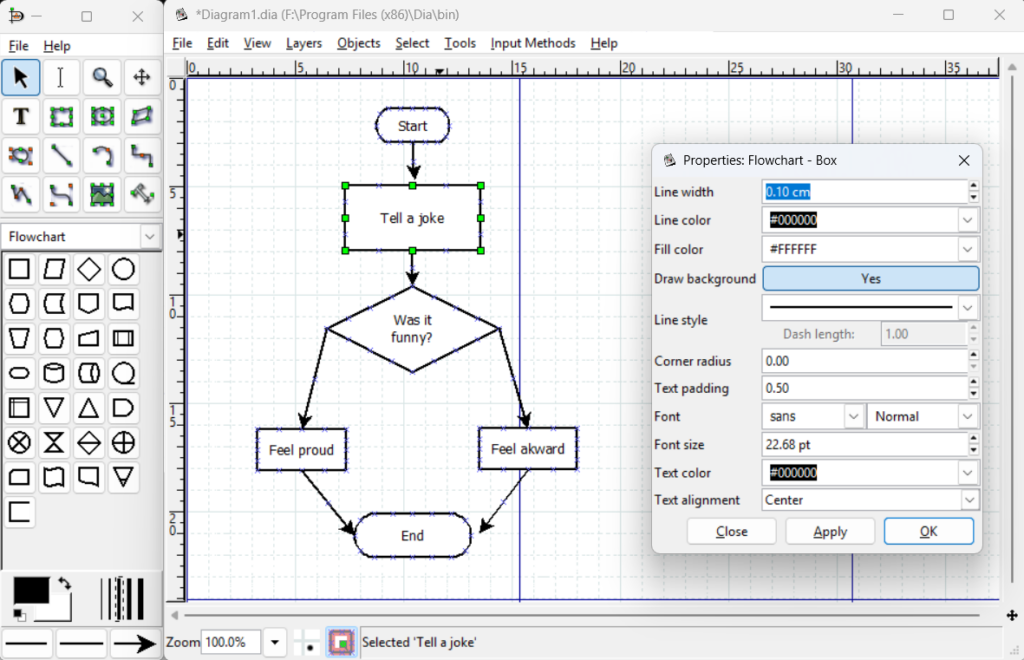
Dia is a classic open source desktop application for creating flowchart diagrams, UML diagrams, network diagrams, and technical schematics. It’s available for Windows, Linux, and Unix‑like systems, with community builds for macOS.
Key Features
- Open source and completely free.
- Customizable shapes and connectors for flowchart diagrams.
- Extensible via XML‑based shape definitions (you can add your own symbols).
- Lightweight, focused interface ideal for technical diagrams.
Why Use Dia?
Dia is perfect if you prefer open source software and want full control over your diagrams. It’s lightweight, stable, and runs entirely offline, making it a trustworthy choice for secure or long‑term projects.
Best For
- Developers and system administrators.
- Users who value open source and data privacy.
- Simple to medium‑complexity flowchart diagrams in a minimal desktop environment.
4. Pencil Project – Open Source Desktop Diagram Tool
Pencil Project is a free, open source desktop application. It’s especially popular for wireframing, UI mockups, and simple process flows. It runs on Windows, macOS, and Linux.
Key Features
- Built‑in collections of flowchart, and UI elements.
- Cross‑platform and fully offline.
- Export diagrams as PNG, SVG, PDF, or even HTML.
Why Use Pencil?
Pencil is a good option if you often mix flowchart diagrams with UI design or wireframes.
Best For
- UX/UI designers who also create process flows.
- Users who want a free, open source desktop tool for flowchart diagrams and simple wireframes.
5. Inkscape (with Symbols) – Free Vector Editor
Inkscape is a powerful free, open source vector graphics editor that runs natively on Windows, macOS, and Linux. While it’s mainly a general‑purpose drawing app, it’s can be used for creating flowchart diagrams when combined with symbols – libraries of shapes and connectors.
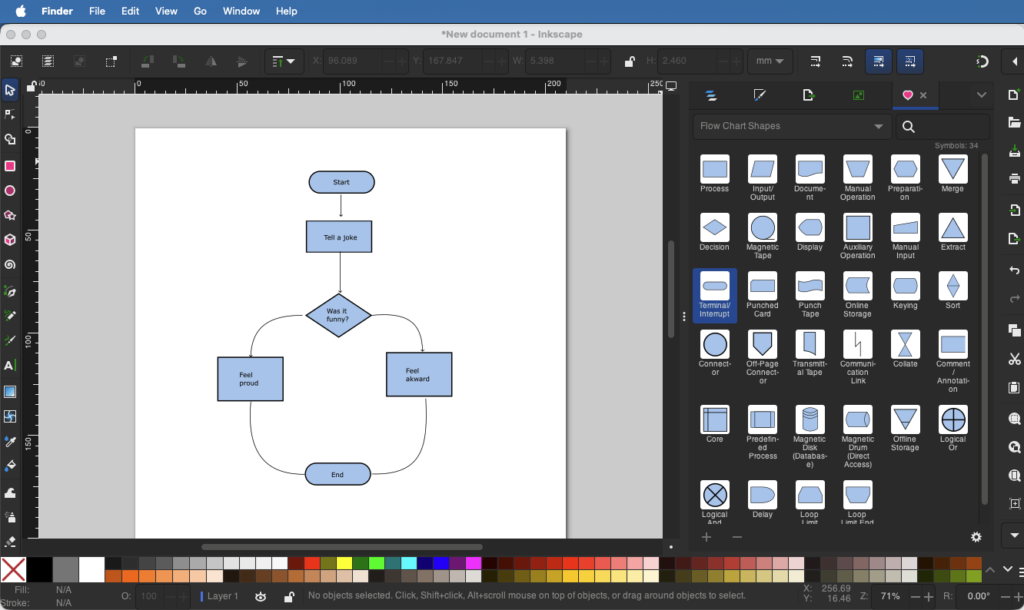
Key Features
- Completely free and open source.
- Full vector editing for precise, scalable diagrams.
- Can use flowchart shape libraries (pre‑made or imported) to speed up diagramming.
- Support for layers, groups, text, and styles for complex diagrams.
- Export to SVG, PNG, PDF, and other formats.
Why Use Inkscape for Flowchart Diagrams?
Inkscape gives excellent control over the look and layout of your flowchart diagrams, making it great for polished, publication‑ready visuals. With a bit of setup (custom shapes/stencils), it becomes a very flexible desktop tool for any flowchart style, from simple process flows to detailed technical diagrams.
Best For
- Designers who want full control over diagram style and layout.
- Anyone comfortable with a vector editor and looking for a free desktop flowchart option.
How to Choose the Right Desktop Flowchart Diagram Tool
When picking a desktop app for flowchart diagrams, keep these factors in mind:
- Cost: All tools above are free; choose based on your budget and licensing needs.
- Complexity: For simple diagrams, Merit Modeler or LibreOffice Draw are great;
- Platform: Make sure the tool runs natively on your OS (Windows, macOS, Linux). Note: on macOS, properly signed or notarized applications can be installed without additional installation steps.
- Export & integration: Check that it supports your needed formats (PDF, PNG, SVG) and fits your workflow.
Final Thoughts
A well‑designed flowchart diagram turns a complicated process into a clear, easy‑to‑follow visual.
For a free, cross‑platform desktop flowchart diagram tool, Merit Modeler from datensen.com is a good recommendation. It’s lightweight, easy to use, and powerful enough for most professional diagramming tasks – all without any subscription or cloud access.
Disclaimer: This list is subjective and based on the author’s experience with Flowchart tools. Inclusion of Merit Modeler reflects its alignment with our criteria; other tools are equally capable depending on user needs. No compensation was received from vendors of listed products. Comparisons are for informational purposes only and not professional advice. All products are presented ‘as is’ without warranties; we disclaim liability for decisions based on this content.
 Luna Modeler
 Moon Modeler
 Galaxy Modeler
 Merit Modeler
 Meteor Modeler