A clear data flow diagram (DFD) is one of the most effective ways to visualize how information moves through a system. Analysts, developers, and process designers rely on DFDs to understand data inputs, outputs, storage points, and the interactions between system components. With the right tool, creating a professional data flow diagram becomes fast and intuitive.
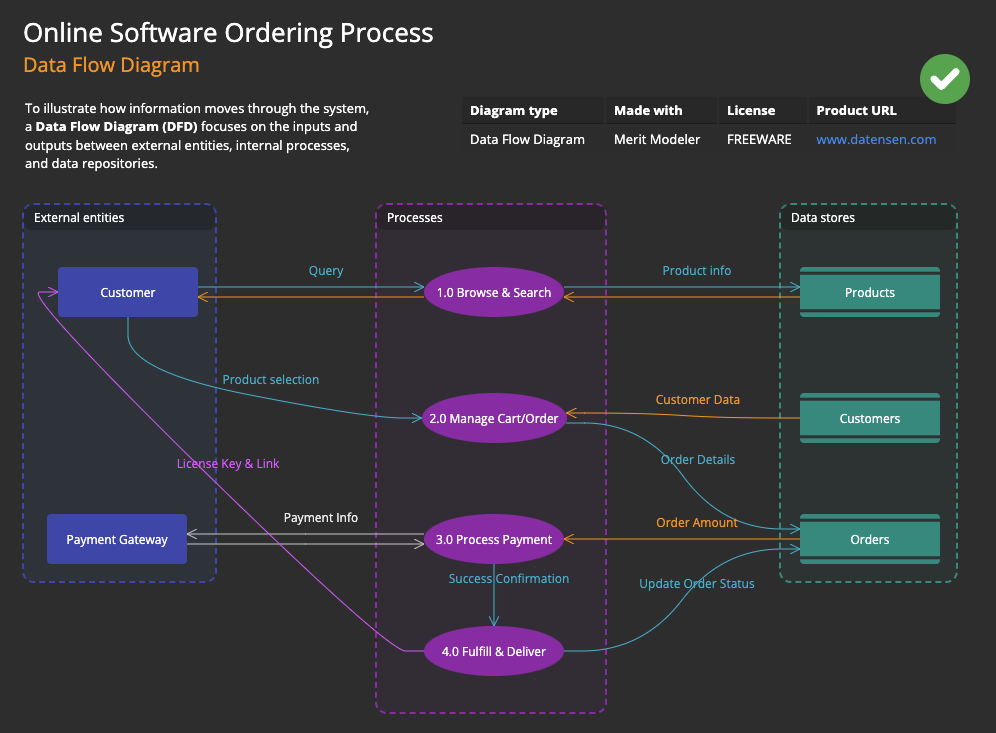
What Is a Data Flow Diagram?
A data flow diagram is a structured visual model that shows how data moves through a system. It highlights:
- External entities that send or receive data (Terminators)
- Processes that transform data
- Data stores where information is kept
- Data flows that connect everything together
DFDs are widely used in:
- Software engineering
- Business process analysis
- System architecture design
- Database planning
- Requirements documentation
A well‑designed data flow diagram helps teams understand how information is processed, where it is stored, and how different components interact.
Merit Modeler: A Freeware Tool for Data Flow Diagrams
If you’re looking for a free data flow diagram tool, Merit Modeler is an excellent choice.
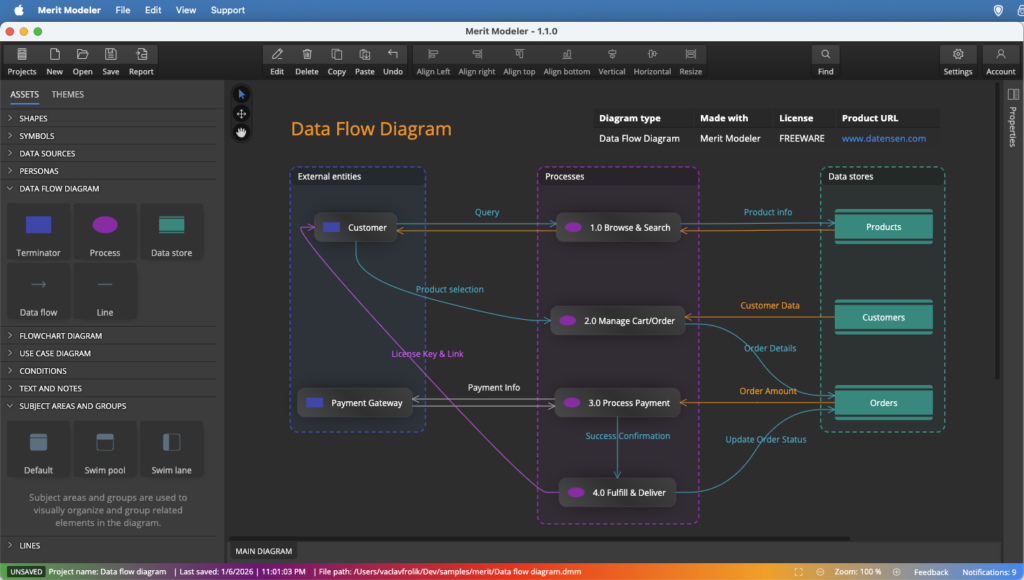
What Is Merit Modeler?
Merit Modeler is a freeware desktop application designed for creating diagrams such as DFDs, flowcharts, and use case diagrams. It runs on:
- Windows
- Linux
- macOS
You can download it from the Download section at datensen.com
Why Merit Modeler Works Well for DFDs
- Completely free
- Cross‑platform support
- Clean, intuitive interface
- Fast performance
- Supports structured modeling
- Ideal for both beginners and advanced users
- Allows exporting diagrams for documentation and presentations
For anyone searching for a reliable free data flow diagram tool, Merit Modeler delivers impressive value.
How to Create a Data Flow Diagram in Merit Modeler
Here’s a simple step‑by‑step workflow to help you build your first DFD.
1. Install and Launch Merit Modeler
Download the application from datensen.com, install it and launch it. Create a new project.
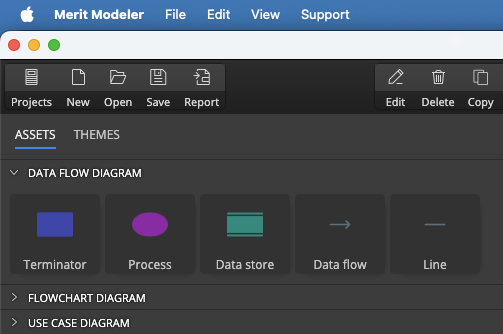
2. Add DFD Elements
Use the Assets panel to insert:
- External entities / Terminators (squares)
- Processes (circles or rounded rectangles)
- Data stores (open‑ended rectangles)
3. Arrange and Connect the Components
Drag elements into position and connect them with directional data flow arrows to show how data moves through the system.
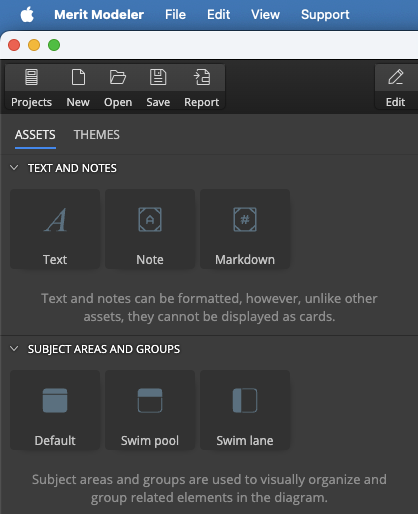
4. Add Grouping Elements and Additional Notes or Texts
Enrich your diagram with texts, notes or notes defined in markdown. You can also add subject areas (default), swim pool or swim lane elements and easily create a group of objects in your DFD.
5. Save or Export Your DFD
Export your diagram for documentation, presentations, or team collaboration.
Why Data Flow Diagrams Matter
Data flow diagrams offer several advantages:
- Provide a high‑level overview of system behavior
- Improve communication between technical and non‑technical teams
- Reveal inefficiencies and missing data paths
- Support documentation for audits and compliance
- Help developers and analysts design cleaner, more efficient systems
A strong DFD becomes a blueprint for system understanding and improvement.
Tips for Designing a Clean, Effective Data Flow Diagram
To make your DFD easy to read and visually appealing:
- Keep spacing consistent
- Use clear, descriptive labels
- Avoid crossing lines when possible
- Maintain a logical flow direction
- Group related components together
Good design improves comprehension and makes your diagram more professional.
Final Thoughts
A data flow diagram is an essential tool for understanding how information moves through a system. With Merit Modeler, you can create professional‑quality DFDs without paying for expensive software. The application is free, fast, and available for all major operating systems.
Download Merit Modeler from datensen.com and start building your own data flow diagrams today.
FAQ
A data flow diagram is a visual model that shows how information moves through a system. It highlights processes, data stores, external entities, and the data flows that connect them.
A DFD includes four main elements: processes, data flows, data stores, and external entities. Together, they describe how data enters, moves through, and exits a system.
Create a new model, add processes, insert data stores and external entities, and connect them with directional data flows. Merit Modeler provides all the symbols needed for structured DFD modeling.
Yes. Merit Modeler is completely freeware and available for Windows, Linux, and macOS. You can download it from datensen.com
Yes. Merit Modeler allows exporting diagrams for documentation, presentations, and team collaboration.
Everything you create stays with you. Your data is yours and everything is completely under your control.
DFDs are commonly used by system analysts, developers, architects, and business teams who need a clear overview of how information moves through a system.
 Luna Modeler
 Moon Modeler
 Galaxy Modeler
 Merit Modeler
 Meteor Modeler